DeckCraft: The free, open-source slides app for .pptx
Themes, slide masters, shapes, charts, Morph and presenter view, laid out the way PowerPoint users expect. Open a .pptx in your browser, edit it and present it full screen.
Got a .pptx?
How to open a PowerPoint file without PowerPoint
Free, in any modern browser. The presentation is read on your computer and never uploaded.
- 1
Open DeckCraft online
It starts with the Northern Lights sample deck, with no install and no sign-up.
- 2
Open your presentation
Choose File › Open, or drop the .pptx on the page. Pictures, audio and video come in the same way.
- 3
Present or export
Start the slide show full screen, or export a PDF of the slides, notes pages or handouts.
What is DeckCraft
What is DeckCraft?
DeckCraft is an open-source presentation app for pitches, lectures and reports: the decks people open PowerPoint for. Slide masters and eleven layouts keep a deck consistent, eight original themes set colours and fonts, and the ribbon is where PowerPoint users look for it.
It opens and saves PowerPoint .pptx files, plays transitions and animations, and presents full screen with a presenter view. It is free, with no account, and the same app runs in the browser, so the DeckCraft on this site opens and presents a .pptx on any computer.
- 1.
PowerPoint’s layout
Ribbon, slide thumbnails, sections and notes.
- 2.
.pptx in and out
Plus PDF, PNG, JPEG and outline export.
- 3.
Morph included
Transitions, animations and motion paths.
- 4.
Open source
Free forever under MIT or Apache-2.0.
Slide Show
Present a deck the way you do in PowerPoint
Everything DeckCraft does when the lights go down, from its own feature list.
Morph and transitions
Morph between slides, or pick a classic transition for each one.
Animations
Entrance, emphasis, exit and motion paths, built by paragraph.
Presenter view
Your notes and the next slide on one screen, the audience sees the other.
Pen
Draw on a slide while you present.
Rehearse timings
Run through the deck and keep the timing of each slide.
Audio and video
MP3, AAC, FLAC, Ogg, WAV; H.264, HEVC, VP9 and AV1, played on the slide.
Build
Shapes, fills and charts, built like PowerPoint
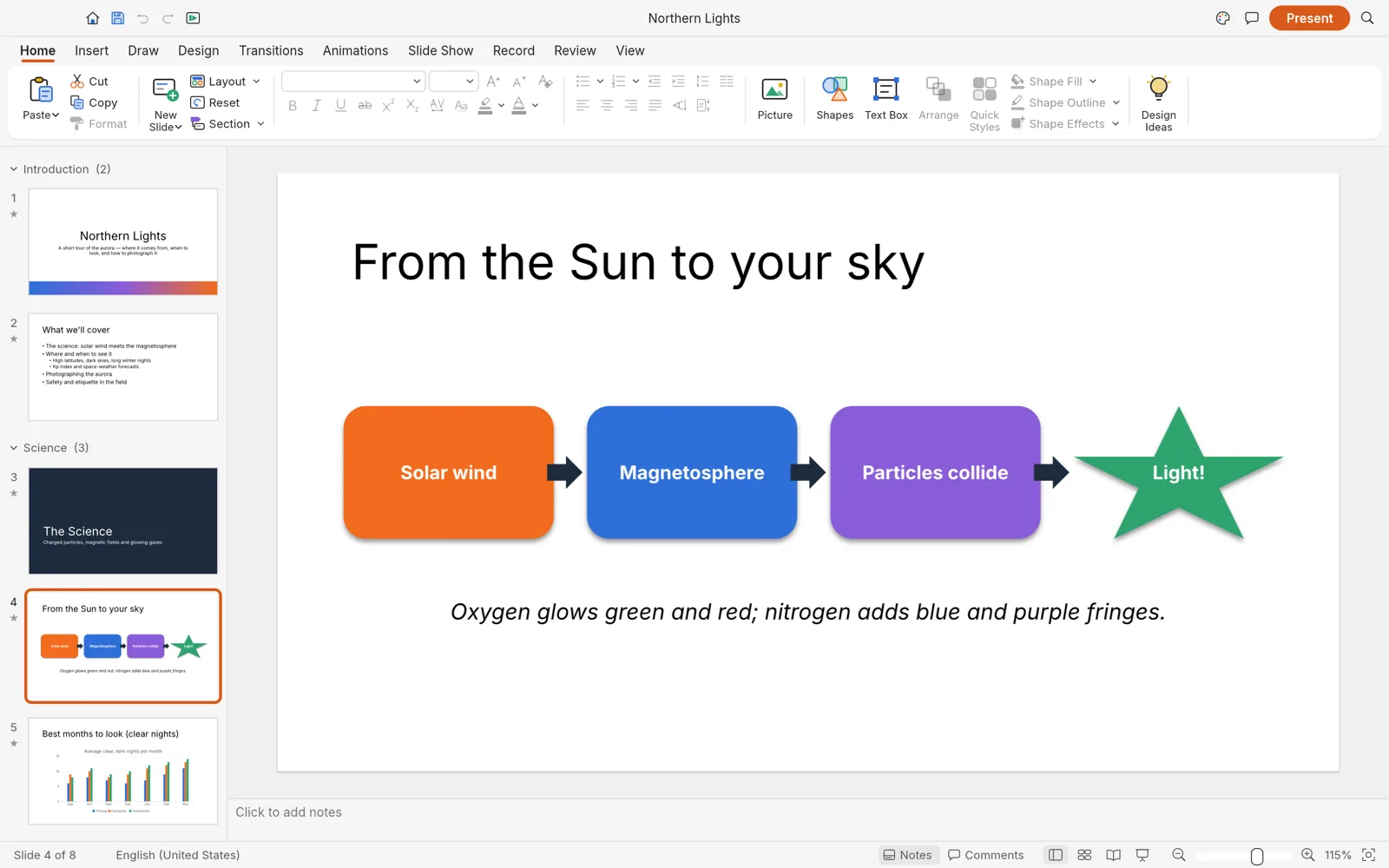
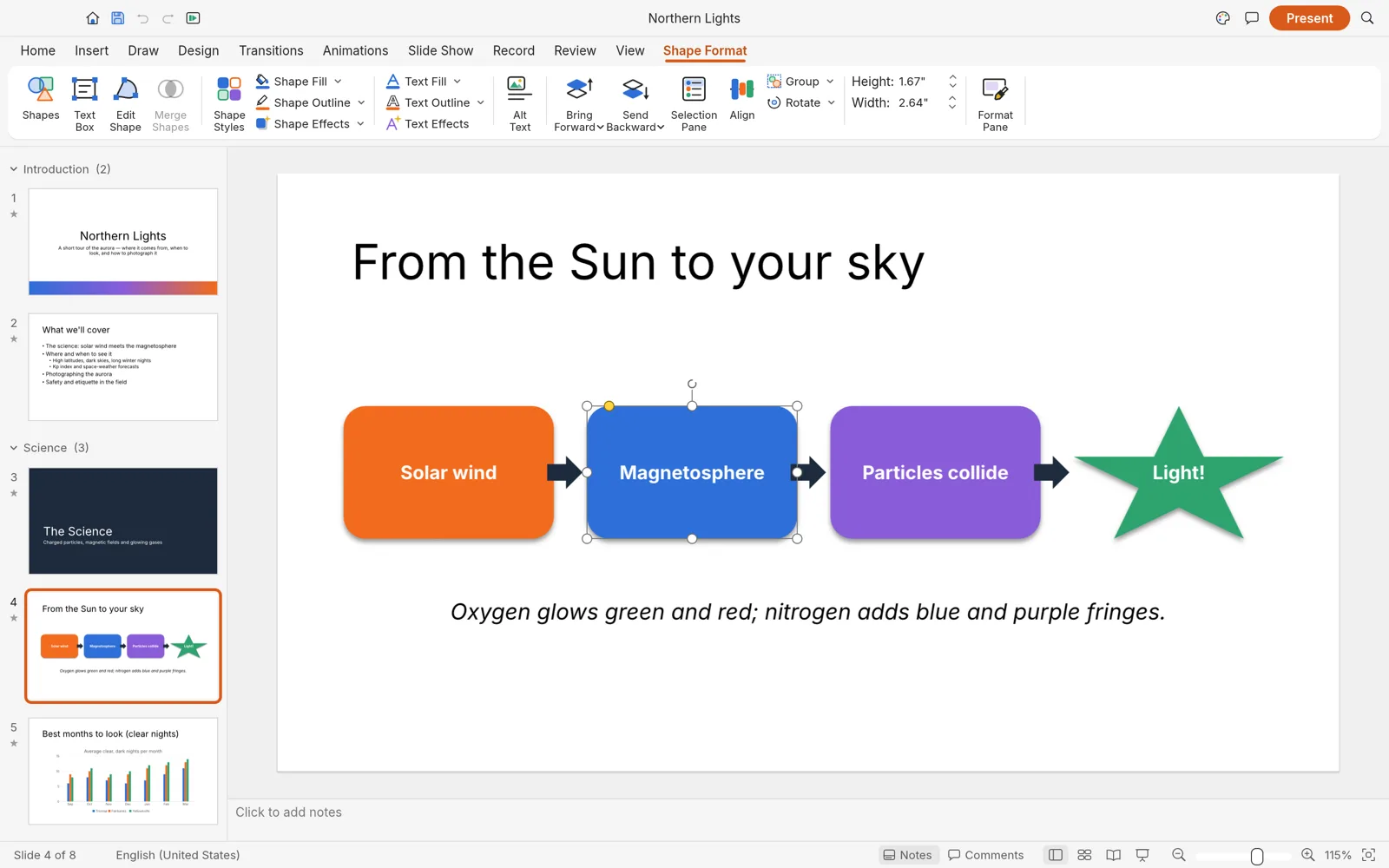
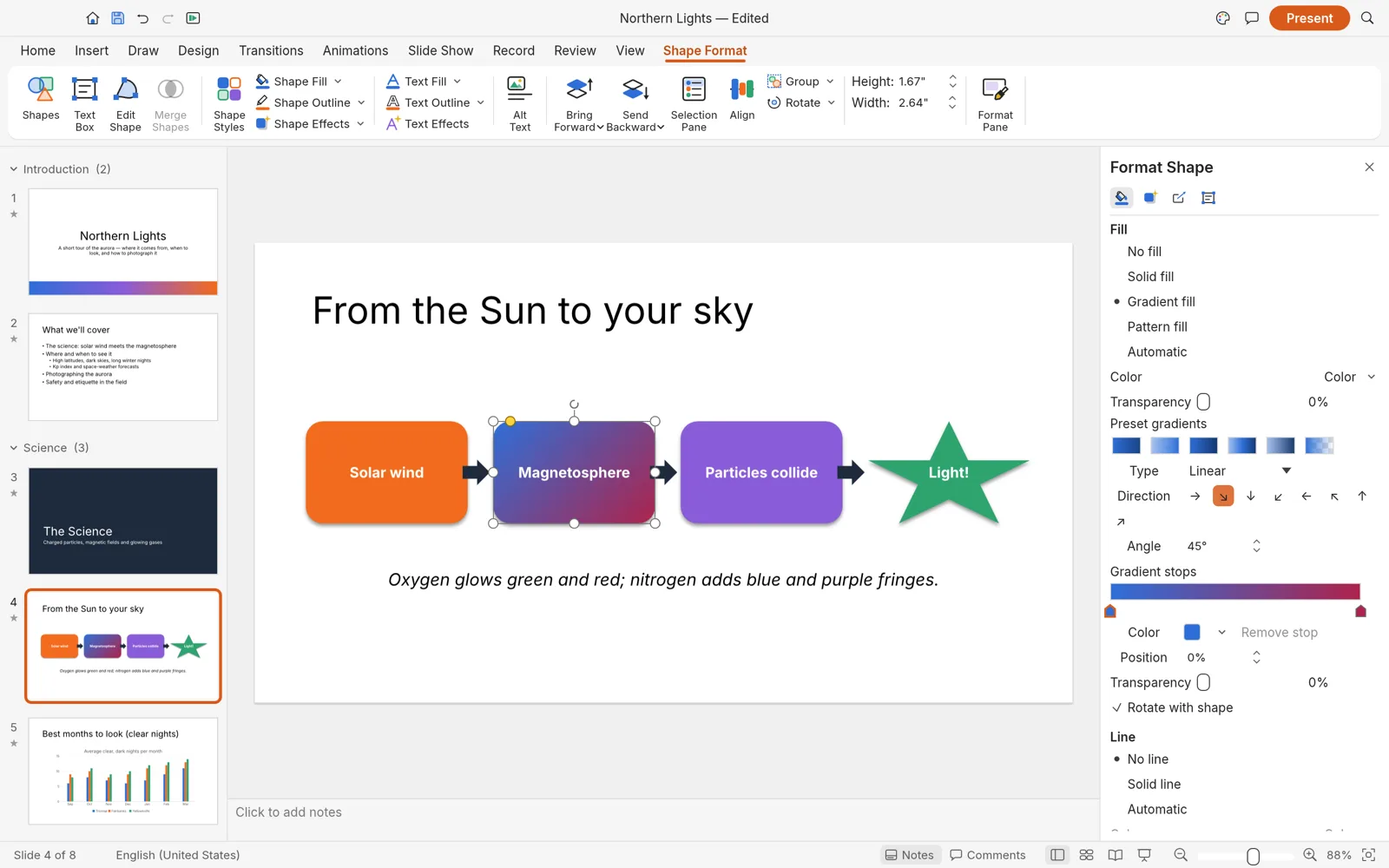
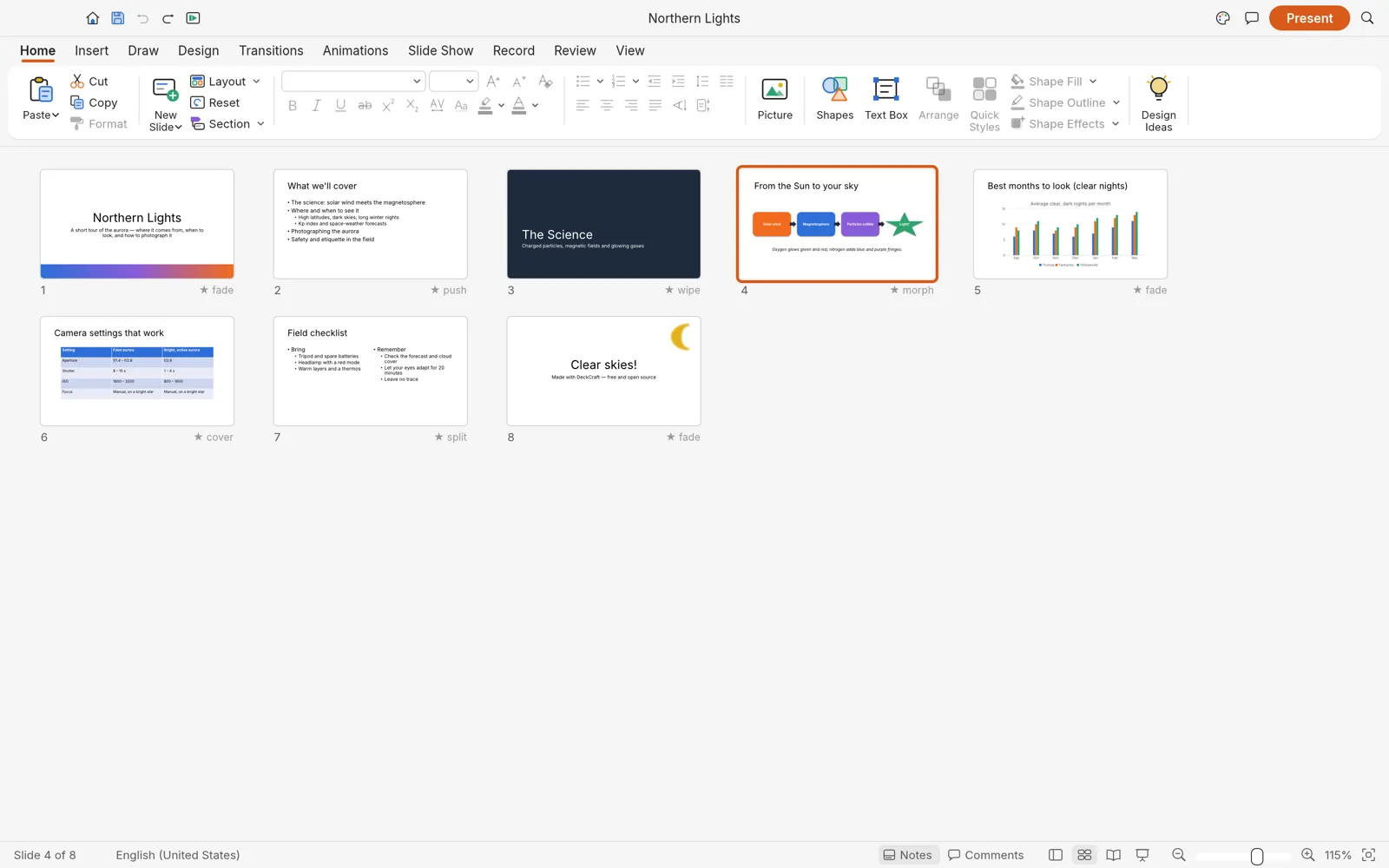
Four screens from the DeckCraft repository.
Shapes
Over 150 preset shapes
Shapes with adjust handles, connectors that stay glued, freeform and curve tools, and merge shapes: union, combine, fragment, intersect, subtract.
Format
The Format Shape pane
Gradient, picture and pattern fills, dashed outlines with arrowheads, shadows, glow, soft edges and reflections.
Organise
Slide Sorter with transitions
See the whole deck at once, move slides between sections and check the transition under each one.
Content
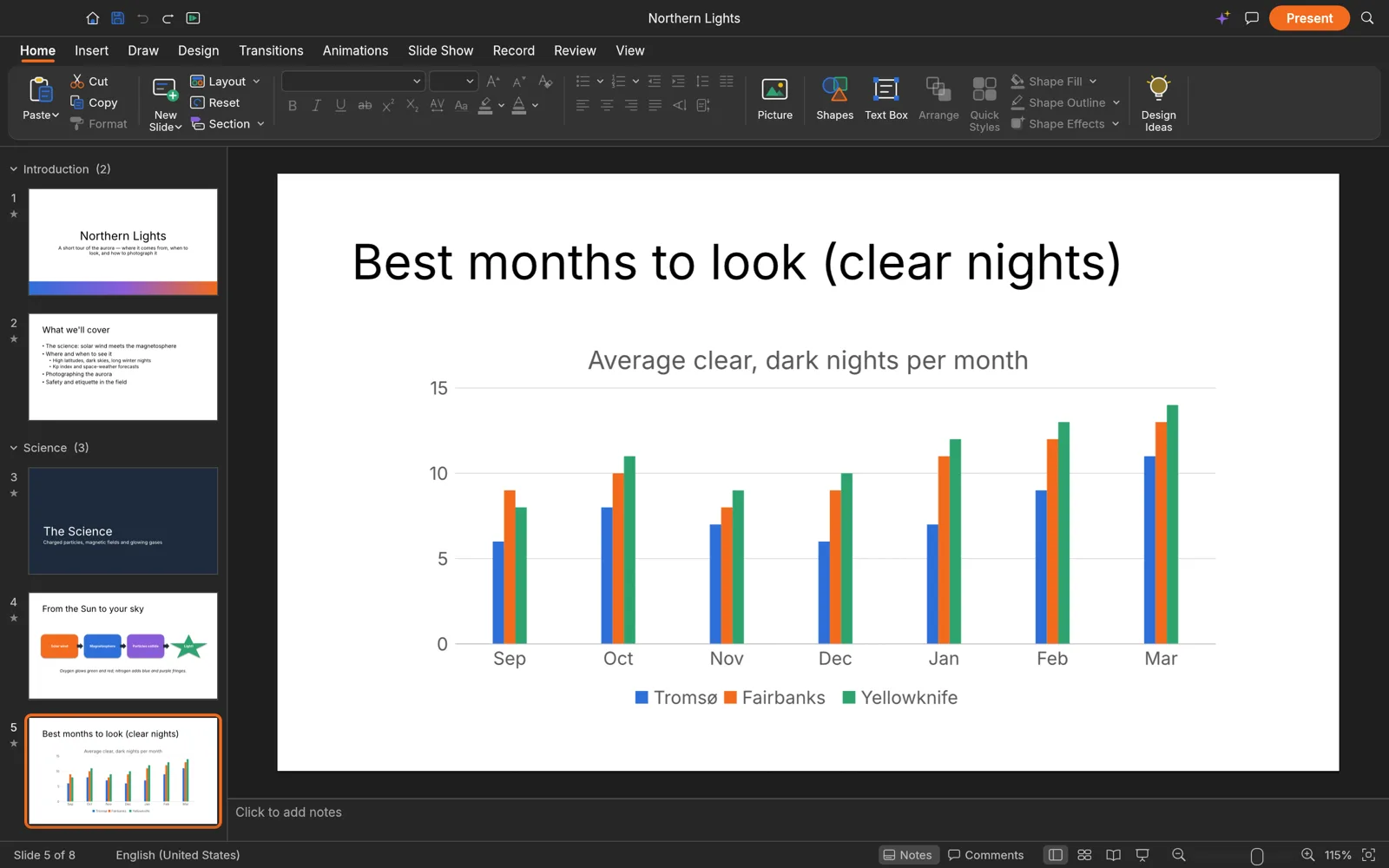
Charts, tables and pictures
Charts, styled tables, SmartArt basics and pictures with crop and corrections, here in dark mode.
Honest numbers
How close DeckCraft is to PowerPoint
DeckCraft is alpha software, heading for beta. Its team measures it against PowerPoint and publishes the figures:
- of PowerPoint’s core features (measured)
- 92%
- of all PowerPoint features by breadth
- 79%
- of the way to replacing PowerPoint for real work (estimate)
- 55%
- commands, each with undo
- 200+
For PowerPoint users
DeckCraft vs PowerPoint
As a free PowerPoint alternative, DeckCraft already opens, edits and presents real .pptx files. Co-editing and full SmartArt are where it still falls short.
| Feature | DeckCraftFree | Microsoft PowerPoint |
|---|---|---|
| Price | Free forever | Microsoft 365 subscription or a licence |
| Runs on | Browser, Windows, macOS, Linux, FreeBSD | Windows, macOS, web, mobile; no Linux |
| .pptx files | Opens and saves | Native |
| Morph transition | Yes | Yes |
| Presenter view | Yes | Yes |
| PDF handouts and notes pages | With selectable text | Yes |
| SmartArt | Basics | Full |
| Live co-editing | No | Through OneDrive |
| Maturity | Alpha, first released October 2026 | Since 1987 |
For AI agents
A PowerPoint-style MCP server: let Claude build your slides
Every action in DeckCraft is a command with a stable id, and the command-line tool serves them over MCP, so Claude Code or Codex can build and edit a deck with you.
- The MCP server runs headless, or drives the open app: deckcraft-cli mcp --connect.
- deckcraft-cli commands lists every command an agent can call.
- The same commands render slides to images, so the agent can look at its work.
On a Mac the command-line tool is its own download (see below). DeckCraft on GitHub
# Give Claude Code a presentation app$ claude mcp add deckcraft -- deckcraft-cli mcp# Or Codex$ codex mcp add deckcraft -- deckcraft-cli mcp# Add a slide from the command line$ deckcraft-cli run --sample \ --cmd 'slide.new={"layout":"titleOnly","title":"Hello"}' \ --save hello.deckcraftDeckCraft download
Every link is the official DeckCraft 0.4.0 build on GitHub. Prefer not to install anything? Open DeckCraft online instead.
| System | Main download | Also available |
|---|---|---|
| Windows (64-bit) | deckcraft-0.4.0-windows-x64.msi · 58.5 MB | portable ZIP · 73.7 MB, ARM64 and 32-bit |
| macOS (Apple silicon and Intel) | deckcraft-0.4.0-macos-universal.dmg · 79.2 MB | command-line tool · 66.5 MB |
| Linux (x86_64) | AppImage · 70.5 MB | .deb · 75.4 MB, .rpm · 75.1 MB, Flatpak · 52.5 MB |
| Linux (ARM64) | AppImage · 68.5 MB | .deb · 73.9 MB, Flatpak · 50.3 MB |
| FreeBSD 14 | tarball · 74.3 MB |
The Windows installers are code-signed, the Mac app is notarized by Apple, and SHA256SUMS.txt lists a checksum for every file.
Yes. DeckCraft is free and open source under MIT or Apache-2.0, with no account and no subscription.
Yes. Open DeckCraft online, then use File › Open or drop the file on the page. The presentation is read in your browser and never uploaded. Save and Export download the result.
Yes. The slide show runs full screen with transitions, animations, video and sound. Browsers start sound only after a click, so click once before you start.
Yes. Morph is one of its transitions, next to entrance, emphasis, exit and motion-path animations with by-paragraph builds.
Open it in DeckCraft and export PDF. You can export the slides, notes pages or handouts, and the text in the PDF stays selectable. PNG, JPEG and an outline are also on offer.
The web build bundles open fonts, Carlito and Caladea among them, which have the same widths as Calibri and Cambria. Other fonts come from your computer, so check text-heavy slides that use fonts you do not have.
For building and presenting decks, yes: its team measures 92% of PowerPoint’s core features. It is alpha software, and live co-editing and full SmartArt are not there yet.
No. PhotoCraft Editor is an independent site that hosts the official DeckCraft web build and links to the official downloads. The project lives on GitHub.
Present a deck with DeckCraft
The full slides app, free in your browser. Open the sample deck or drop in your own .pptx.
Colophon
The screenshots on this page are from the DeckCraft repository (MIT or Apache-2.0), rendered by DeckCraft itself. The progress figures are the DeckCraft team’s own, from its roadmap.
PhotoCraft Editor is an independent site. It is not affiliated with ArtCraft or Microsoft. Microsoft PowerPoint is a trademark of Microsoft Corporation.