DesignCraft: The free, open-source InDesign alternative
Spreads, parent pages, threaded frames and paragraph styles, laid out the way InDesign users expect. Open IDML files in your browser, set type with a real paragraph composer and export print PDF.
What is DesignCraft
What is DesignCraft?
DesignCraft is an open-source page layout app for magazines, books, brochures and posters: the work people open Adobe InDesign for. Text flows through threaded frames, styles keep a long document consistent and parent pages carry the folios.
It reads and writes IDML, the file InDesign exchanges with other apps, and exports print PDF, interactive PDF, EPUB and HTML. It is free, with no account, and the same app runs in the browser, so you can open an IDML file without InDesign on any computer, Linux and Chromebooks included.
- 1.
InDesign’s layout
Tools, menus, panels and shortcuts where you expect them.
- 2.
IDML in and out
Open files made for InDesign and hand them back.
- 3.
Print PDF
Fonts embedded, line breaks identical to the screen.
- 4.
Open source
Free forever under MIT or Apache-2.0.
How to
How to open an IDML file without InDesign
Four steps in the browser. The file is opened on your computer and never uploaded.
- 1
Open DesignCraft
Press Open DesignCraft online on this page. A sample magazine opens so you can look around first.
- 2
Open your IDML file
Choose File › Open (Ctrl+O) and pick the .idml file, or drop it on the window. It opens in a new tab.
- 3
Check and edit
The status bar shows the preflight result; “No errors” means the check passed. Edit text, frames and styles as in InDesign.
- 4
Export
File › Export PDF for print, or File › Export IDML to send it back to InDesign. Both save as downloads.
We tested it
DesignCraft review: IDML in, print PDF out
We took the sample magazine in the DesignCraft hosted on this site through the jobs a layout designer checks first, and opened every exported file outside DesignCraft.
Tested · DesignCraft 0.4.0 · Chrome · Apple M5 Pro · 9 October 2026
- Works
Open the sample magazine
Quarterly, Spring Issue opened with its cover, a two-page spread and a closing page.
4 pages
- Works
Export a print PDF
A PDF 1.7 file with all 4 pages and its 6 fonts embedded. It looks the same in macOS Preview as in DesignCraft.
559 KB
- Works
Export IDML
A complete IDML package: designmap.xml, 3 spreads and 6 stories.
555 KB
- Works
Open that IDML again
It came back in a new tab, laid out as before, with “No errors” in preflight.
- Does not work
Open an InDesign .indd file
Not supported. INDD is Adobe’s closed format; save it as IDML from InDesign first.
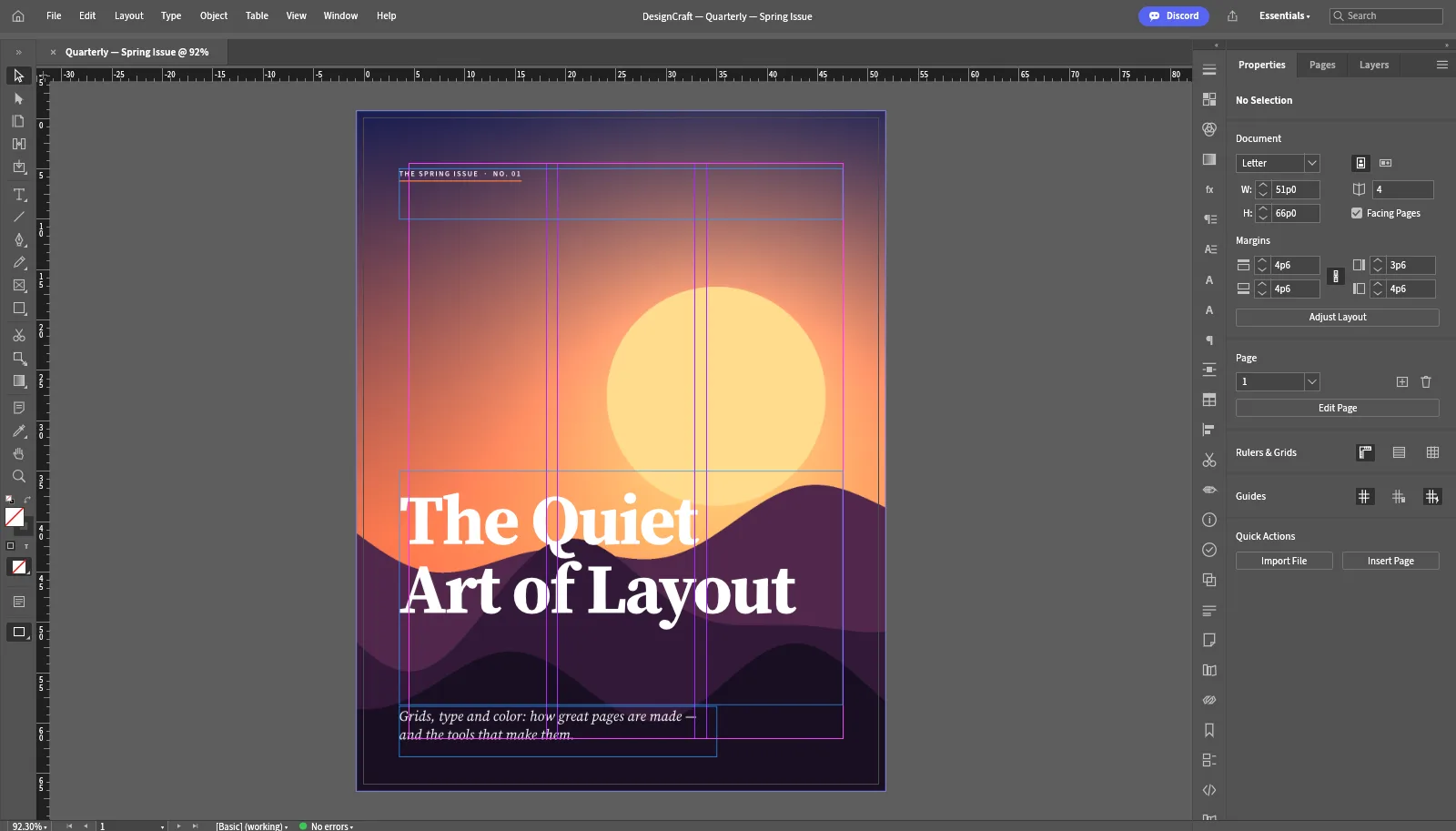
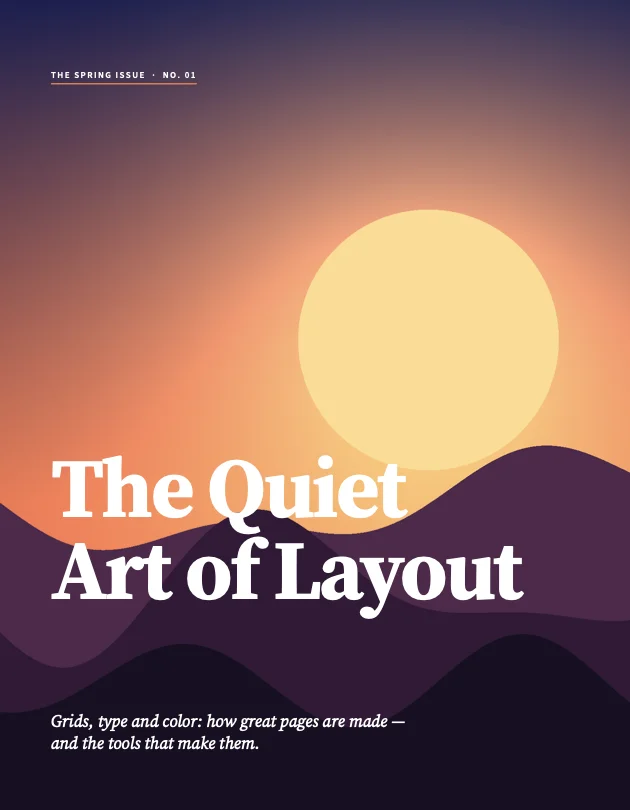
The IDML round trip used DesignCraft’s own file. IDML saved by InDesign can use features DesignCraft does not have yet, so check the preflight on files from other people.
Made with DesignCraft
A magazine laid out in DesignCraft
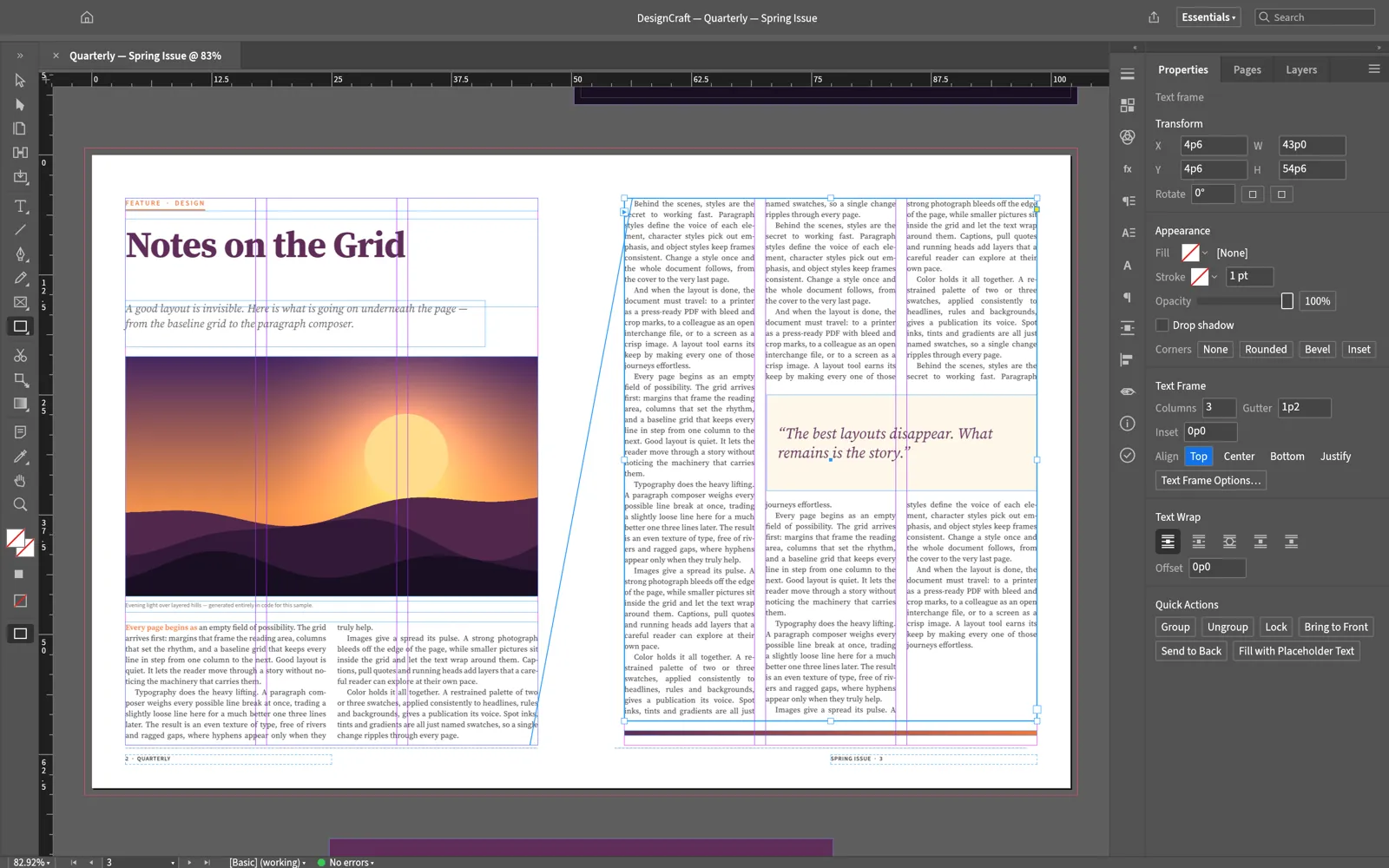
The four pages of the sample issue, composed and exported by DesignCraft.
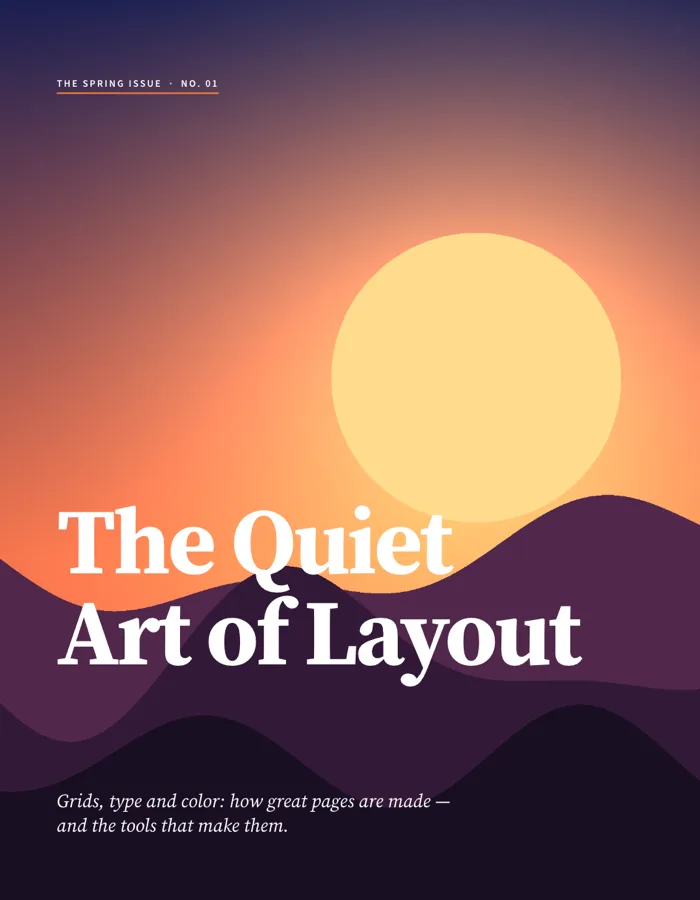
Cover: display type over a full-bleed image. 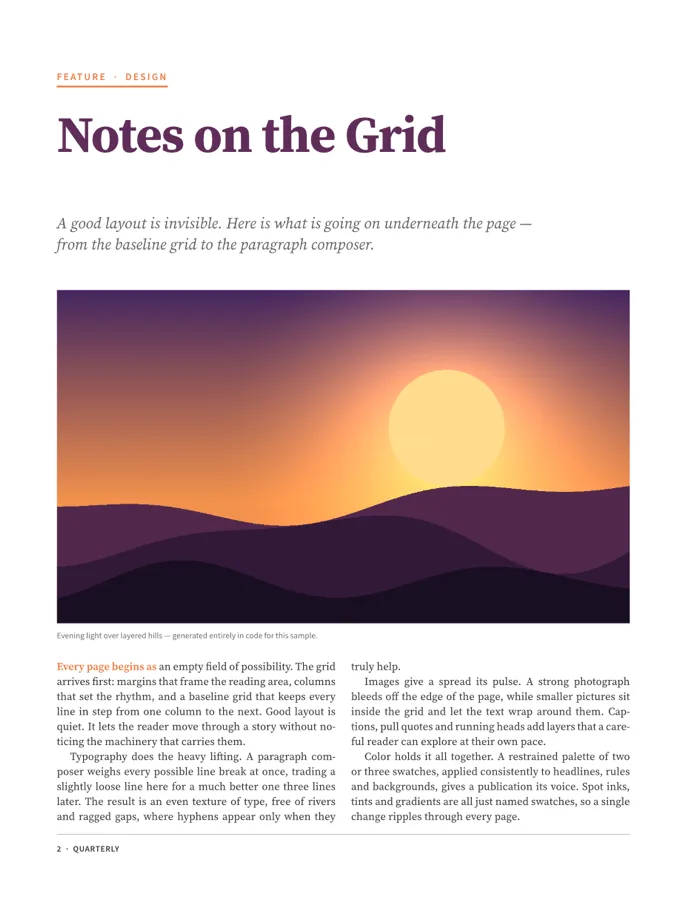
Feature opener: standfirst, image and justified columns. 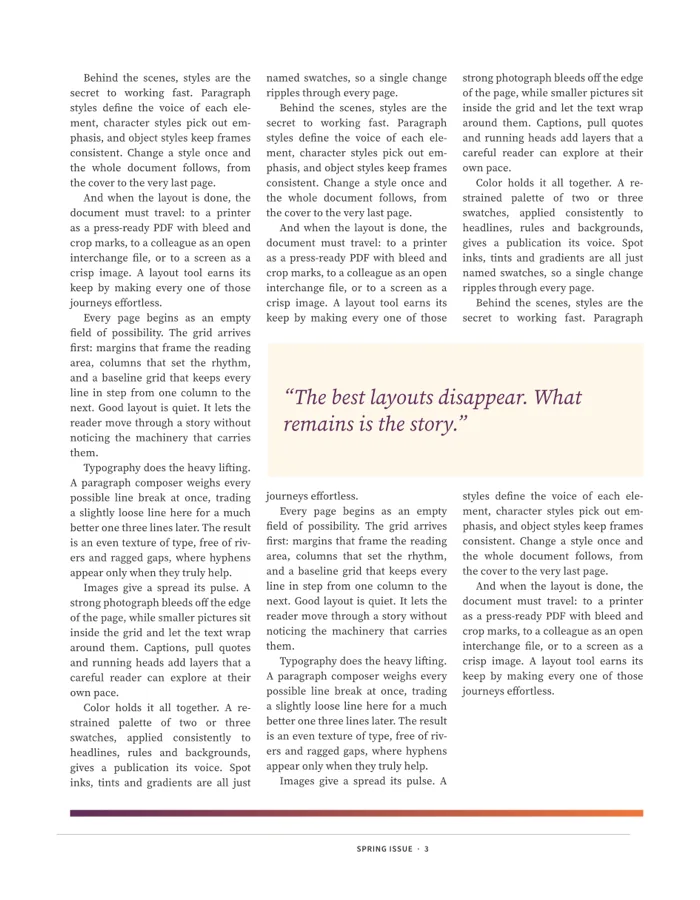
Three threaded columns wrapped around a pull quote. 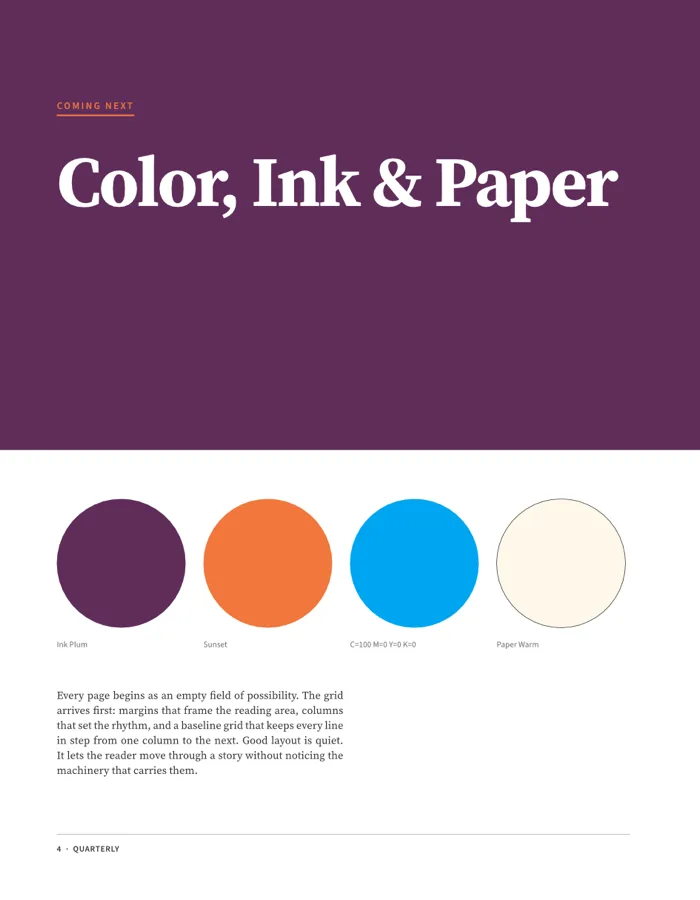
Swatches for ink, accent, CMYK blue and paper.
Typography
Type that holds up in print
The parts of InDesign that make long text look right, rebuilt in DesignCraft.
- 01
Paragraph composer
Knuth-Plass line breaking weighs the whole paragraph, with a single-line composer when you want it.
- 02
Hyphenation
Dictionary hyphenation from a public-domain word list plus trained patterns.
- 03
Justification
Word, letter and glyph-scaling ranges, as in InDesign.
- 04
Optical margin alignment
Quotes and hyphens hang into the margin so the column edge looks straight.
- 05
Threads, columns and wrap
Text flows from frame to frame and around images and pull quotes.
- 06
Styles and parent pages
Paragraph and character styles, swatches, and parent pages for folios and running heads.
- 07
Baseline grid, tabs and rules
Lines that align across columns, plus paragraph rules and shading.
- 08
Same breaks on screen and in PDF
What you proof on screen is what goes to the printer.
For InDesign users
DesignCraft vs InDesign
Your layout habits and IDML files carry over. INDD files and plug-ins do not.
| Feature | DesignCraftFree | Adobe InDesign |
|---|---|---|
| Price | Free forever | Monthly subscription |
| Runs on | Browser, Windows, macOS, Linux, FreeBSD | Windows and macOS |
| Open IDML | Open and save | Open and save |
| Open .indd files | No, use IDML | Native |
| Print PDF with embedded fonts | Yes | Yes |
| Interactive PDF, EPUB and HTML | Yes | Yes |
| Paragraph composer and optical margins | Yes | Yes |
| Third-party plug-ins | No | Yes |
| Maturity | Version 0.4.0, new in 2026 | Mature, since 1999 |
DesignCraft download
Every link is the official DesignCraft 0.4.0 build on GitHub. Prefer not to install anything? Open DesignCraft online instead.
| System | Main download | Also available |
|---|---|---|
| Windows (64-bit) | designcraft-0.4.0-windows-x64.msi · 54.5 MB | portable ZIP · 68.5 MB, ARM64 and 32-bit |
| macOS (Apple silicon and Intel) | designcraft-0.4.0-macos-universal.dmg · 75.5 MB | command-line tool · 60.2 MB |
| Linux (x86_64) | AppImage · 65.5 MB | .deb · 70.2 MB, .rpm · 69.9 MB, Flatpak · 48.9 MB |
| Linux (ARM64) | AppImage · 62.6 MB | .deb · 67.8 MB, Flatpak · 45.8 MB |
| FreeBSD 14 | tarball · 69.1 MB |
The Windows installers are code-signed, the Mac app is notarized by Apple, and SHA256SUMS.txt lists a checksum for every file.
Yes. DesignCraft is free and open source under MIT or Apache-2.0, with no account, no subscription and no licence server.
Yes. Open DesignCraft online, then choose File › Open or drop the .idml file on the window. It is opened in your browser, not uploaded.
No. INDD is a closed format. In InDesign, choose File › Export and pick InDesign Markup (IDML), then open that file in DesignCraft.
We tested the round trip with DesignCraft’s own IDML, not with files saved by InDesign. Those can use features DesignCraft does not have yet, or fonts you do not have, so check the preflight result in the status bar and look over each page.
Yes. File › Export PDF writes a print PDF with the fonts embedded; there is also Export PDF (Interactive), EPUB, HTML, PNG and Package.
Yes. Release builds, the web version included, bundle Japanese fonts for the interface and for documents.
DesignCraft runs on Linux as an AppImage, Flatpak, .deb or .rpm, and in Chrome on a Chromebook. Scribus is the other open-source option; DesignCraft is the one that follows InDesign’s layout and reads IDML.
No. PhotoCraft Editor is an independent site that hosts the official DesignCraft web build and links to the official downloads. The project lives at getartcraft.com. See all the Crafting Apps.
Open your IDML file in DesignCraft
The full layout app, free in your browser. Start with the sample magazine or your own file.
Colophon
The browser screenshot and the exported PDF come from our own test of DesignCraft 0.4.0. The spread and the four magazine pages are from the DesignCraft repository (MIT or Apache-2.0), laid out and exported by DesignCraft.
PhotoCraft Editor is an independent site. It is not affiliated with ArtCraft or Adobe, or with any cabinet or design company named Design Craft. Adobe and InDesign are trademarks of Adobe Inc.