SoundCraft DAW: A free, open-source DAW in the Pro Tools workflow
An Edit window for arranging, a Mix window for balancing, Shuffle, Slip, Spot and Grid, and every action scriptable. Play with the demo session in your browser, or download it to record your own.
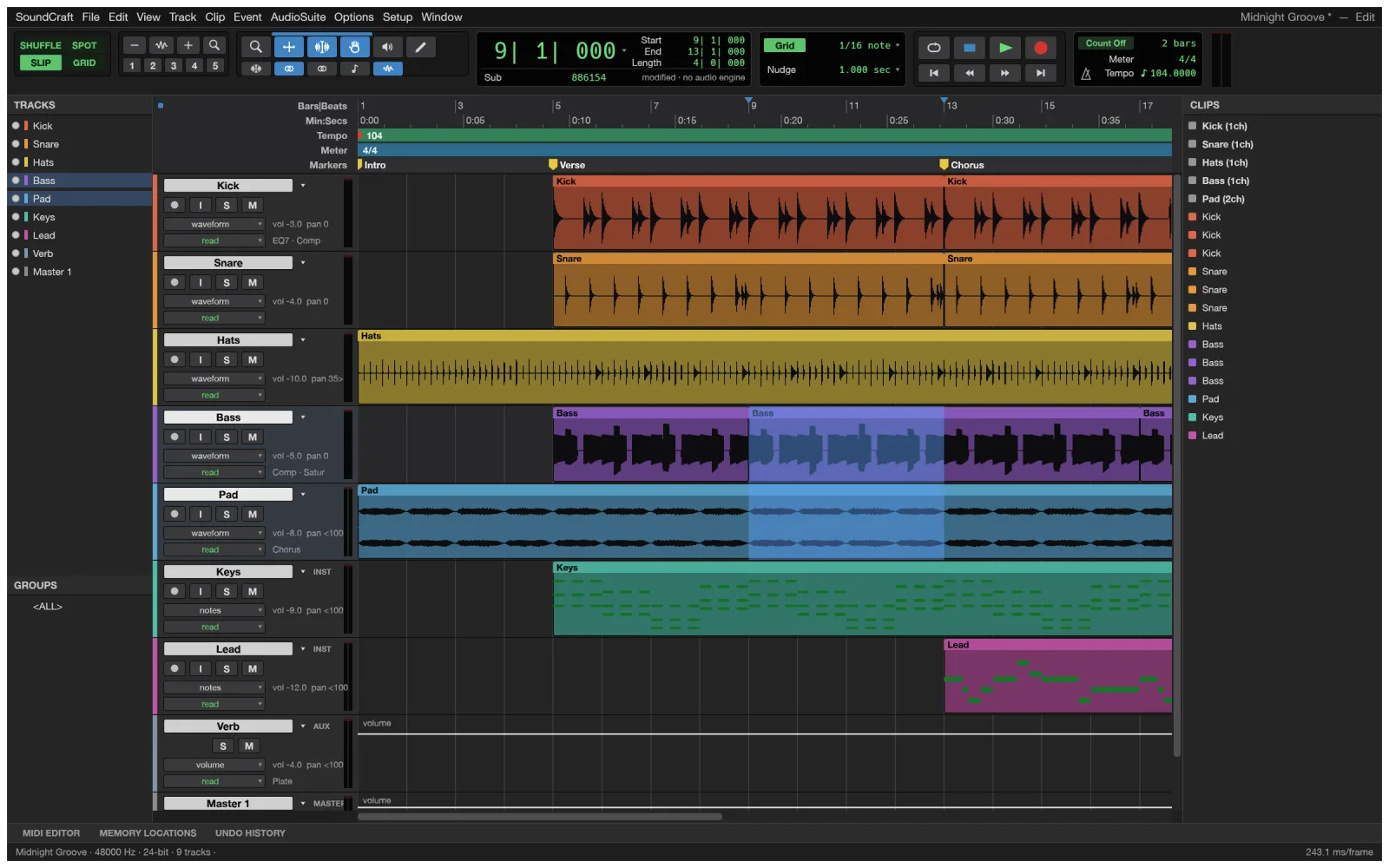
Online or desktop
What the SoundCraft DAW does online, and what needs the download
The SoundCraft DAW on this site is the full app compiled for the browser, with no login and no download. It opens a demo session; your own audio needs the desktop app.
YesNot yet
In your browser
- The nine-track demo session: Yes
- Edit window: tools, modes, fades: Yes
- Mix window: inserts, sends, automation: Yes
- Playback through your speakers: Yes
- Opening your own audio files: Not yetdesktop
In the desktop app
- Record, edit, mix and bounce: Yes
- CLAP, VST3 and Audio Units plugins: Yes
- WAV, AIFF and FLAC in and out; MP3 and more in: Yes
- Choosing an audio interface and buffer size: Not yet
- Recording MIDI from a controller: Not yet
Sessions
- Standard MIDI Files and MusicXML: Yes
- Stems and mixes with LUFS readout: Yes
- AAF and OMF session exchange: Not yet
- Translated interface: Not yet
Browsers only start sound after you click, so click once in the app before you press play.
What is SoundCraft
What is the SoundCraft DAW?
SoundCraft is an open-source digital audio workstation for recording, editing and mixing music, podcasts and film sound: the work studios open Pro Tools for. It follows the workflow audio engineers know, with an Edit window, a Mix window, edit modes, playlists, memory locations and AudioSuite processing.
It runs on Windows, macOS, Linux and FreeBSD, with CLAP, VST3 and Audio Units plugins and its own EQ, dynamics, reverb, delay and synths. It is free, and the same app runs in the browser, so you can try a full DAW online before you install anything.
- 1.
Pro Tools’ workflow
Shuffle, Slip, Spot and Grid; Smart and Trim tools.
- 2.
Your plugins
CLAP, VST3 and AU, with their own editors.
- 3.
Fast
120 frames a second with seventy-odd tracks playing.
- 4.
Open source
Free under MIT or Apache-2.0, no account.
The two windows
The SoundCraft DAW Edit and Mix windows
Press ⌘= to flip between them, as in the DAW you know.
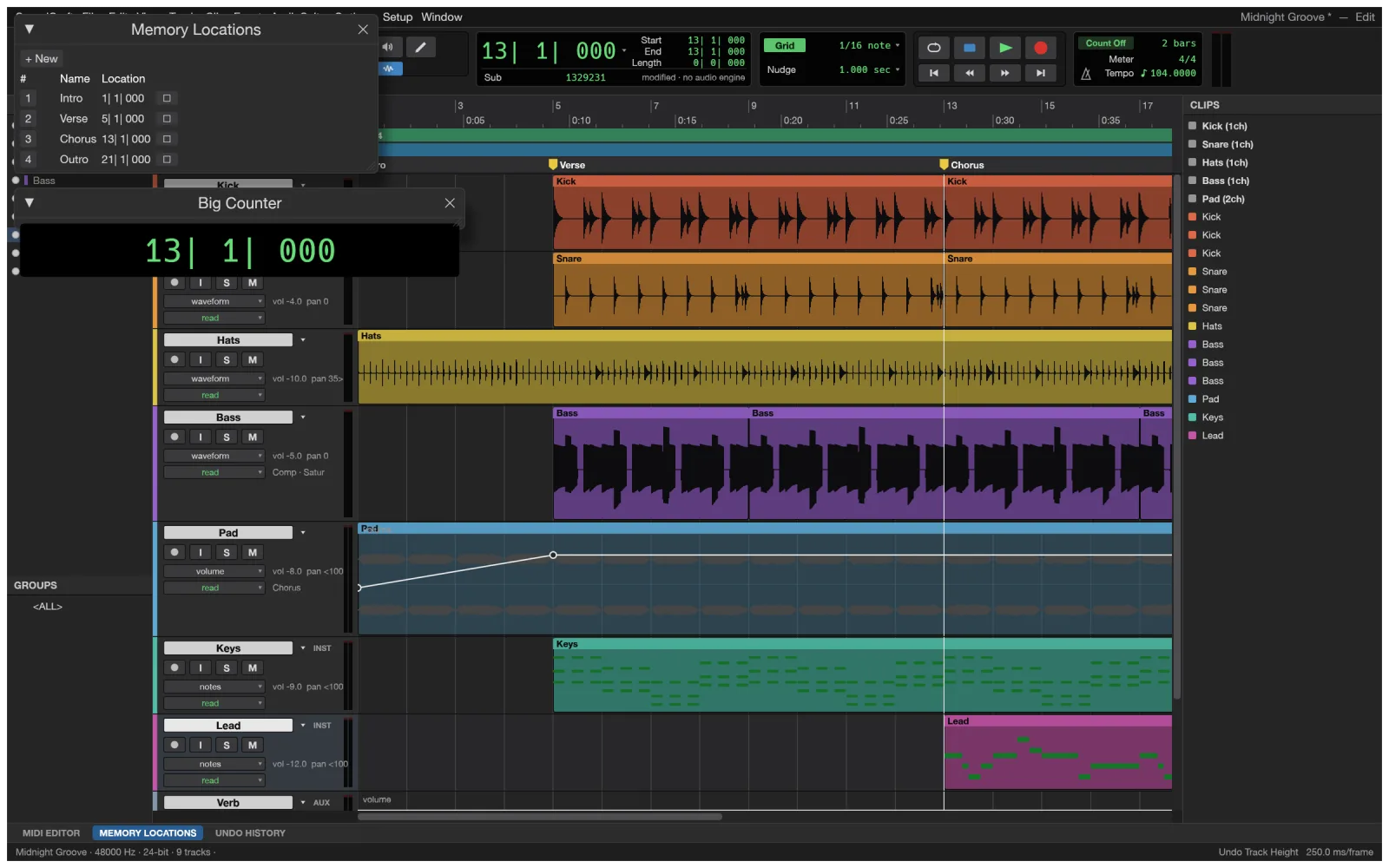
Edit
Arrange and edit
Shuffle, Slip, Spot and Grid modes with the Smart, Trim, Grabber and Pencil tools. Separate at transients, heal, strip silence, and draw fades straight from the clip corners.
- Playlists with comping lanes
- Write, Touch and Latch automation
- Beat Detective and Elastic warping
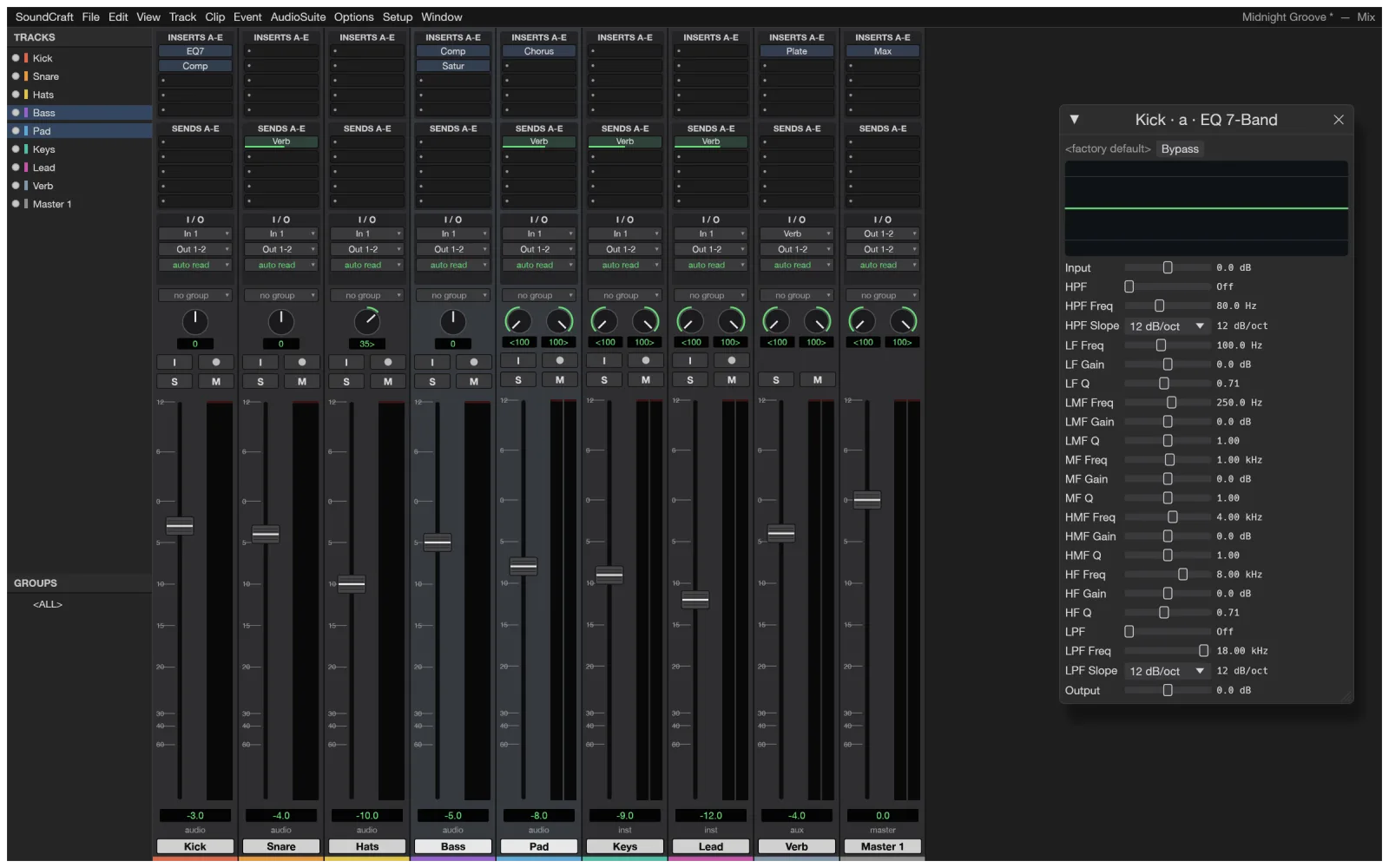
Mix
Balance and process
Ten inserts and ten sends per track, busses and aux inputs, VCAs, solo in place and automatic plugin delay compensation.
- 7-band EQ, compressor, gate, de-esser, reverbs
- Pre and post sends to aux tracks
- Meters with peak hold
Beyond audio tracks
MIDI, video, surround and notation
More of SoundCraft, from its repository.
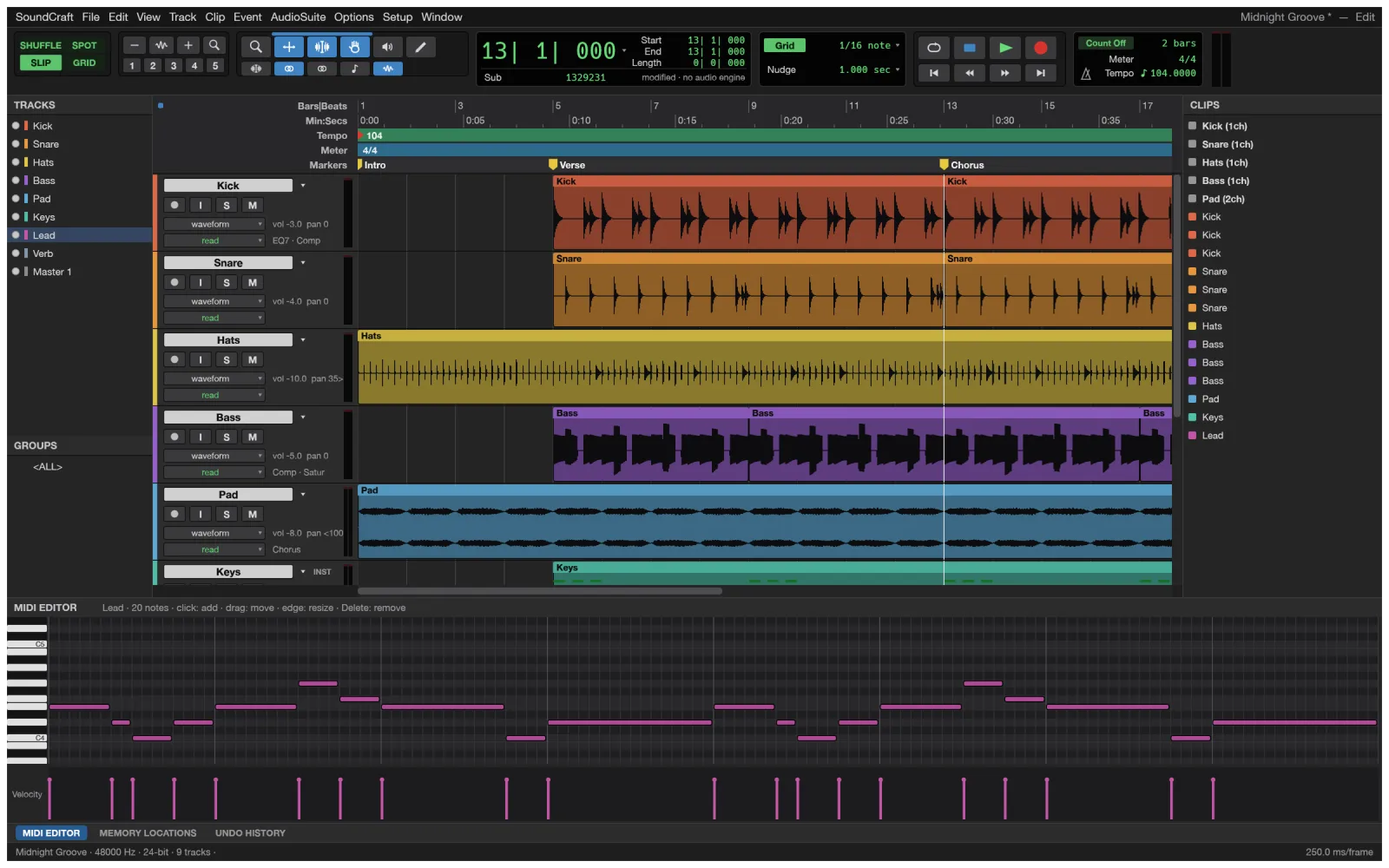
MIDI
Piano roll with velocity
Instrument tracks with built-in synths, step input, quantize and transpose, and Audio-to-MIDI from a sung melody.
Post
Video track
Thumbnails and a Video window that follows the playhead, with timecode burn-in.
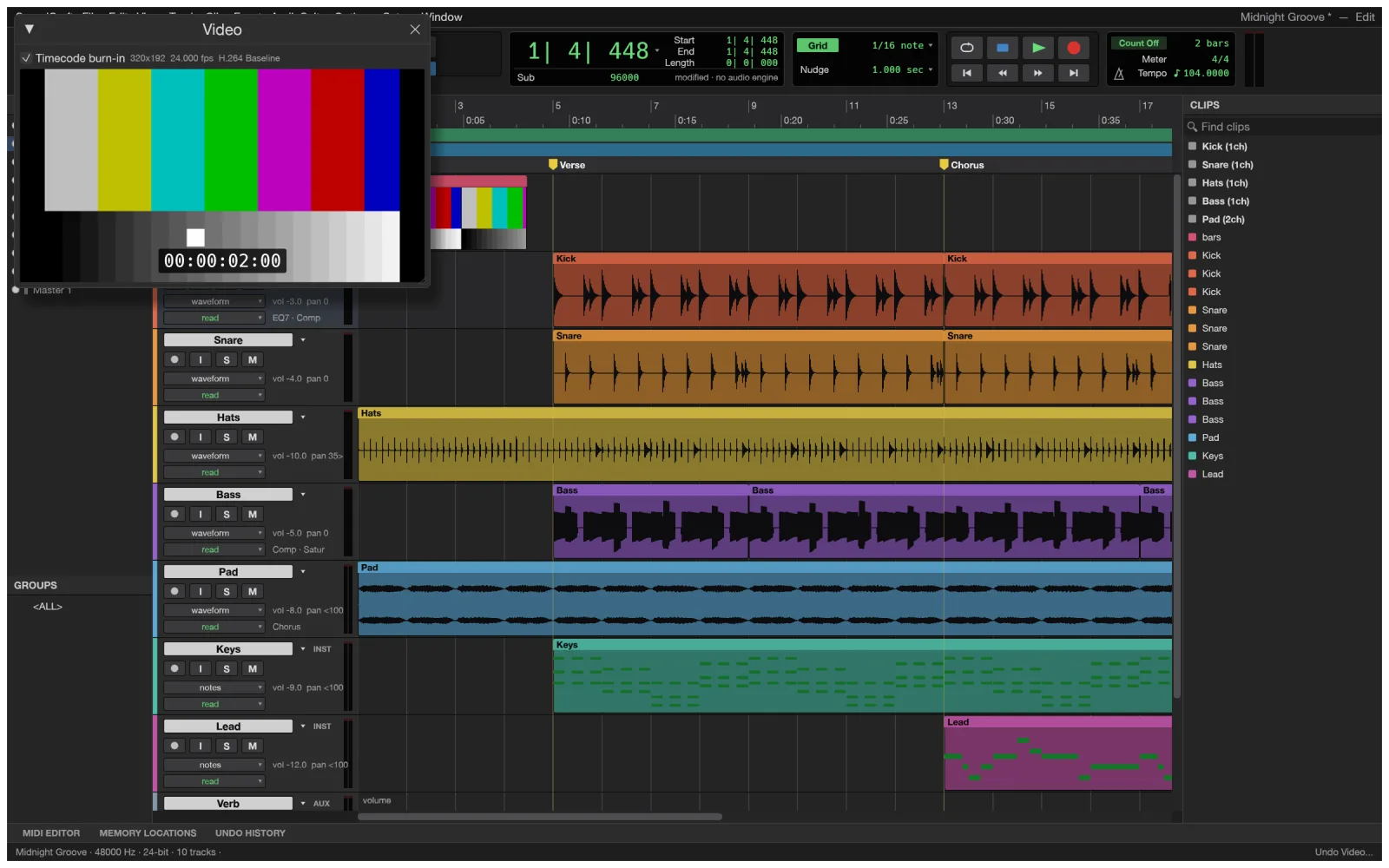
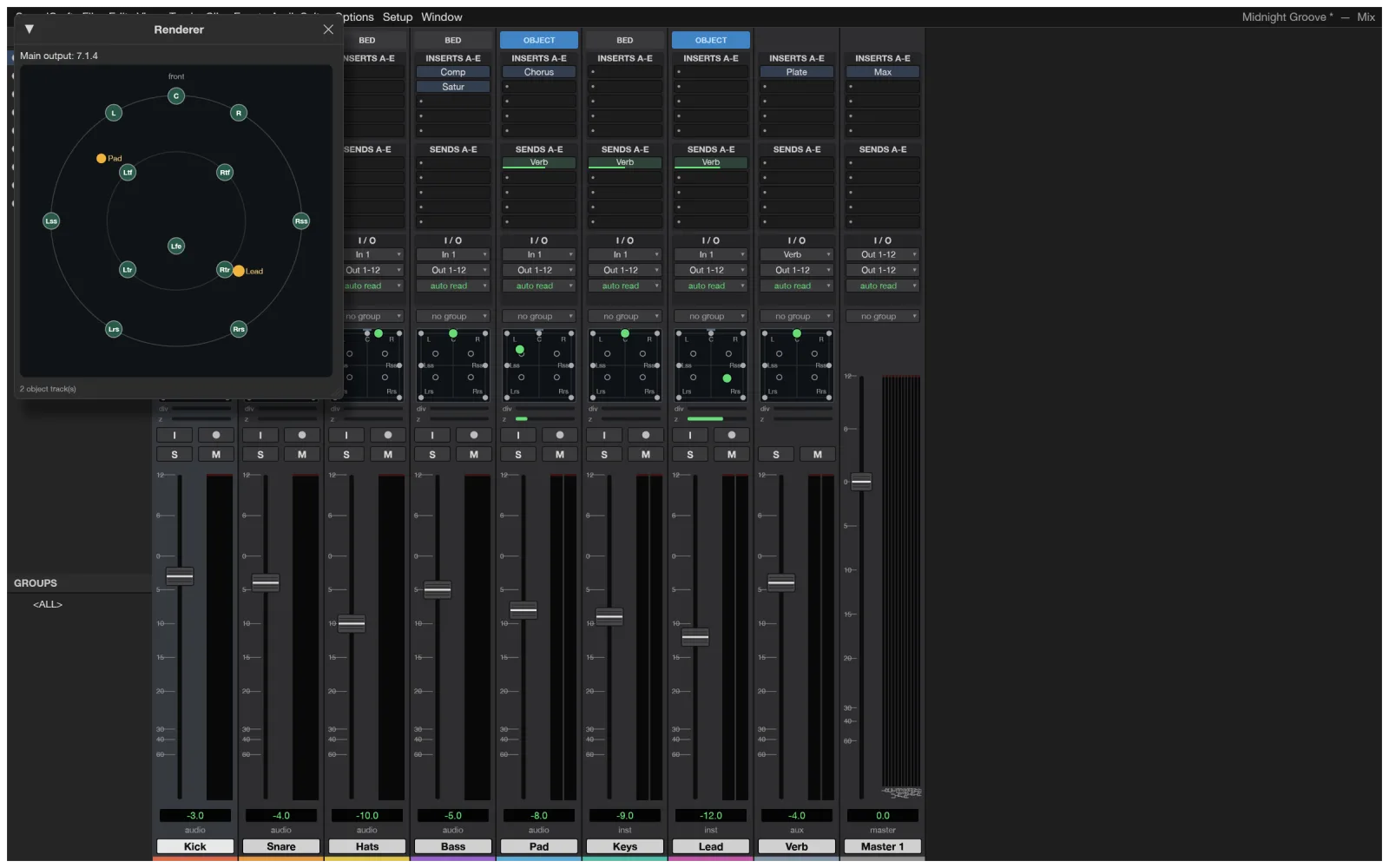
Immersive
Surround up to 9.1.6
Ambisonics, a surround panner, object and bed routing and a Renderer window.
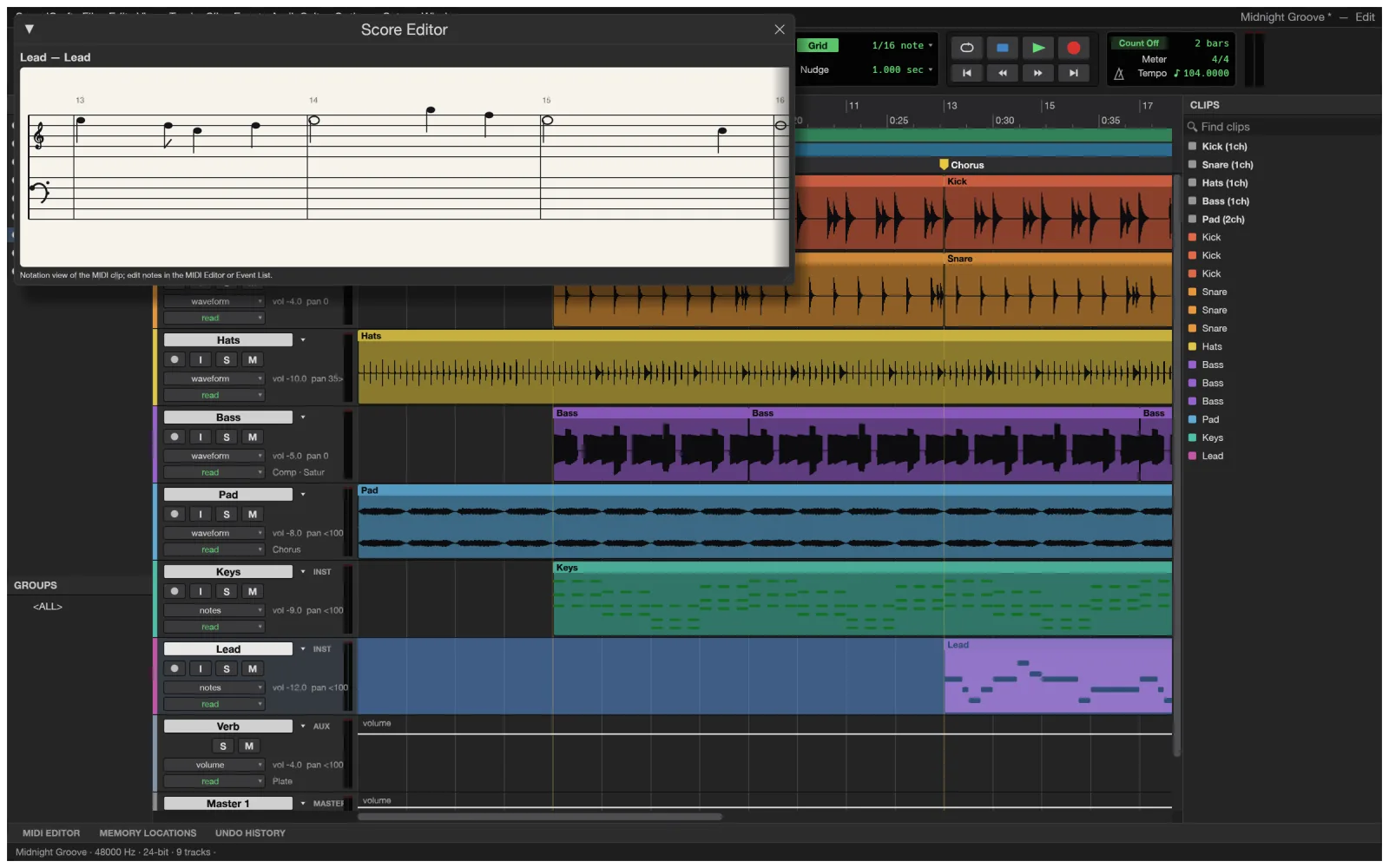
Notation
Score Editor
Engraved scores from MIDI tracks, printable, with MusicXML export for Sibelius.
For Pro Tools users
SoundCraft DAW vs Pro Tools
As a free Pro Tools alternative, the SoundCraft DAW keeps the workflow and opens up the plugin formats. It is pre-alpha: its team puts it 40% of the way to replacing Pro Tools for real work.
| Feature | SoundCraftFree | Avid Pro Tools |
|---|---|---|
| Price | Free forever | Subscription; a limited free Intro version |
| Runs on | Browser, Windows, macOS, Linux, FreeBSD | Windows and macOS |
| Edit and Mix windows, edit modes | Yes | Yes |
| Plugin formats | CLAP, VST3, Audio Units | AAX only |
| Video track and surround | Yes, up to 9.1.6 and Ambisonics | Yes |
| Audio interface and buffer settings | Not yet | Yes |
| AAF and OMF exchange | Not yet | Yes |
| Maturity | Pre-alpha, first released October 2026 | Studio standard since 1991 |
For AI agents
Give Claude a DAW: SoundCraft DAW over MCP
Everything you can click in SoundCraft is a command with JSON parameters. The command-line tool serves them over MCP, and session.inspect tells the agent exactly what changed.
- Programmatic calls never open dialogs, so an agent never gets stuck.
- Drive the running app too: soundcraft --control with soundcraft-cli app.
- soundcraft-cli commands lists every command.
On a Mac the command-line tool is its own download (see below). SoundCraft on GitHub
# Give Claude Code a DAW$ claude mcp add soundcraft -- soundcraft-cli mcp --demo# Or Codex$ codex mcp add soundcraft -- soundcraft-cli mcp --demo# Headless: turn the kick down, add an EQ, bounce$ soundcraft-cli run --demo \ --cmd 'mix.volume={"track":"Kick","db":-6}' \ --cmd 'mix.insert={"track":"Bass","plugin":"eq_7band"}' \ --bounce mix.wavSoundCraft download
Every link is the official SoundCraft 0.5.0 build on GitHub. Prefer not to install anything? Open SoundCraft online instead.
| System | Main download | Also available |
|---|---|---|
| Windows (64-bit) | soundcraft-0.5.0-windows-x64.msi · 10.5 MB | portable ZIP · 13.8 MB, ARM64 and 32-bit |
| macOS (Apple silicon and Intel) | soundcraft-0.5.0-macos-universal.dmg · 20.3 MB | command-line tool · 6.2 MB |
| Linux (x86_64) | AppImage · 14.8 MB | .deb · 15.6 MB, .rpm · 15.5 MB, Flatpak · 10.6 MB |
| Linux (ARM64) | AppImage · 13.6 MB | .deb · 14.6 MB, Flatpak · 9.2 MB |
| FreeBSD 14 | tarball · 15.2 MB |
The Windows installers are code-signed, the Mac app is notarized by Apple, and SHA256SUMS.txt lists a checksum for every file.
Yes. SoundCraft is free and open source under MIT or Apache-2.0, with no account, no subscription and no paid tier.
Yes. Try SoundCraft online and the full DAW opens in your browser with a nine-track demo session. Click once in the app to allow sound, then press Space to play.
Not yet. The browser version has no file dialogs and always opens the demo session. To work on your own audio, download the desktop app for Windows, Mac or Linux.
Yes, in the desktop app: punch in on a selection, loop record with a playlist per take and monitor through the channel strip. Choosing an audio interface and buffer size is not in yet.
CLAP, VST3 and Audio Units plugins load in the desktop app, with their own editors and their state saved in the session. AAX plugins, the Pro Tools format, do not.
For learning the workflow and for editing and mixing, the SoundCraft DAW is a good start. Its team puts it 40% of the way to replacing Pro Tools for real work, and session exchange with Pro Tools through AAF or OMF is still missing.
Linux gets AppImage, Flatpak, .deb and .rpm builds; the source build needs the ALSA headers. On a Chromebook, try the online version in Chrome.
No. This SoundCraft is a DAW, software from the ArtCraft team. Soundcraft mixing consoles are hardware from an unrelated company.
No. PhotoCraft Editor is an independent site that hosts the official SoundCraft web build and links to the official downloads. The project lives on GitHub.
Play the SoundCraft DAW demo session
A full DAW in your browser, free and with no login. Click once, press Space and start mixing.
Colophon
The screenshots on this page are from the SoundCraft repository (MIT or Apache-2.0), rendered by SoundCraft itself. The progress figures are the SoundCraft team’s own, from its roadmap.
PhotoCraft Editor is an independent site. It is not affiliated with ArtCraft, Avid or the maker of Soundcraft mixing consoles. Pro Tools is a trademark of Avid Technology, Inc. Soundcraft is a trademark of its owner.