FigCraft: The free, open-source Figma alternative
Frames, auto layout, components and variants, variables, vector networks and prototypes, with the panels and shortcuts of Figma. Design in your browser, or install the native app and work offline with no account.
What is FigCraft
What is FigCraft?
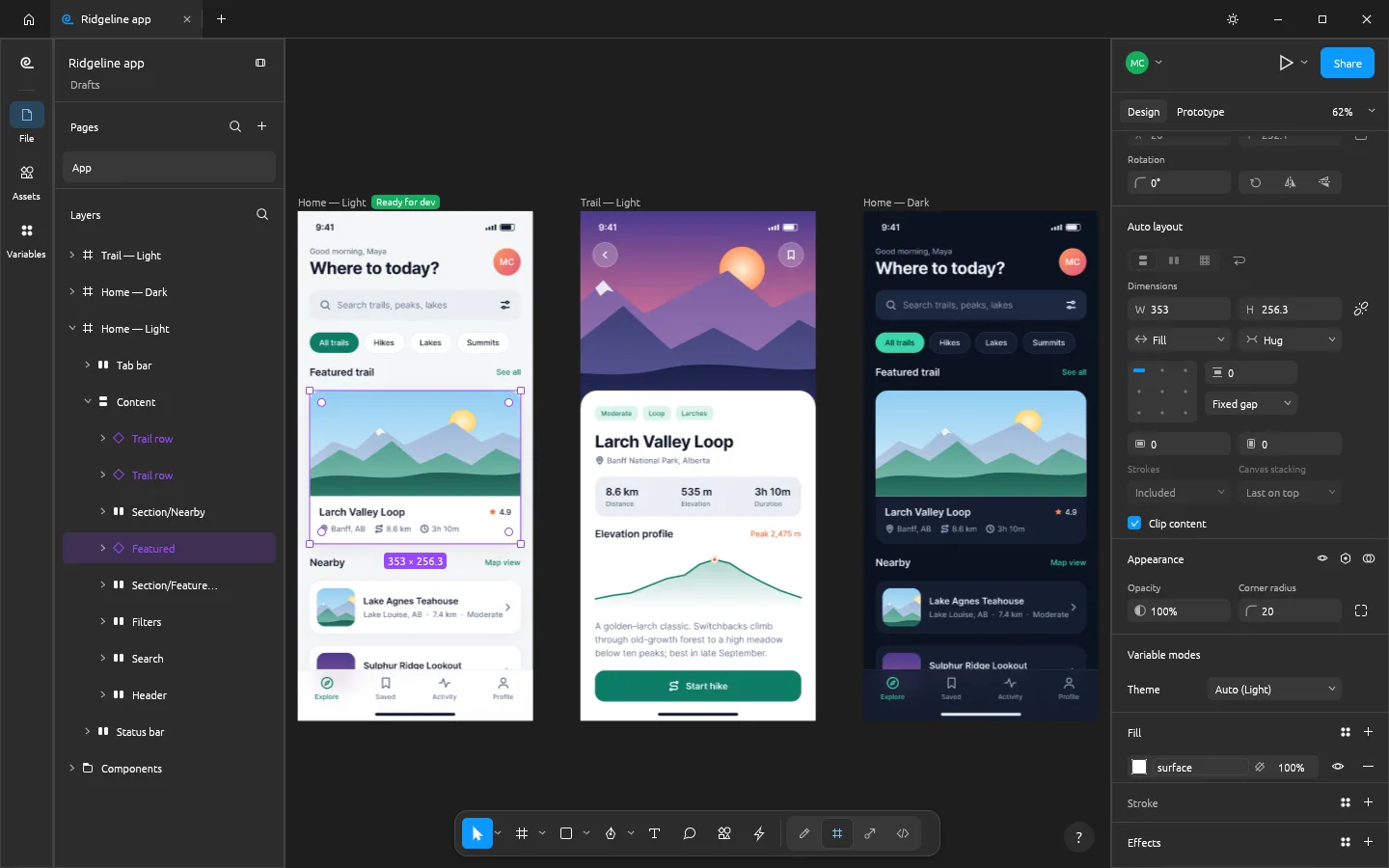
FigCraft is an open-source interface design tool for app screens, websites, design systems and clickable prototypes: the work people open Figma for. The toolbar, Layers panel, Design panel, menus and shortcuts sit where Figma users expect them.
It is a native app for Windows, macOS, Linux and FreeBSD, and the same app runs in the browser, so the FigCraft on this site is the real editor, free and without an account. Your designs are plain .figcraft files on your own disk, with no telemetry. FigCraft comes from the ArtCraft team that makes PhotoCraft and the other Crafting Apps.
- 1.
Figma’s workflow
Auto layout, components, variables, prototypes.
- 2.
Offline and private
No account; files stay on your computer.
- 3.
Built for agents
A command-line tool and an MCP server.
- 4.
Open source
Free forever under MIT or Apache-2.0.
Where Figma keeps it
Auto layout, components and prototypes in FigCraft
The five things that decide whether a Figma alternative works for real product design, as they look in FigCraft.
Design systems
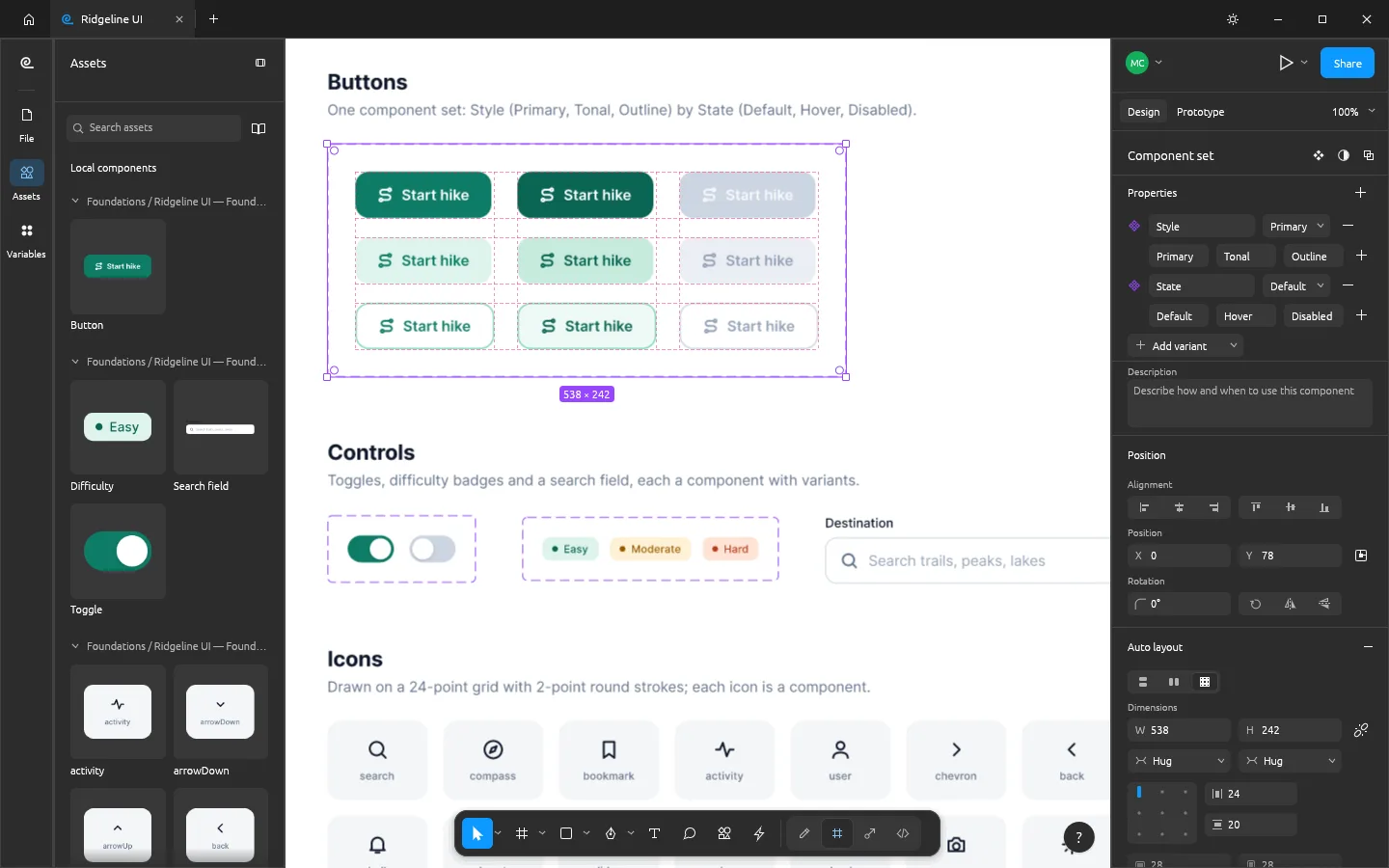
Components, variants and variables
Main components and instances with overrides that survive edits, component sets with variant properties, and an Assets panel you drag from. Colour, number, string and boolean variables carry light and dark modes.
- Swap instance, detach and reset overrides
- Paint, text, effect and grid styles
- Variables bound to fills, strokes and instance properties
Layout
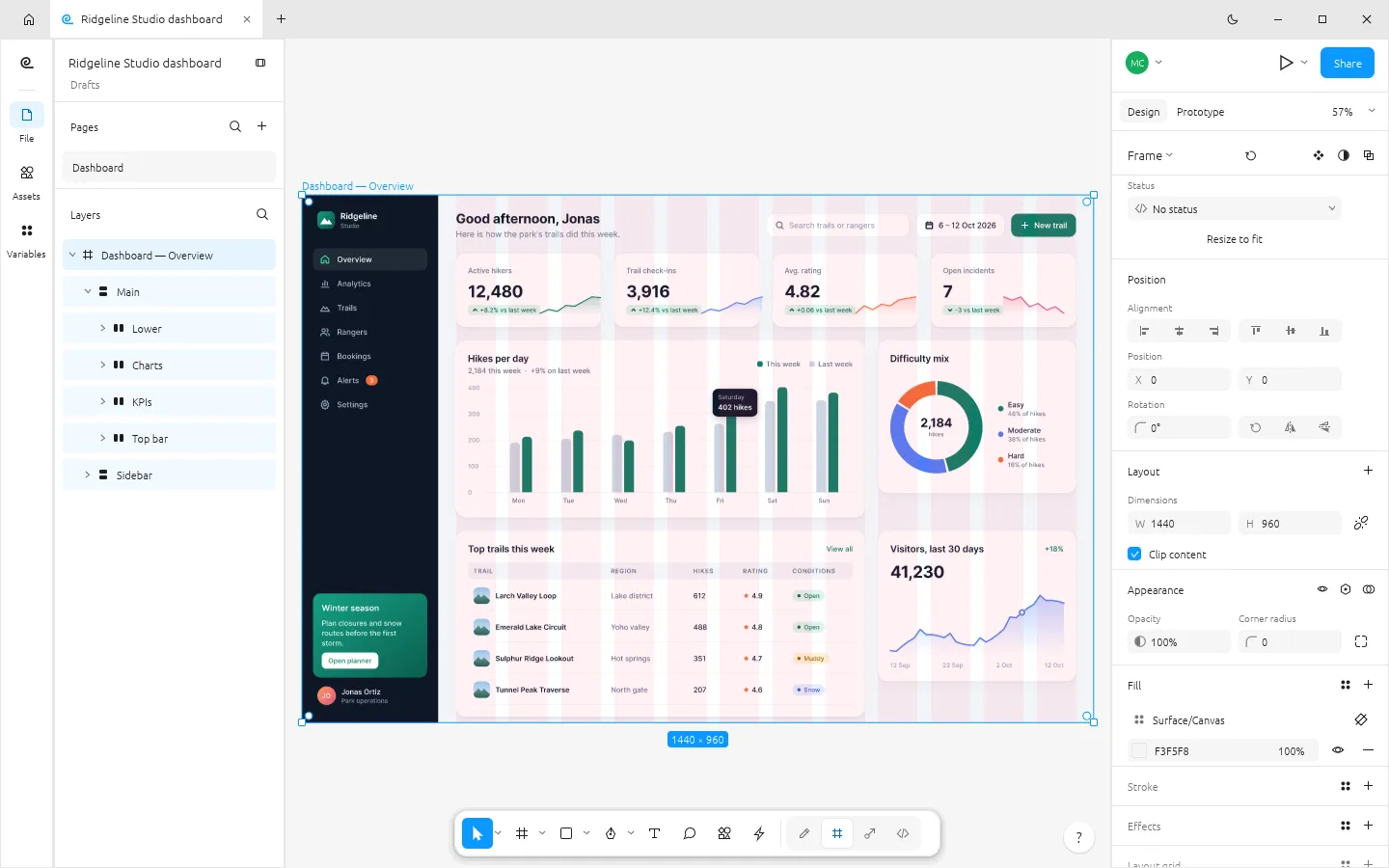
Auto layout that builds itself
Auto layout in both directions, with wrap and grid tracks, padding and gap handles right on the canvas, and Hug, Fill and Fixed sizing. Constraints and layout grids cover everything else.
- Grid auto layout with fr tracks and cells that span
- Min and max sizes, absolute positioning
- Arrow keys move children through the flow
Prototype
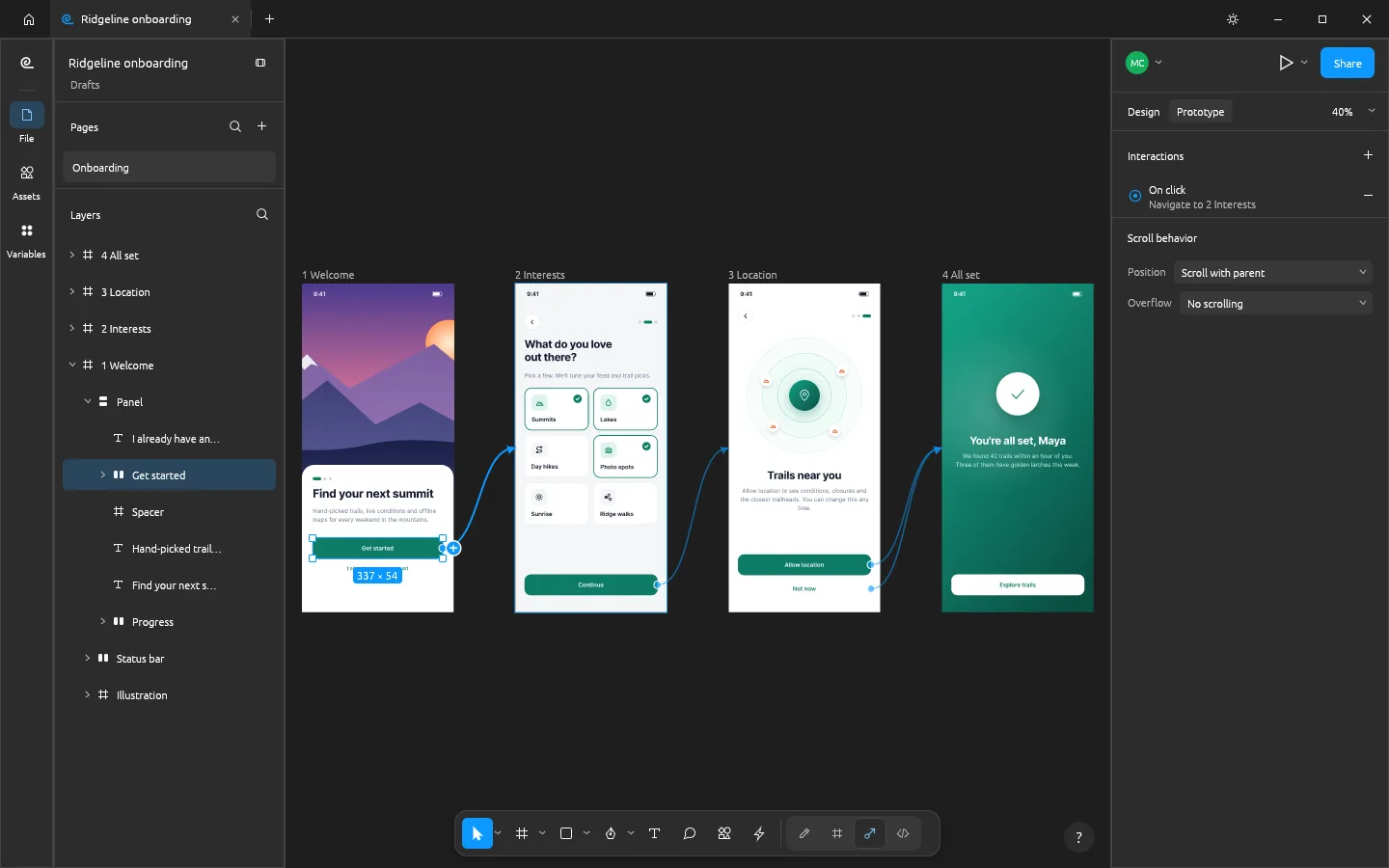
Clickable prototypes with logic
Connect frames with triggers, actions and Smart Animate-style transitions, then present the flow in a device frame. Variables with if and else conditions make prototypes that remember what the user picked.
- Flows, overlays and scroll behaviour
- Expressions such as count + 1
- A live preview pane beside the canvas
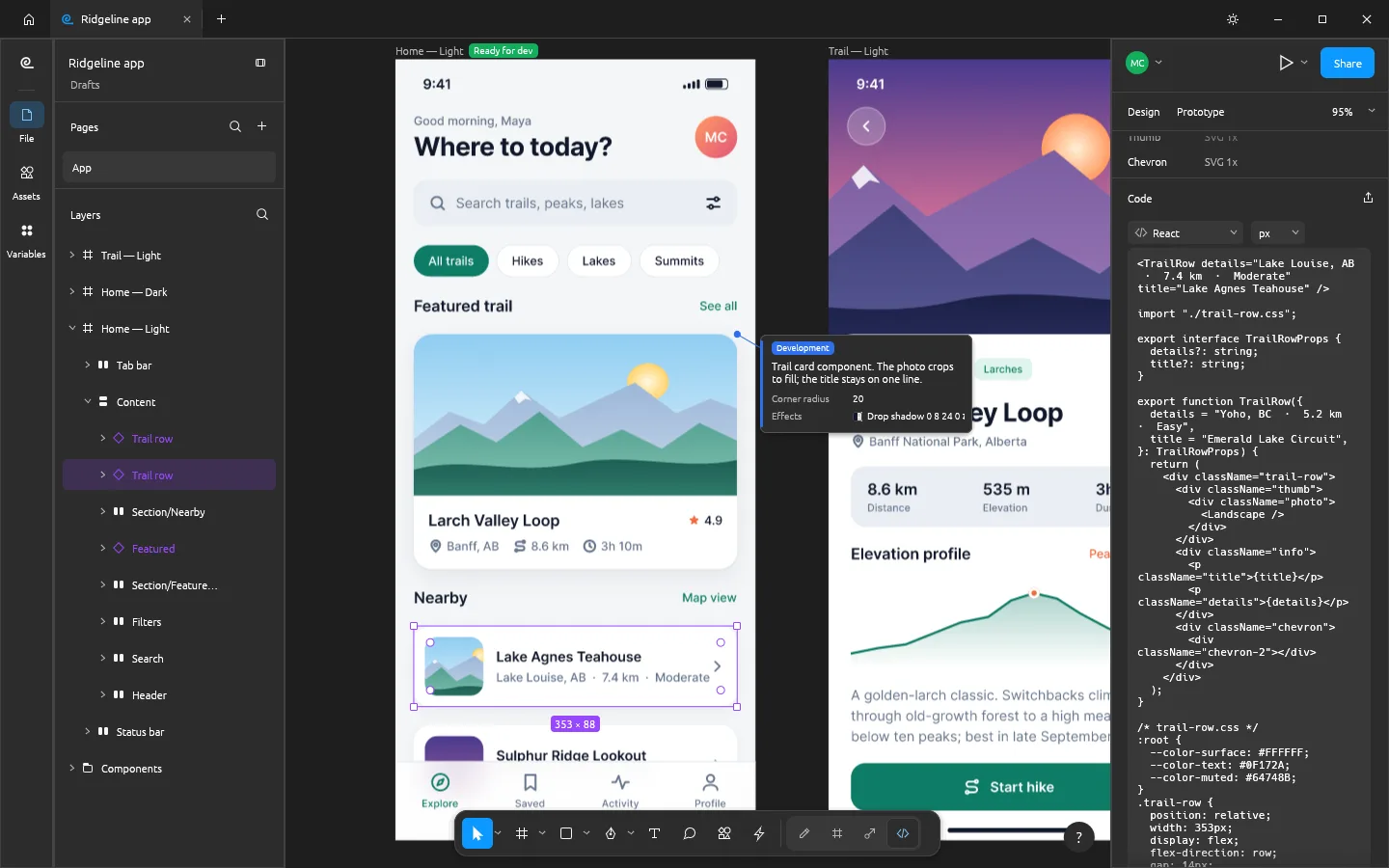
Hand-off
Dev Mode with real code
Mark frames ready for dev, pin annotations and compare changes since hand-off. The Inspect panel writes CSS, HTML, React, SwiftUI or Compose, with component properties as parameters.
- Measure distances and padding with Alt
- Comment threads pinned to frames
- Export any layer to PNG, JPG, WebP, SVG or PDF
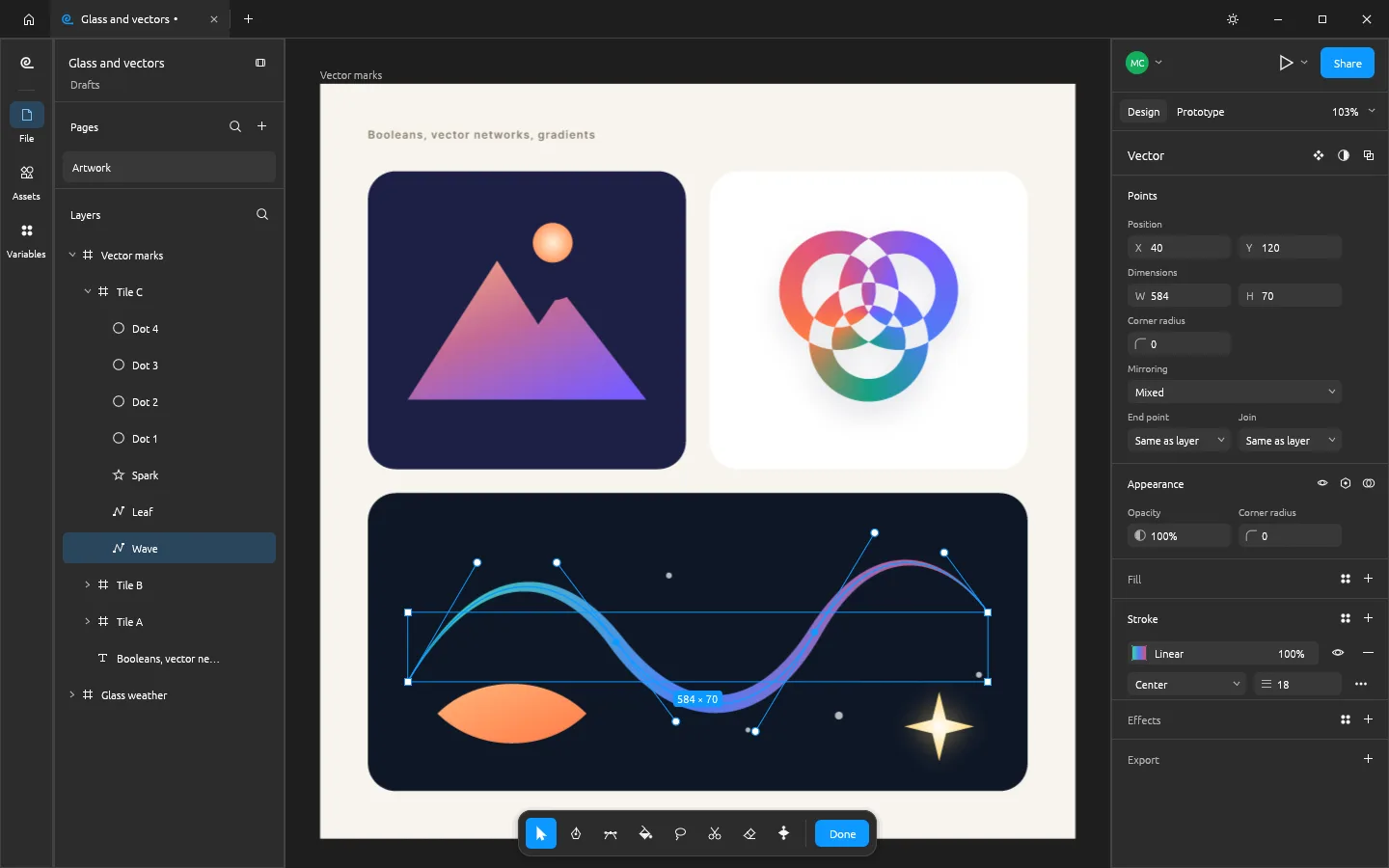
Vectors
Vector networks and editable booleans
The Pen and Pencil tools draw real vector networks. Boolean groups stay editable, the shape builder merges regions with a drag, and strokes can taper with variable width.
- Union, subtract, intersect and exclude
- Linear, radial, angular and diamond gradients
- Glass, noise and background blur effects
We tested it
FigCraft review: what worked in our test
We opened FigCraft online on this site and ran the macOS command-line tool on Ridgeline, the 349-layer example app from the FigCraft repository.
Tested · FigCraft 0.5.1 · Chrome 156 and figcraft-cli · Apple M5 Pro · 13 October 2026
- Works
Start FigCraft online
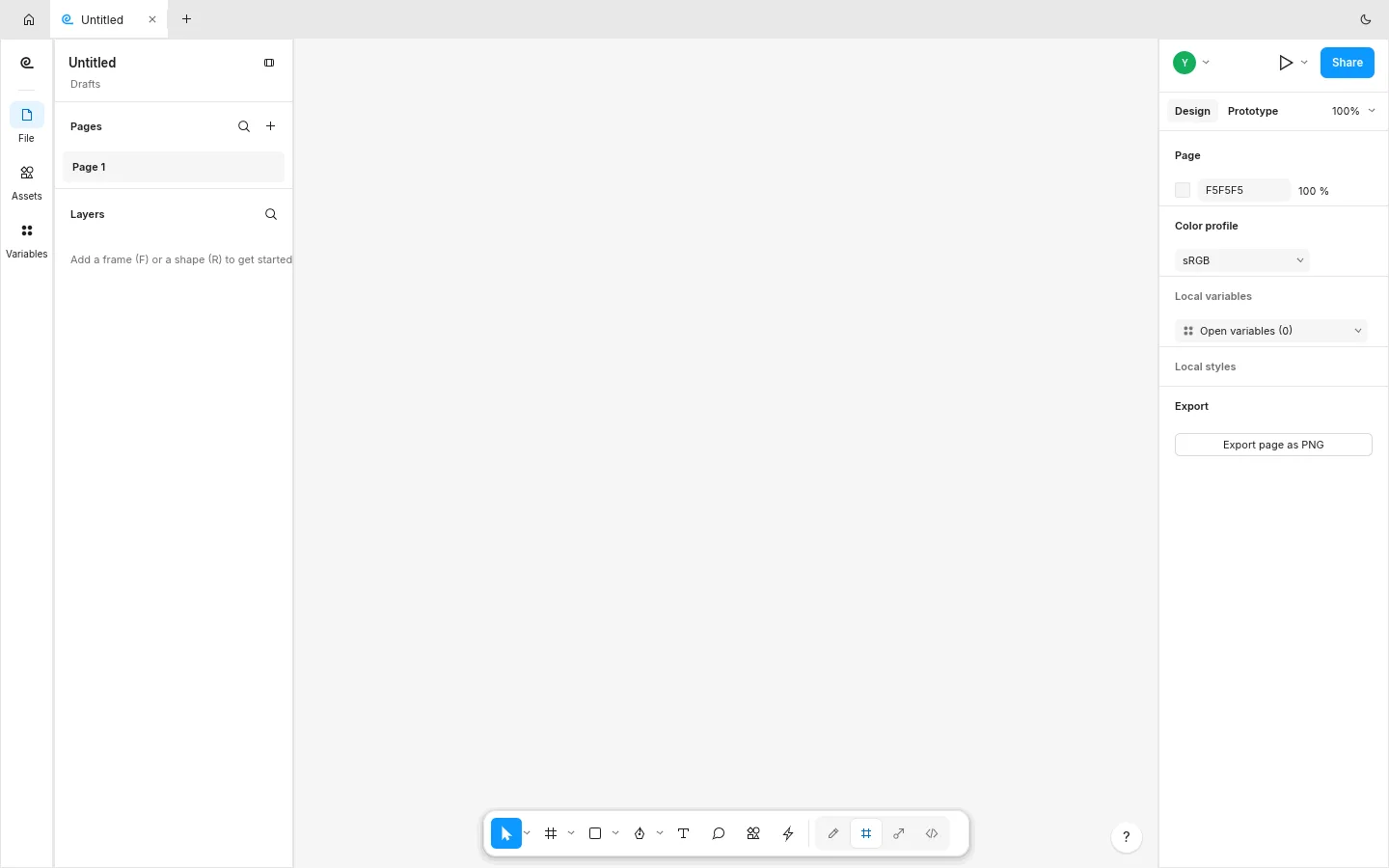
The editor opened on a blank page with the toolbar, Layers and Design panels, on WebGPU and on the WebGL2 fallback.
- Does not work
Open a file from disk in the browser
Not in this version: Open file and drag and drop both did nothing. Open .fig and .figcraft files in the desktop app.
- Works
Render Ridgeline to PNG
figcraft-cli drew all four top-level frames into one 2639 × 1117 image.
0.21 s
- Works with a caveat
Save as .fig and read it back
All 349 layers came back. The 17 variables did not, and FigCraft warned that Dev Mode annotations were left out.
0.04 s
- Works
Export every frame as SVG
One SVG per frame, named after the frame.
- Works
Start the MCP server
figcraft-cli mcp answered with 18 tools, from create_node and set_properties to screenshot and export, and 536 commands behind run_command.
18 tools
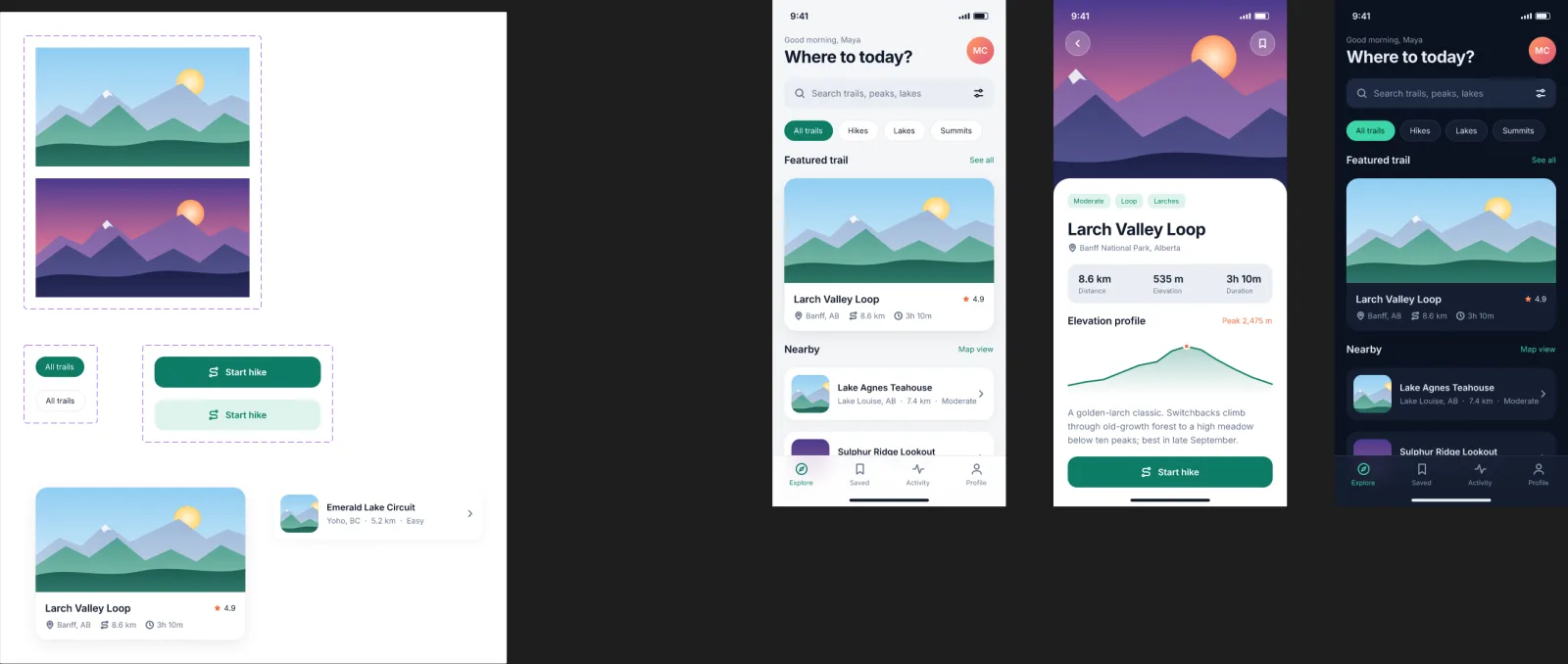
We had no Figma .fig file we could share, so the .fig row tests FigCraft’s own export. FigCraft calls .fig import best effort.
For Figma users
FigCraft vs Figma
As a free Figma alternative, FigCraft already covers layout, components, prototypes and hand-off. Team features, Figma plugins and .fig fidelity are where Figma is still ahead.
| Feature | FigCraftFree | Figma |
|---|---|---|
| Price | Free forever | Free Starter plan; paid seats |
| Runs on | Browser, Windows, macOS, Linux, FreeBSD | Browser, Windows, macOS; no Linux app |
| Account and offline | No account; desktop app works offline | Sign-in required; made for online use |
| Where files live | .figcraft files on your disk | Figma’s cloud |
| .fig files | Opens best effort; .fig export is experimental | Native |
| Auto layout, components, variables | Yes | Yes |
| Dev Mode code | CSS, HTML, React, SwiftUI, Compose | On paid plans |
| MCP server for AI agents | Built in, free, works offline | Usage limits depend on your plan |
| Real-time collaboration | Preview: live sessions, no accounts | Yes, with teams |
| Plugins | Its own WebAssembly plugins | Large Community library |
| Maturity | Alpha, first released October 2026 | Since 2016 |
Honest numbers
How close FigCraft is to Figma
FigCraft is alpha software. The first figure is its team’s own estimate; the others are from our test.
- of the way to replacing Figma for real work (team estimate)
- 49%
- commands an agent or script can run
- 536
- MCP tools for Claude, Codex and other agents
- 18
- to render a 349-layer file to PNG
- 0.21 s
For AI agents
An open-source Figma alternative with MCP
Every menu item, tool and drag in FigCraft is a command, and the MCP server exposes the same commands. Claude Code or Codex can build screens, check them with screenshots and export them, with no plan limits.
- Tools include create_node, set_properties, inspect_document, screenshot and export.
- inspect_document lets the agent check its own work without guessing from pixels.
- figcraft-cli run plays a JSON script of commands without a window.
On a Mac the command-line tool is its own download (see below). FigCraft MCP docs
# Give Claude Code a design tool$ claude mcp add figcraft -- figcraft-cli mcp# Or Codex$ codex mcp add figcraft -- figcraft-cli mcp# Or let it drive the app while you watch# (start the app with: figcraft --control 7979)$ claude mcp add figcraft-app -- figcraft-cli mcp --attach 7979# No agent needed for quick jobs$ figcraft-cli render landing.figcraft -o landing.png --scale 2$ figcraft-cli export landing.figcraft -o out/ --format svgFigCraft download
Every link is the official FigCraft 0.5.1 build on GitHub. Prefer not to install anything? Open FigCraft online instead.
| System | Main download | Also available |
|---|---|---|
| Windows (64-bit) | figcraft-0.5.1-windows-x64.msi · 68.1 MB | portable ZIP · 85.1 MB, ARM64 and 32-bit |
| macOS (Apple silicon and Intel) | figcraft-0.5.1-macos-universal.dmg · 92.2 MB | command-line tool · 76.6 MB |
| Linux (x86_64) | AppImage · 80.2 MB | .deb · 86.4 MB, .rpm · 86.0 MB, Flatpak · 60.1 MB |
| Linux (ARM64) | AppImage · 77.7 MB | .deb · 84.3 MB, Flatpak · 56.8 MB |
| FreeBSD 14 | tarball · 85.0 MB |
The Windows installers are code-signed, the Mac app is notarized by Apple, and SHA256SUMS.txt lists a checksum for every file.
Yes. FigCraft is free and open source under MIT or Apache-2.0: no subscription, no account and no paid tier.
Yes. Open FigCraft online and the full editor runs in your browser, with no sign-up. In version 0.5.1 the online version starts on a blank page and cannot open files from your computer yet, so use the desktop app to work on an existing file.
On a best-effort basis, in the desktop app and the command-line tool. Designs exported as Figma REST API JSON open with their prototypes and variables. FigCraft has not been checked against real Figma documents yet, so keep your originals.
Yes. The desktop app needs no account and contacts no server until you share a file. It has no telemetry.
FigCraft is one. It ships an AppImage, .deb, .rpm, Flatpak and a tarball for x86_64 and ARM64, plus a FreeBSD build. Figma has no Linux desktop app.
Yes, as a preview. figcraft-server runs on a Linux server, keeps the team’s files and hands out share links to edit or to view. There are no accounts yet: the link is the access, so share it only with people you trust.
Yes. Run claude mcp add figcraft -- figcraft-cli mcp and the agent gets 18 tools to create, edit, inspect and export designs. See the MCP section.
Penpot is the established open-source design tool: browser-based, self-hostable and ready for teams with accounts today. FigCraft is newer and in alpha, but it is a native app that follows Figma’s layout and shortcuts closely and has a built-in MCP server. Try both on a real screen.
No. This FigCraft is the standalone design app from the ArtCraft team. The Figma plugin and the figcraft.ai site with the same name are different products.
No. PhotoCraft Editor is an independent site that hosts the official FigCraft web build and links to the official downloads. The project lives on GitHub.
Design a screen in FigCraft
The free, open-source Figma alternative, ready in your browser. Draw a frame with F and start building.
Colophon
The screenshots on this page are from the FigCraft repository (MIT or Apache-2.0), rendered by FigCraft itself. The test figures are ours. The progress figure is the FigCraft team’s own, from its README.
PhotoCraft Editor is an independent site. It is not affiliated with ArtCraft or Figma, Inc., or with the FigCraft Figma plugin. Figma is a trademark of Figma, Inc.