PdfCraft: The free PDF editor that never uploads your files
Merge, split, redact, fill, sign and protect PDFs with an open-source Acrobat alternative. PdfCraft runs in your browser, and the PDF stays on your computer the whole time.
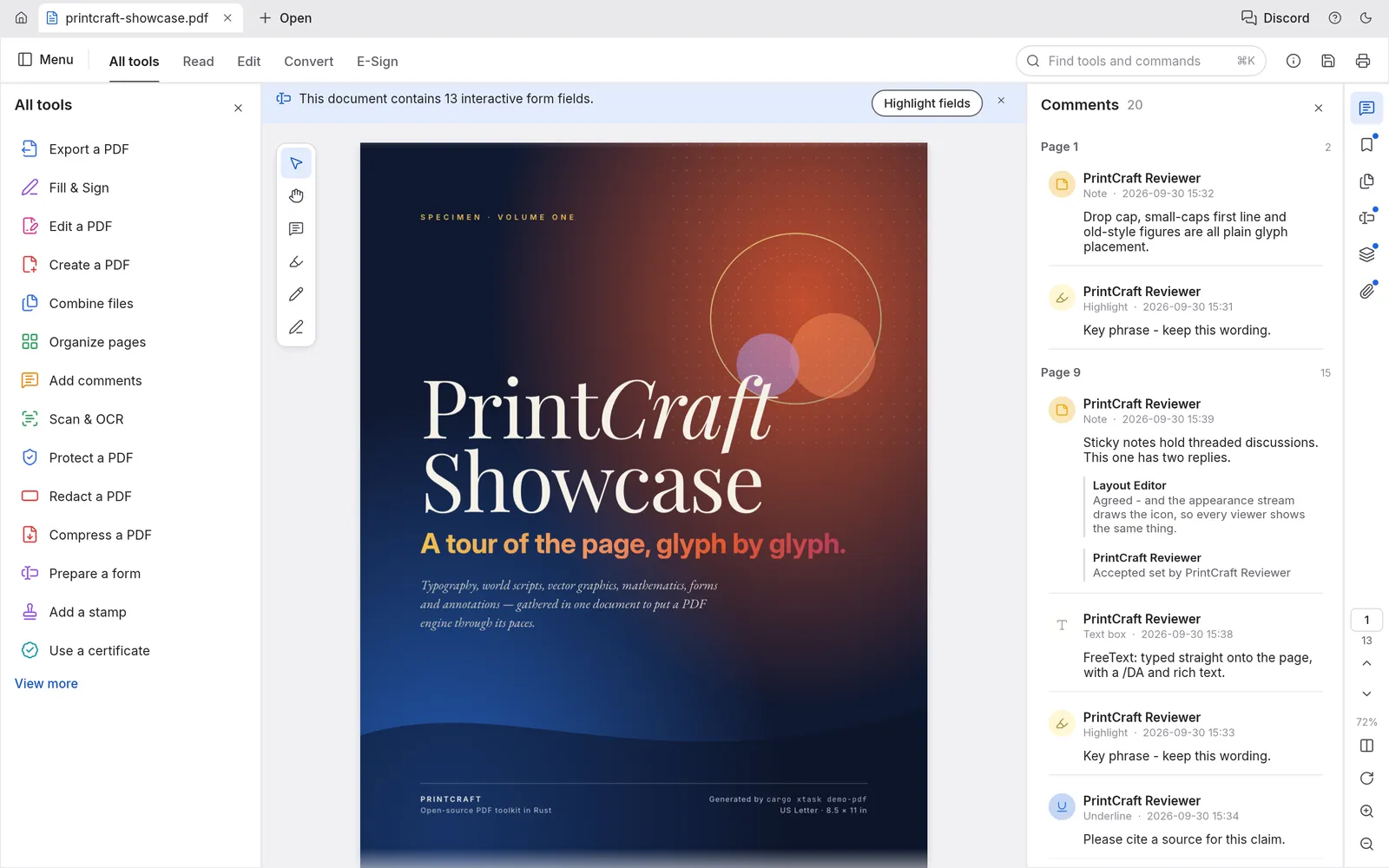
What is PdfCraft
Which PdfCraft is this?
Several PDF tools go by PdfCraft. This one is the open-source PDF editor from ArtCraft, the team behind PhotoCraft: a rebuild of the Adobe Acrobat workflow, written from scratch, with its source on GitHub.
Most free online PDF editors send your file to their server. PdfCraft does the work on your own device: the version on this site is the whole app compiled for the browser, so a contract, a bank statement or a medical form is never uploaded. It is free, with no account and no page limits.
- 1.
Nothing uploaded
The PDF is opened, edited and saved inside your browser.
- 2.
Acrobat’s tool list
All tools, Organize pages, Fill & Sign, Redact, Protect.
- 3.
Every desktop
Windows, macOS, Linux and FreeBSD, plus the browser.
- 4.
Open source
Free forever under MIT or Apache-2.0.
We tested it
PdfCraft review: does the redaction really remove the text?
A black box drawn over text is not a redaction if the text is still in the file. We redacted an account number in the PdfCraft on this site, then read the saved file’s bytes ourselves.
Tested · PdfCraft 0.4.0 · Chrome · Apple M5 Pro · 9 October 2026
- Works
Open a PDF by dropping it on the window
A 3-page invoice opened in a new tab, ready to edit.
- Works
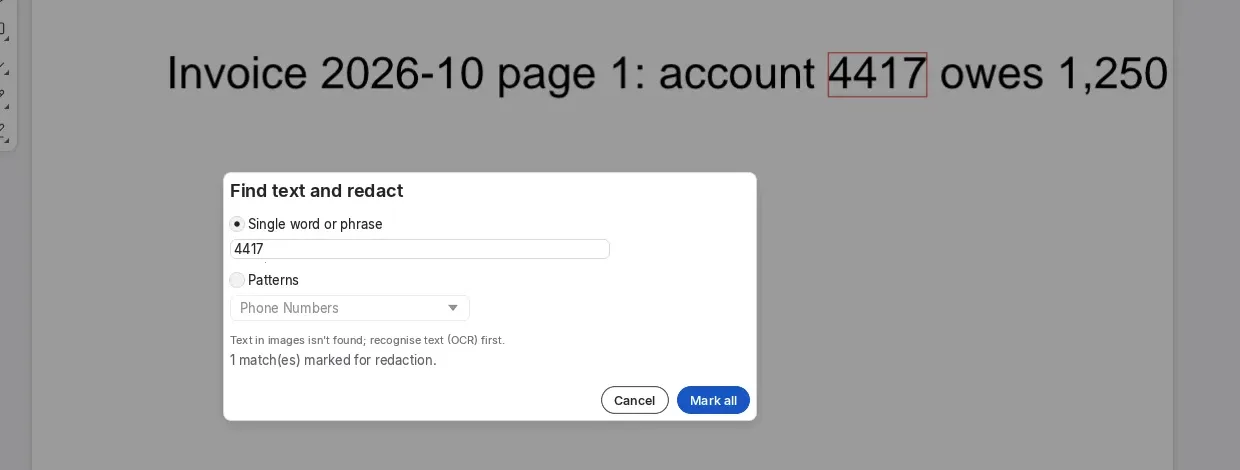
Find and redact an account number
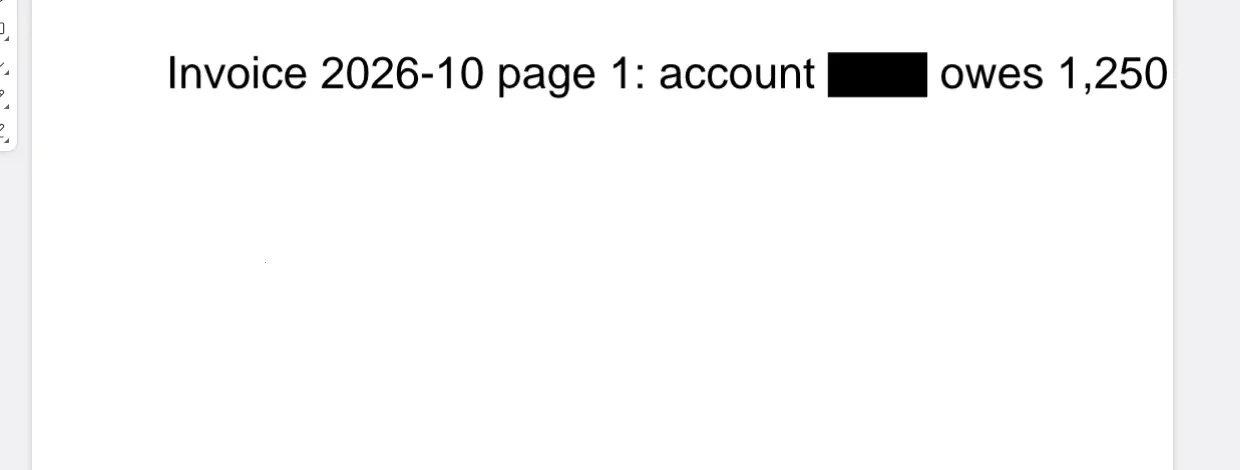
Find text and redact found the one “4417” and marked it. Redact all warned that saving rewrites the file, then saved it.
1 match
- Works
Check the saved file for the number
We searched the saved PDF’s raw and decompressed content: no “4417” anywhere, and all 3 pages still there.
0 left
- Works
Merge two PDFs
Combine files joined two 3-page PDFs into one 6-page PDF, with a bookmark for each file and the text intact.
6 pages
- Works
Export the redacted PDF to Word
A .docx with the text of all 3 pages. The redacted number stayed out of it.
2.2 KB
- Works
Watch the network while editing
The PDF never left the browser: the only requests were the app’s own files, all from this site.
0 uploads
One run on a fast laptop with small test files. Larger and more complex PDFs take longer, and the PdfCraft team says editing existing text is not yet reliable.
What it can do
PdfCraft tools: what works today
The status PdfCraft 0.4.0 gives each of its own tools. Tools marked with a milestone are listed in the app but not finished.
ReadyNot yet
Edit a PDF
- Edit text and images: Ready
- Add text and images: Ready
- Header, footer and watermark: Ready
- Links and Bates numbering: Ready
- Page background: Ready
- Attach files: Not yetM12
Organize and combine
- Combine files: Ready
- Rotate, delete and insert pages: Ready
- Extract, replace and duplicate pages: Ready
- Split a document: Ready
- Crop, page boxes and labels: Ready
- Page transitions: Not yetM4
Fill & Sign
- Add text: Ready
- Checks, crosses, dots and lines: Ready
- Date: Ready
- Signature and initials: Ready
Redact and protect
- Redact text, images and pages: Ready
- Find text and redact: Ready
- Remove hidden information: Ready
- Password protect or remove security: Ready
- Certificate encryption: Not yetM8
Export
- Word (.docx): Ready
- PNG pages and all images: Ready
- HTML, RTF and plain text: Ready
- Excel and PowerPoint: Not yetM10
- EPS: Not yetM10
OCR and compress
- OCR this file or many files: Ready
- Reduce file size: Ready
- Advanced optimization: Ready
- OCR enhance and correct: Not yetM10
- Space audit: Not yetM11
By the PdfCraft team’s own count, half of Acrobat Pro’s offline features are in, including 88% of the must-haves. Still thin: editing existing text (Chinese, Japanese and Korean most of all), OCR beyond Latin script, Office import and XFA forms.
How to
How to merge PDF files without uploading them
The way we merged our test files. Every step runs in your browser.
- 1
Open PdfCraft
Press Open a PDF in PdfCraft on this page. It loads in a few seconds the first time, with no account.
- 2
Choose Combine files
Click Combine files in the All tools list, then Add files to combine, and pick your PDFs.
- 3
Set the order and pages
Move files up or down with the arrows; they are combined in that order. Leave Pages empty to take every page.
- 4
Combine, then save
Combine opens the merged PDF in a new tab. Press Save and it downloads as Combined.pdf.
Compared
PdfCraft vs Acrobat vs online PDF editors
PdfCraft costs nothing and keeps your file. Acrobat does more. Upload sites are quick, but your PDF goes to their server.
| Feature | PdfCraftFree | Adobe Acrobat Pro | Upload-based PDF sites |
|---|---|---|---|
| Price | Free, no limits | Subscription | Free with daily limits, or paid |
| Keeps your PDF on your device | Always, online too | Yes, on the desktop | No, it goes to their server |
| Merge, split and organize | Yes | Yes | Yes |
| Redaction | Yes, text removed from the file | Yes | Some sites |
| Edit existing text | Yes, not yet reliable | Yes | Some sites |
| Export to Word | Yes | Yes | Yes |
| Export to Excel and PowerPoint | Not yet | Yes | Yes |
| Runs on | Browser, Windows, macOS, Linux, FreeBSD | Windows and macOS | Any browser, online only |
| Open source | MIT or Apache-2.0 | No | No |
Inside PdfCraft
Pages, forms and every tool in one search
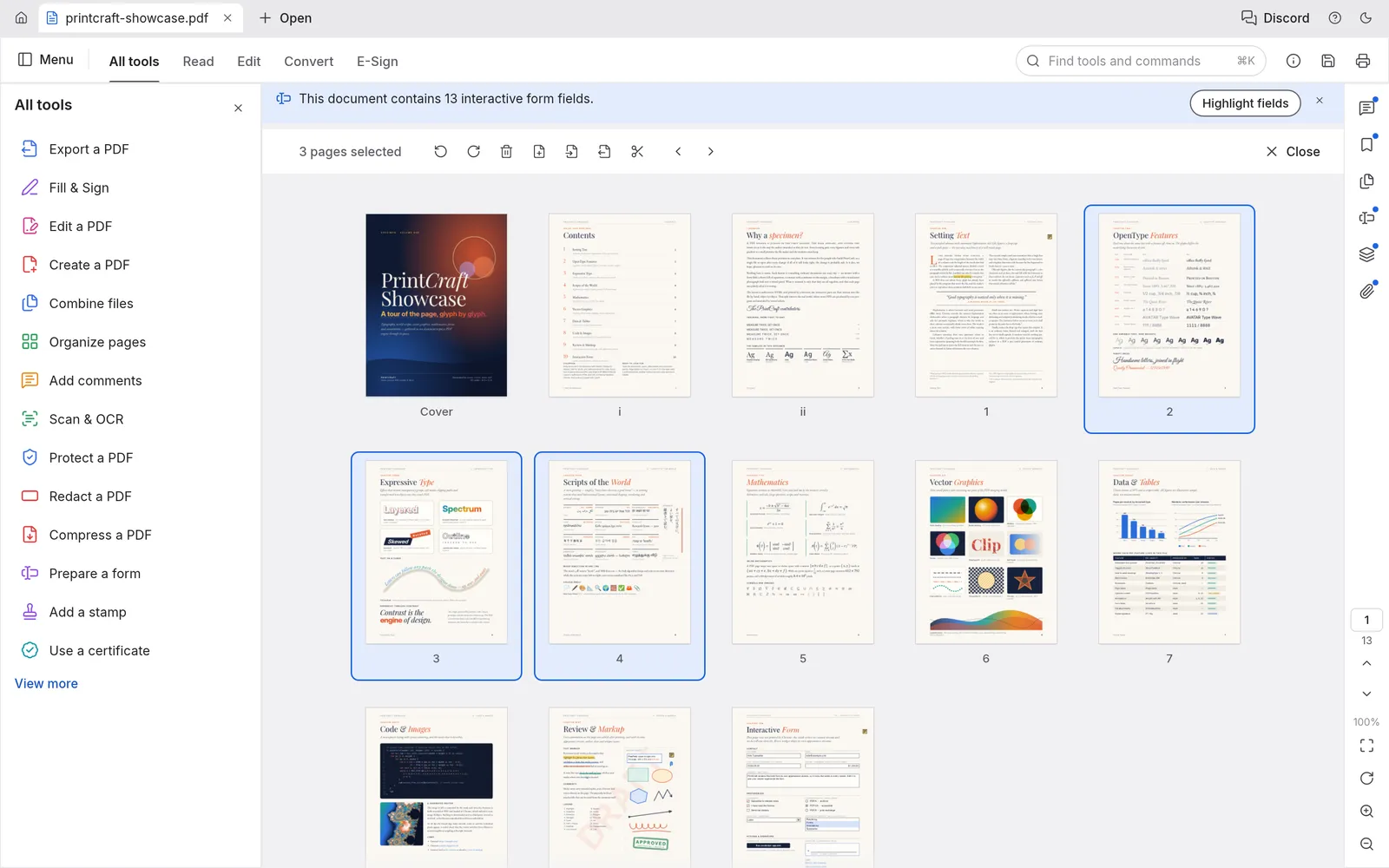
Four views of PdfCraft at work on its own showcase PDF.
Organize pages
Pages like cards on a table
Select pages, then rotate, delete, insert or move them. Undo still works after you save.
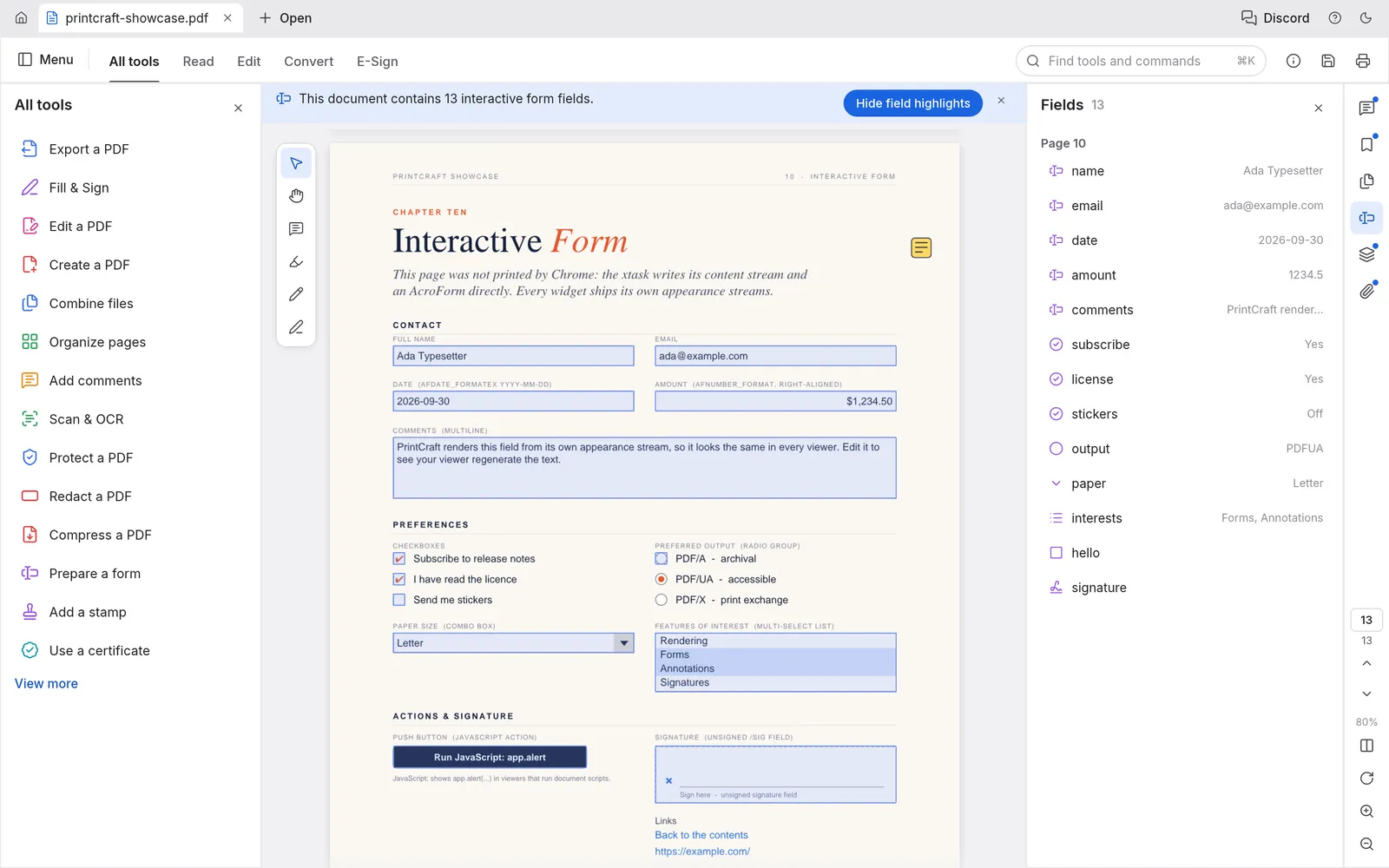
Forms
Real interactive forms
Fill fields, tick boxes and pick from lists; the Fields panel lists them all.
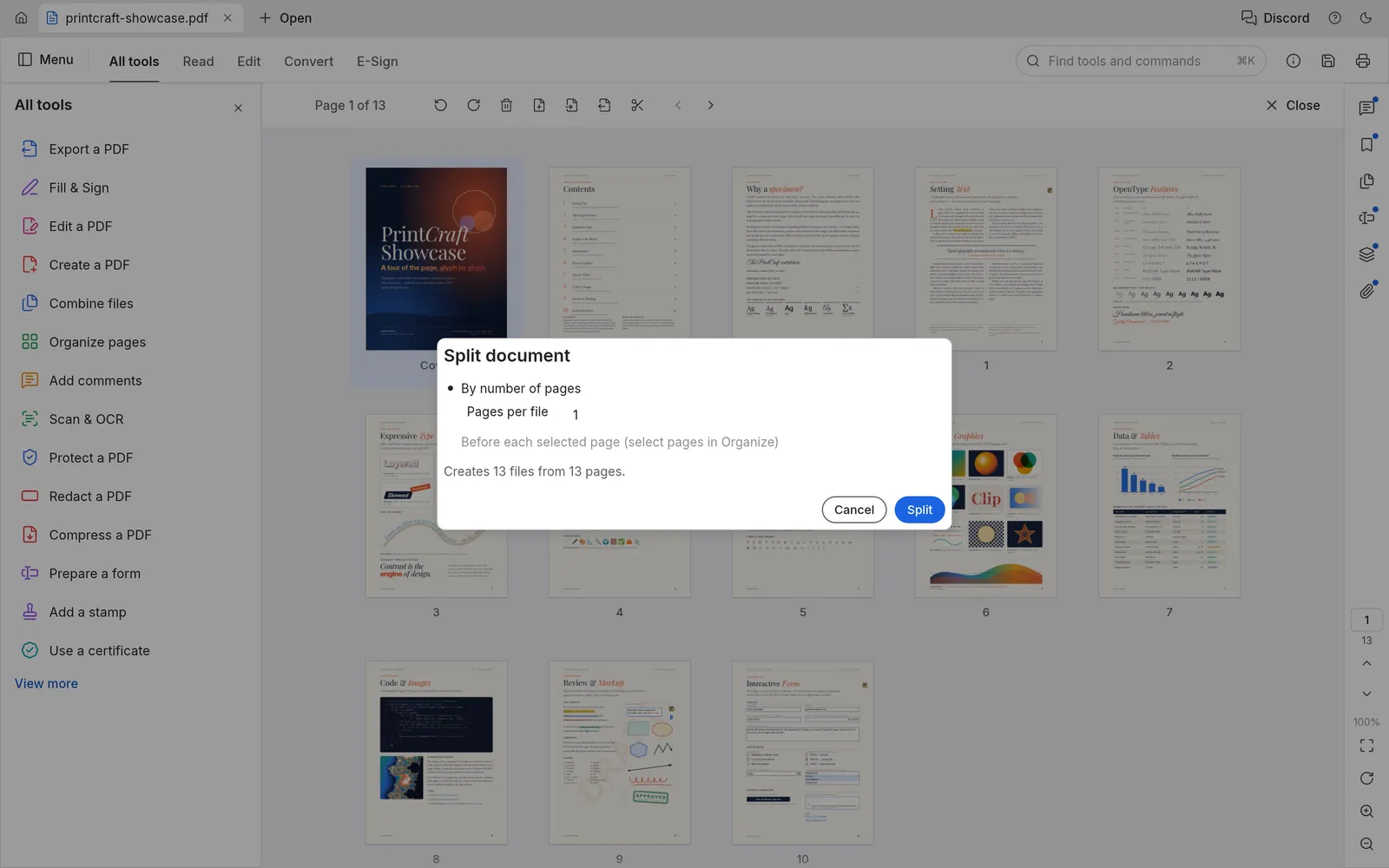
Split
Split by page count
Every n pages, or before the pages you select in Organize.
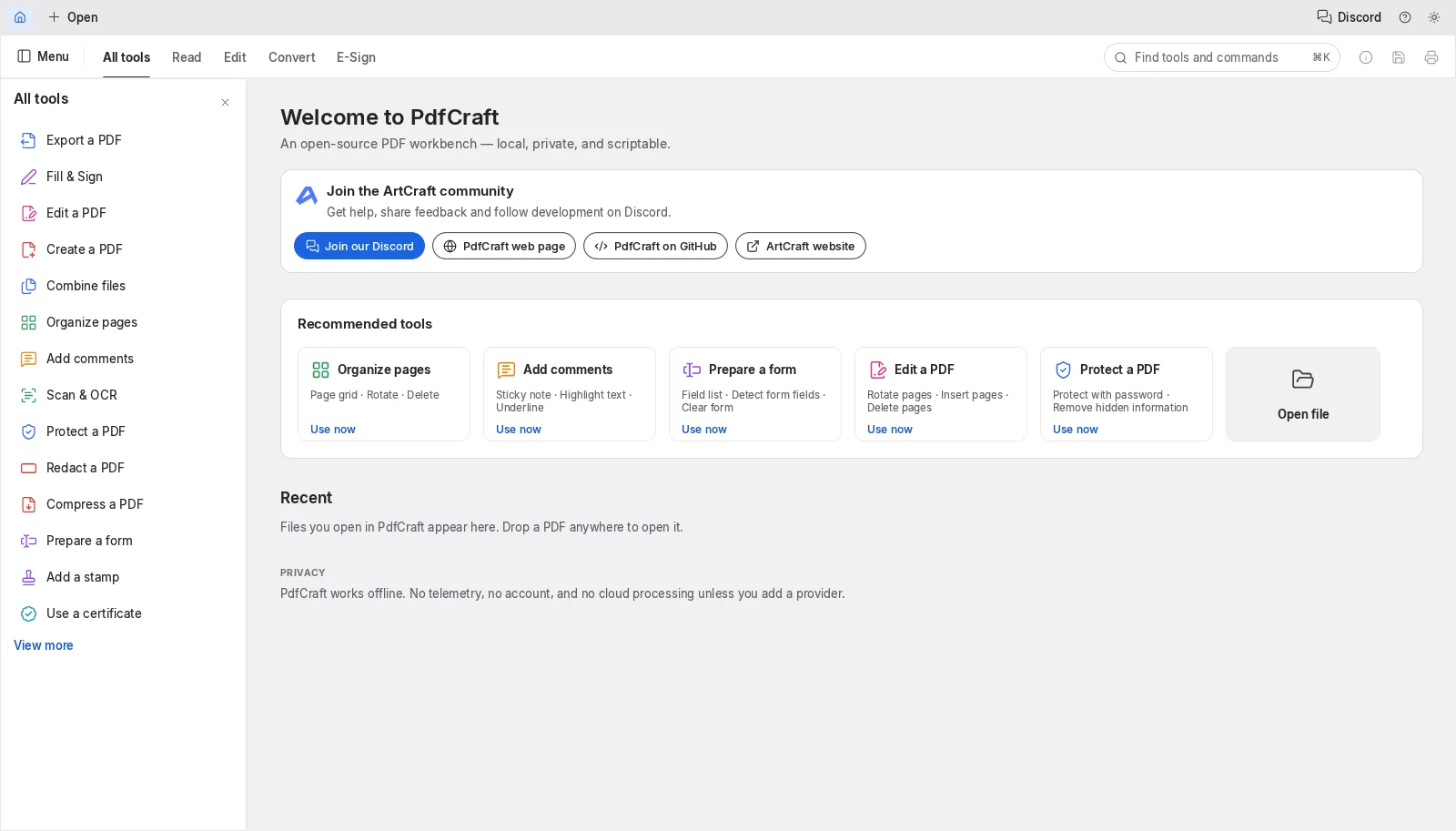
All tools
Every tool in one search
Type in the search box to find any tool or command, or browse the All tools list.
PdfCraft download
Every link is the official PdfCraft 0.4.0 build on GitHub. Prefer not to install anything? Open PdfCraft online instead.
| System | Main download | Also available |
|---|---|---|
| Windows (64-bit) | pdfcraft-0.4.0-windows-x64.msi · 44.3 MB | portable ZIP · 55.0 MB, ARM64 and 32-bit |
| macOS (Apple silicon and Intel) | pdfcraft-0.4.0-macos-universal.dmg · 72.1 MB | command-line tool · 34.1 MB |
| Linux (x86_64) | AppImage · 52.3 MB | .deb · 56.2 MB, .rpm · 55.8 MB, Flatpak · 40.0 MB |
| Linux (ARM64) | AppImage · 49.4 MB | .deb · 53.8 MB, Flatpak · 36.7 MB |
| FreeBSD 14 | tarball · 55.0 MB |
The Windows installers are code-signed, the Mac app is notarized by Apple, and SHA256SUMS.txt lists a checksum for every file.
Yes. PdfCraft is free and open source under MIT or Apache-2.0, with no account, no watermark and no limit on files or pages.
No. Several unrelated PDF tools use the name. This PdfCraft is the open-source app from ArtCraft, published at github.com/storytold/pdfcraft.
No. The online version runs entirely in your browser: the PDF is read, edited and saved on your computer. In our test, the only network requests were for the app itself.
Yes, with the desktop app for Windows, macOS, Linux or FreeBSD. It needs no account and no internet connection. The online version needs a connection to load.
It has an Edit text and images tool, but the PdfCraft team says editing existing text is not yet reliable, especially in Chinese, Japanese and Korean. Adding new text, images, headers and watermarks works.
In our test, yes: Redact all removed the account number from the saved file, not only from view. Before you share a document that matters, check it, and run Remove hidden information as well.
OCR works best on Latin script today. The PdfCraft team lists OCR for other scripts as thin, with improvements planned.
Not yet. Standard interactive forms (AcroForms) fill and save; XFA forms are on the roadmap.
No. PhotoCraft Editor is an independent site that hosts the official PdfCraft web build and links to the official downloads. The project lives at getartcraft.com. See all the Crafting Apps.
Edit your PDF without uploading it
PdfCraft opens in your browser in seconds. Drop a PDF on the window to start.
Colophon
The redaction screenshots come from our own test of PdfCraft 0.4.0. The other screenshots are from the PdfCraft repository (MIT or Apache-2.0) and show its showcase PDF.
PhotoCraft Editor is an independent site. It is not affiliated with ArtCraft, Adobe or other products named PDFCraft. Adobe and Acrobat are trademarks of Adobe Inc.