Photopea alternative: PhotoCraft: open source, no ads, real PSD files
Want a Photopea alternative with no ads? PhotoCraft looks like Photoshop and runs in your browser too, but it is open source, shows no ads and also installs as a signed desktop app.
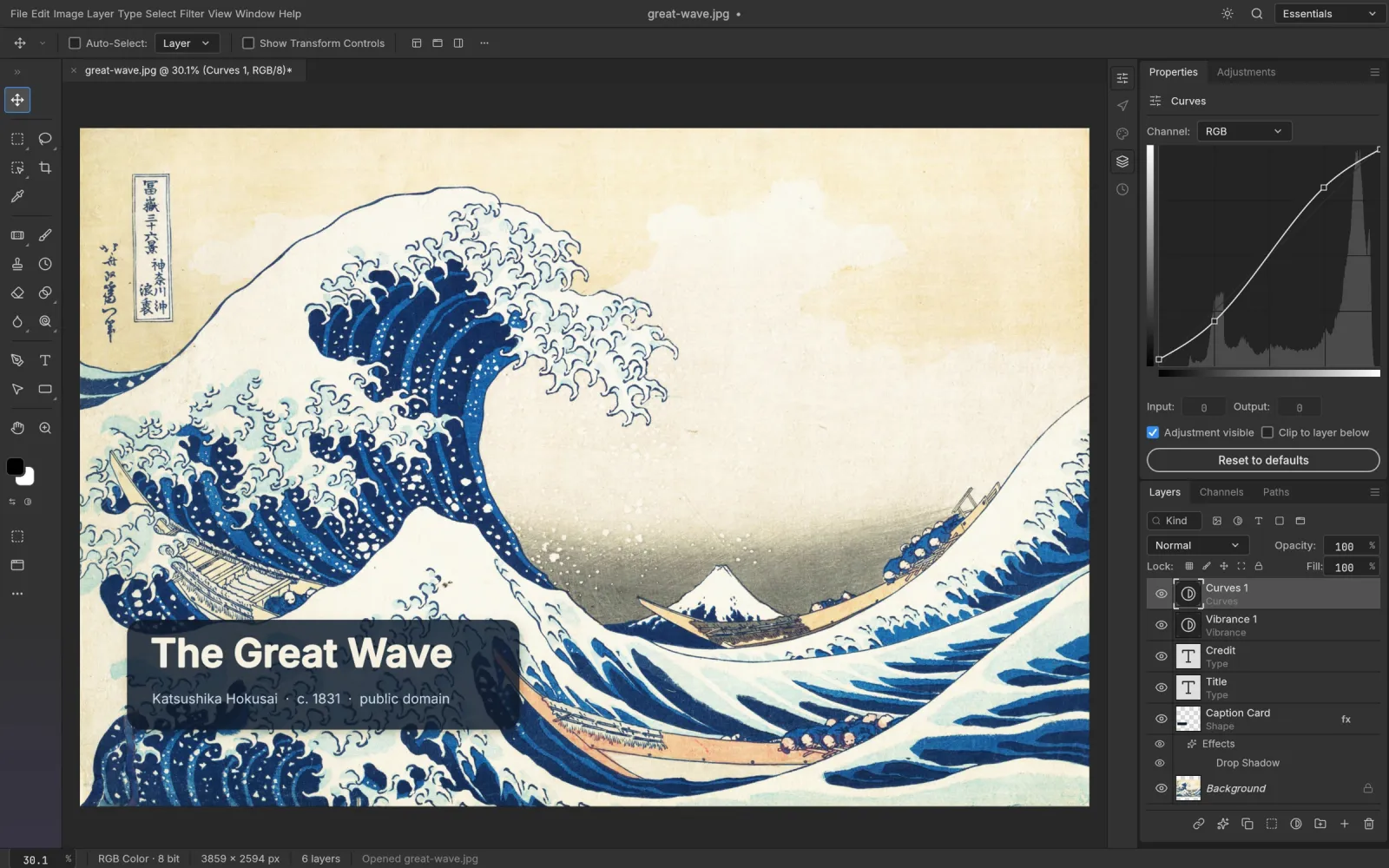
Side by side
Photopea vs PhotoCraft: what we measured
Same browser, same photo, same 45 seconds. We opened each editor, dropped in a 588 KB photo and recorded every request the page made.
Tested · PhotoCraft 0.5.0 and Photopea · Chrome · Apple M5 Pro · 9 October 2026
- Works
Open a photo without uploading it
Both opened it inside the browser. Neither sent it anywhere: no request was big enough to carry it.
Both
- Works
Requests in the first 45 seconds
PhotoCraft: 21, to 3 hosts (this site and two analytics services). Photopea: 402 and 601 in two runs, to 134 and 184 hosts, most of them ad exchanges and advertising-ID syncs.
21 vs 402
- Works
Requests after the photo opened
PhotoCraft made none. Photopea kept going with 30 and 40 more, to 25 and 34 hosts, for ads. Its largest request all along was 82 KB, to an ad-verification service.
0 vs 30
- Works
Open Photoshop test files
We opened three PSDs from the psd-tools test set (type, fill layers and shapes, gradient strokes) in both. Each kept every layer, editable type and its layer styles.
3 of 3
- Does not work
Open Figma, Sketch, XD and AI files
PhotoCraft does not. Photopea lists all four on its start screen, plus PDF and camera raw files.
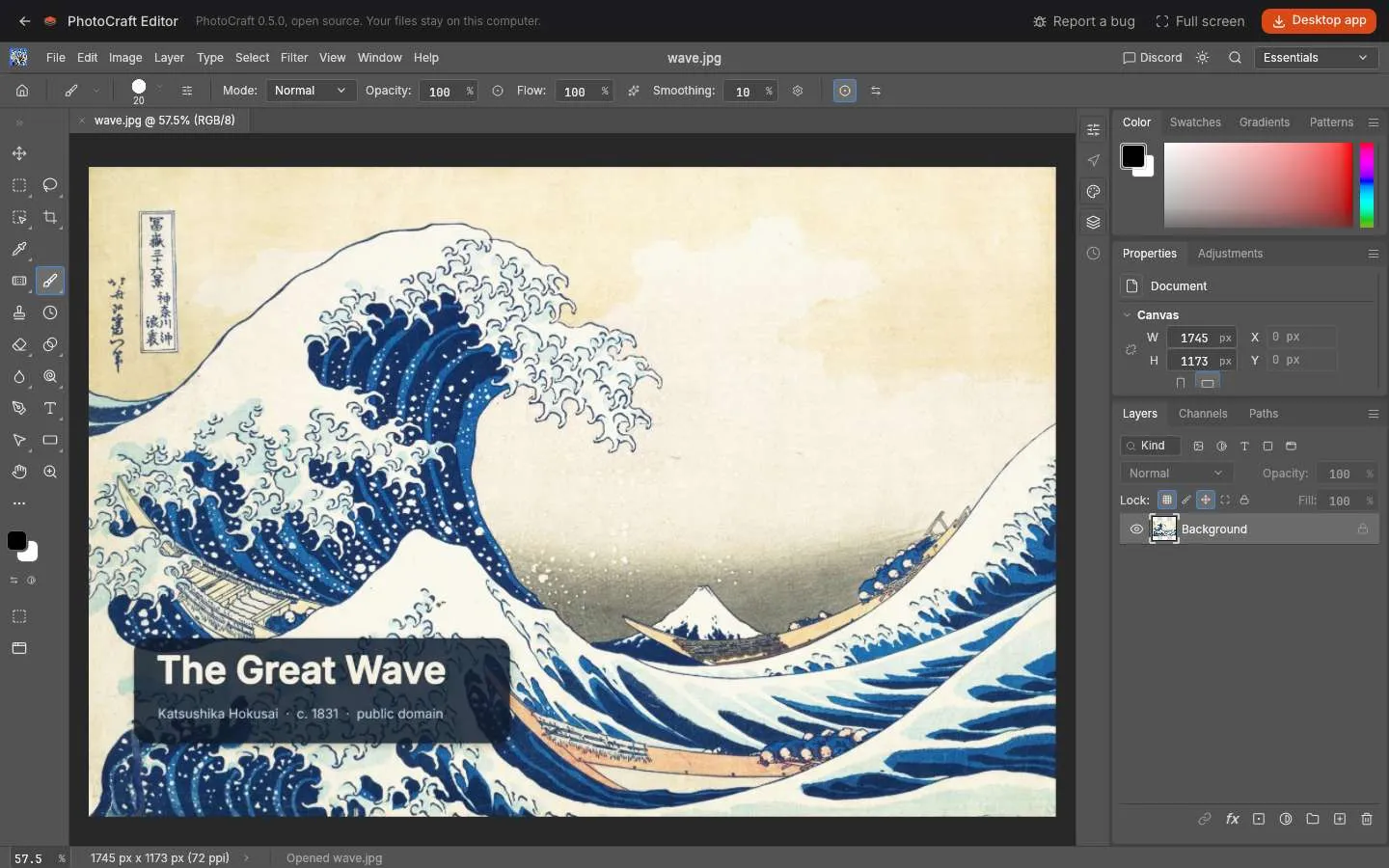
Request counts depend on the ads served and where you are, so yours will differ. Photopea’s free version is paid for by those ads; its Premium account removes them.
Compared
PhotoCraft vs Photopea at a glance
Two Photoshop-style editors that keep your files on your computer. The differences are ads, openness, desktop apps and how many formats they read.
| Feature | PhotoCraftOpen source | Photopea |
|---|---|---|
| Price | Free | Free with ads; Premium removes them |
| Ads and ad trackers | None | Ad column, 134+ hosts in our test |
| Files stay on your computer | Yes | Yes |
| Source code | Open, MIT or Apache-2.0 | Closed |
| Desktop app | Signed builds for Windows, macOS, Linux, FreeBSD | Installs as a web app |
| PSD with layers, type and styles | Open and save | Open and save |
| Other formats | TIFF, PNG, JPEG, WebP, AVIF, EXR, HEIC | Also AI, XD, Figma, Sketch, PDF, raw |
| Cloud storage and templates | No | Dropbox, OneDrive, Google Drive, templates |
| Command line and AI agents | CLI and MCP server | Scripting API |
| Maturity | Early alpha, started in September 2026 | Mature, since 2013 |
Which one
Is PhotoCraft the right Photopea alternative for you?
Pick PhotoCraft if the ads bother you, if you want software whose code anyone can check, or if you want the same editor as a real desktop app on Windows, Mac or Linux. Layered PSD work moves over: open the file, edit it, save it as PSD again.
Stay with Photopea if you open Figma, Sketch, XD or Illustrator files, rely on its templates or cloud drives, or need a tool that has been polished for over ten years. PhotoCraft is an early alpha, and some less common tools are still missing.
- 1.
No ads, no ad trackers
21 requests to 3 hosts in our test, against 402 or more.
- 2.
Open source
MIT or Apache-2.0, on GitHub.
- 3.
Desktop too
Signed builds; the Mac app is notarized by Apple.
- 4.
Same layout
Photoshop’s panels, so Photopea habits carry over.
How to
Move a Photopea project to PhotoCraft
Photopea saves PSD, and PhotoCraft opens it with its layers.
- 1
Save as PSD in Photopea
Use File › Save as PSD so the layers, type and styles go with it.
- 2
Open PhotoCraft
Press Open PhotoCraft online on this page. There is no account to create.
- 3
Drop the PSD on the window
It opens in a new tab, with type layers still editable.
- 4
Keep working, save as PSD
Save as PSD again to keep layers, or export PNG, JPEG, WebP or AVIF.
No. Photopea is free to use but closed source. PhotoCraft’s code is public on GitHub under MIT or Apache-2.0.
No. Photopea says it runs locally, and our test agreed: the photo never left the browser. The difference is the ad traffic around it, not your files.
The free version is paid for by ads. Ad auctions and the services that sync advertising IDs account for most of the requests we saw. A Photopea Premium account removes the ads.
Yes. PhotoCraft shows no ads and loads no ad services, online or on the desktop. GIMP and Krita are ad-free too, but they are desktop apps with their own layouts rather than Photoshop’s.
Yes, if you save them as PSD. PhotoCraft does not read Photopea’s other formats, nor Figma, Sketch, XD or Illustrator files.
Free, with no paid tier at all: no Premium, no ads and no account. See whether PhotoCraft is safe for how we checked the downloads.
It opens on a phone, but it is built for a mouse and a big screen, like Photoshop. Use a computer for real work.
Try the ad-free Photopea alternative
PhotoCraft opens in your browser in seconds. Drop a PSD on the window to start.
Colophon
The measurements on this page come from our own test on 9 October 2026. The PSD files are from the psd-tools test set.
PhotoCraft Editor is an independent site, not affiliated with Photopea, ArtCraft or Adobe. Photopea is a trademark of its owner; Adobe and Photoshop are trademarks of Adobe Inc.