VectorCraft: The free, open-source Illustrator alternative
The Pen tool, Pathfinder, Shape Builder, live effects and real type, with the menus and shortcuts your hands already know. Open VectorCraft in your browser in seconds, or install it on any desktop.
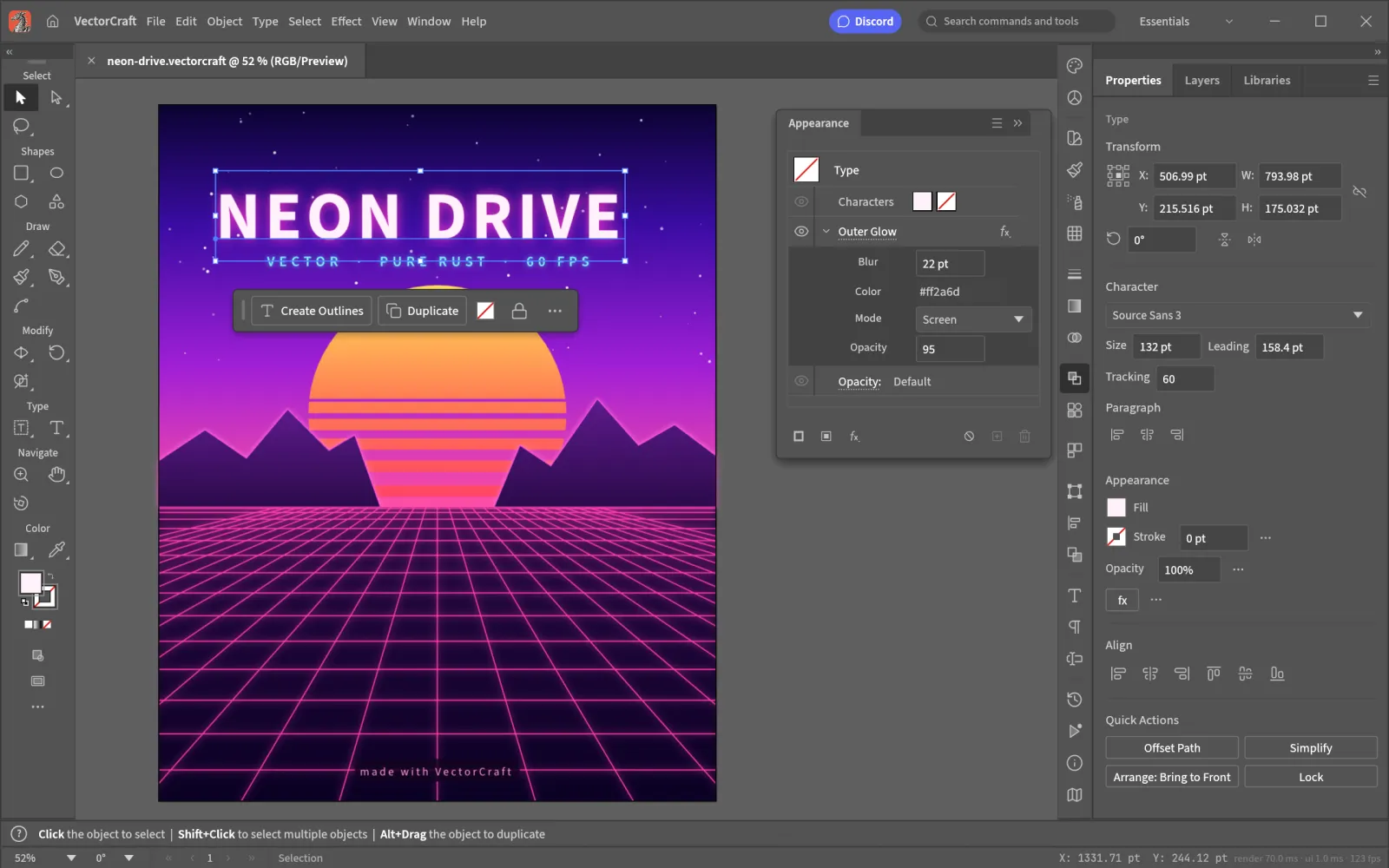
Opens your files
What is VectorCraft
What is VectorCraft?
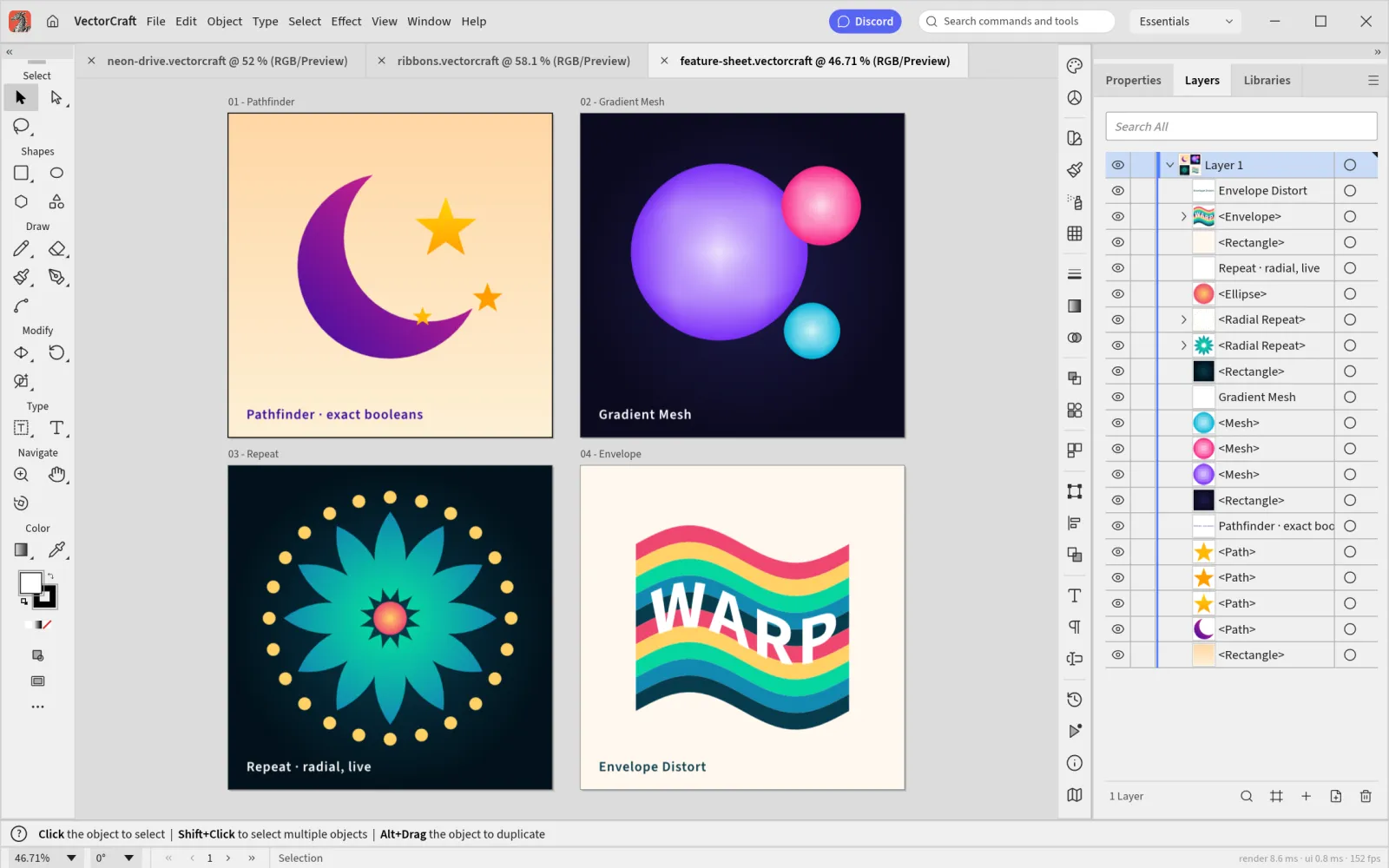
VectorCraft is an open-source vector editor that rebuilds the Adobe Illustrator workflow from scratch in Rust: the Pen and Direct Selection tools, Pathfinder, Shape Builder, Smart Guides, Appearance, Swatches and Layers. The tools, panels and shortcuts sit where Illustrator users expect them, so your hands already know VectorCraft.
It is free, with no account and no subscription. It opens and saves SVG, PDF and PDF-compatible AI files, and the same engine compiles to WebAssembly, so the VectorCraft editor on this site is the full app running in your browser. Your artwork never leaves your computer.
- 1.
Illustrator’s layout
Tools, panels, menus and shortcuts where you expect them.
- 2.
Exact Pathfinder
Curve booleans that never fail with "cannot perform".
- 3.
Your files
SVG, PDF, AI, EPS and DXF in; SVG, PDF and PNG out.
- 4.
Open source
Free forever under MIT or Apache-2.0.
VectorCraft features
Draw, shape and color the way you do in Illustrator
VectorCraft covers the work designers open Illustrator for: logos, icons, posters, illustration and print files.
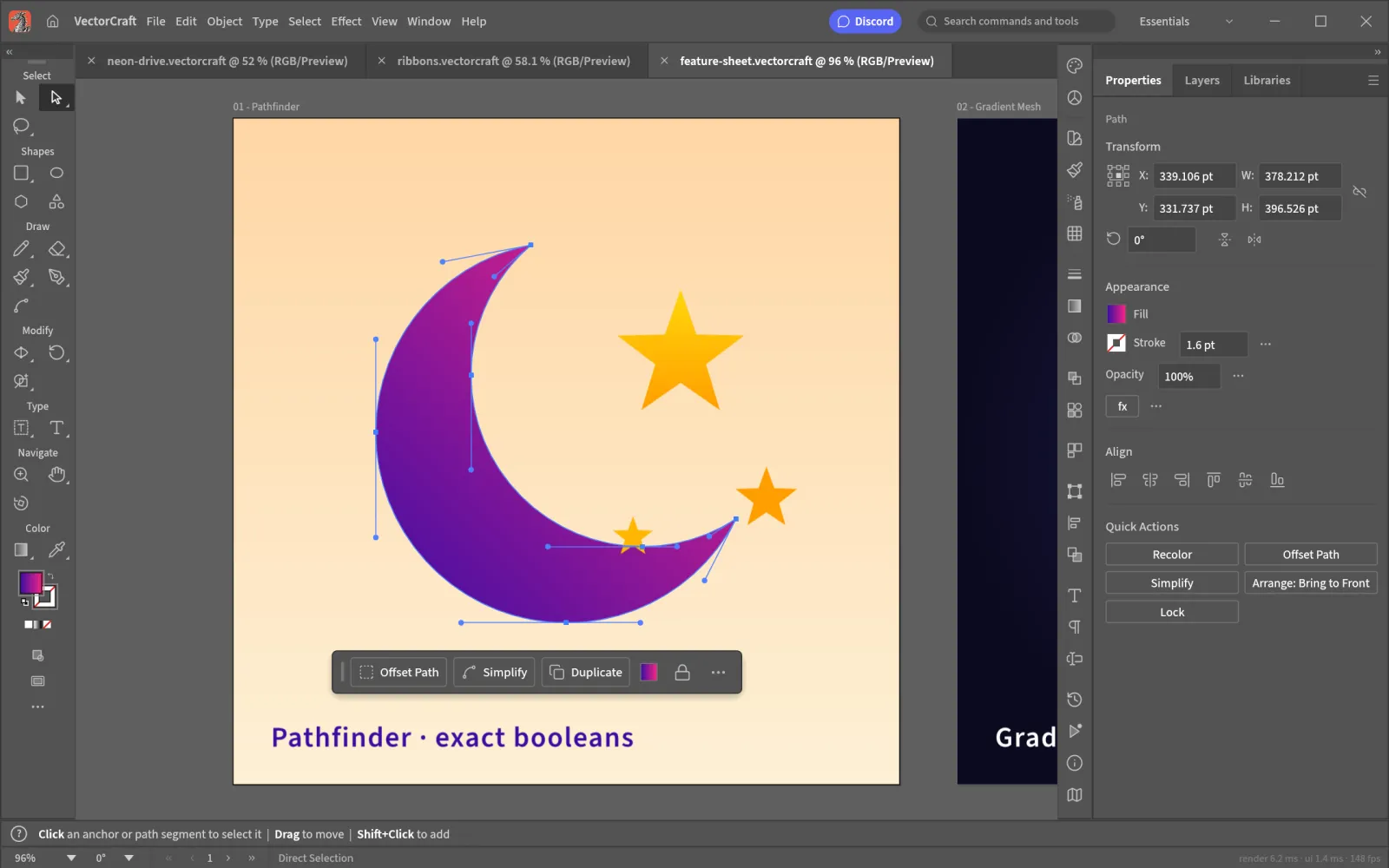 Exact curve booleans
Paths
A Pen tool and Pathfinder you can trust
Draw with the Pen, reshape with Direct Selection and cut shapes with Pathfinder or Shape Builder. Booleans are computed on exact curves, so they never refuse an operation.
- Smart Guides that every drawing tool snaps to
- Live Corners on stars, polygons and pen paths
- Unlimited undo for every edit
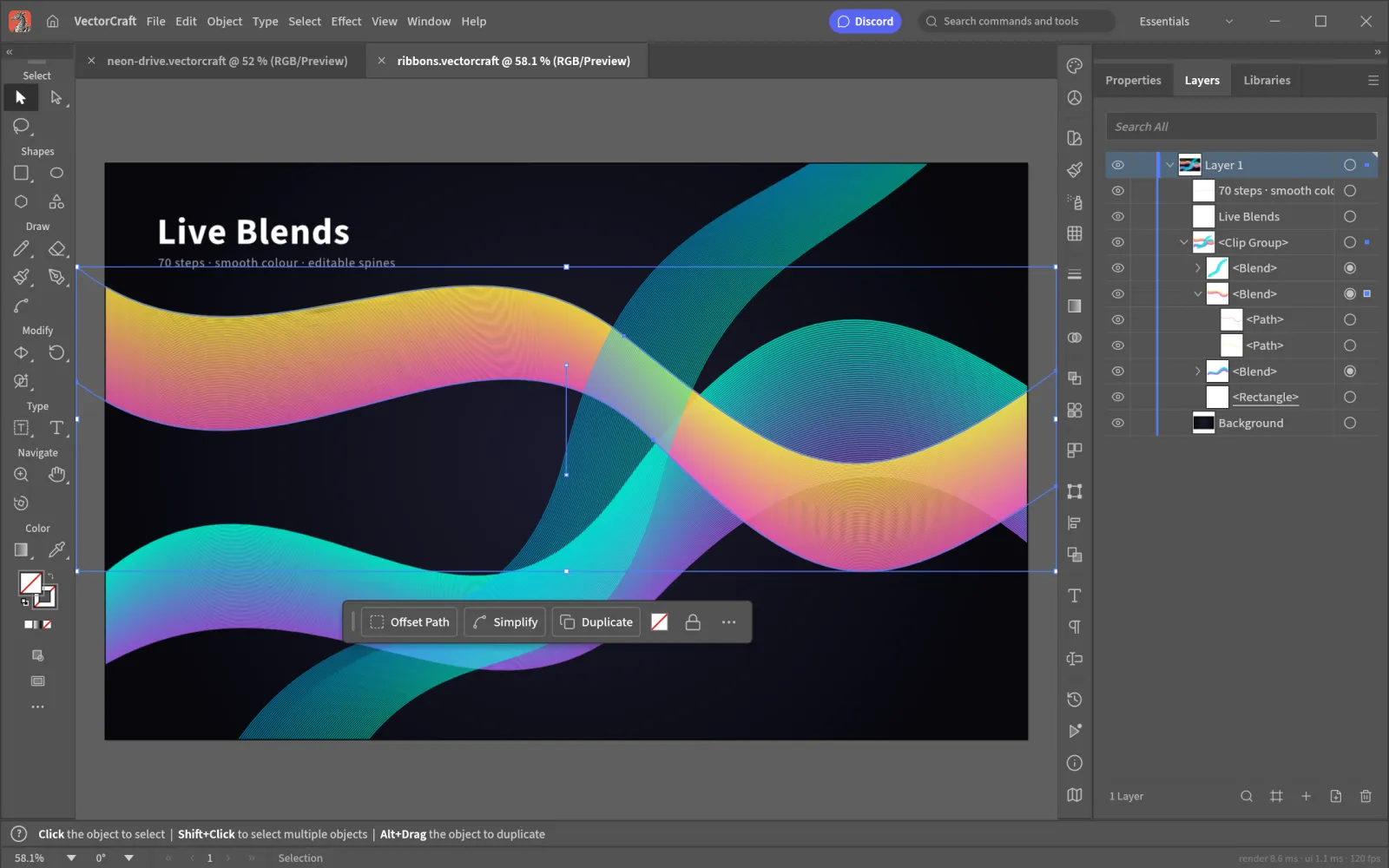 Live Blends
Live effects
Blends, glows and masks that stay editable
Live Blends follow their key paths, Appearance stacks fills, strokes and effects on one object, and clipping masks keep the artwork underneath intact.
- Outer Glow and transparency in the Appearance panel
- Gradient Mesh, Envelope Distort and radial Repeat
- Image Trace turns a bitmap into paths
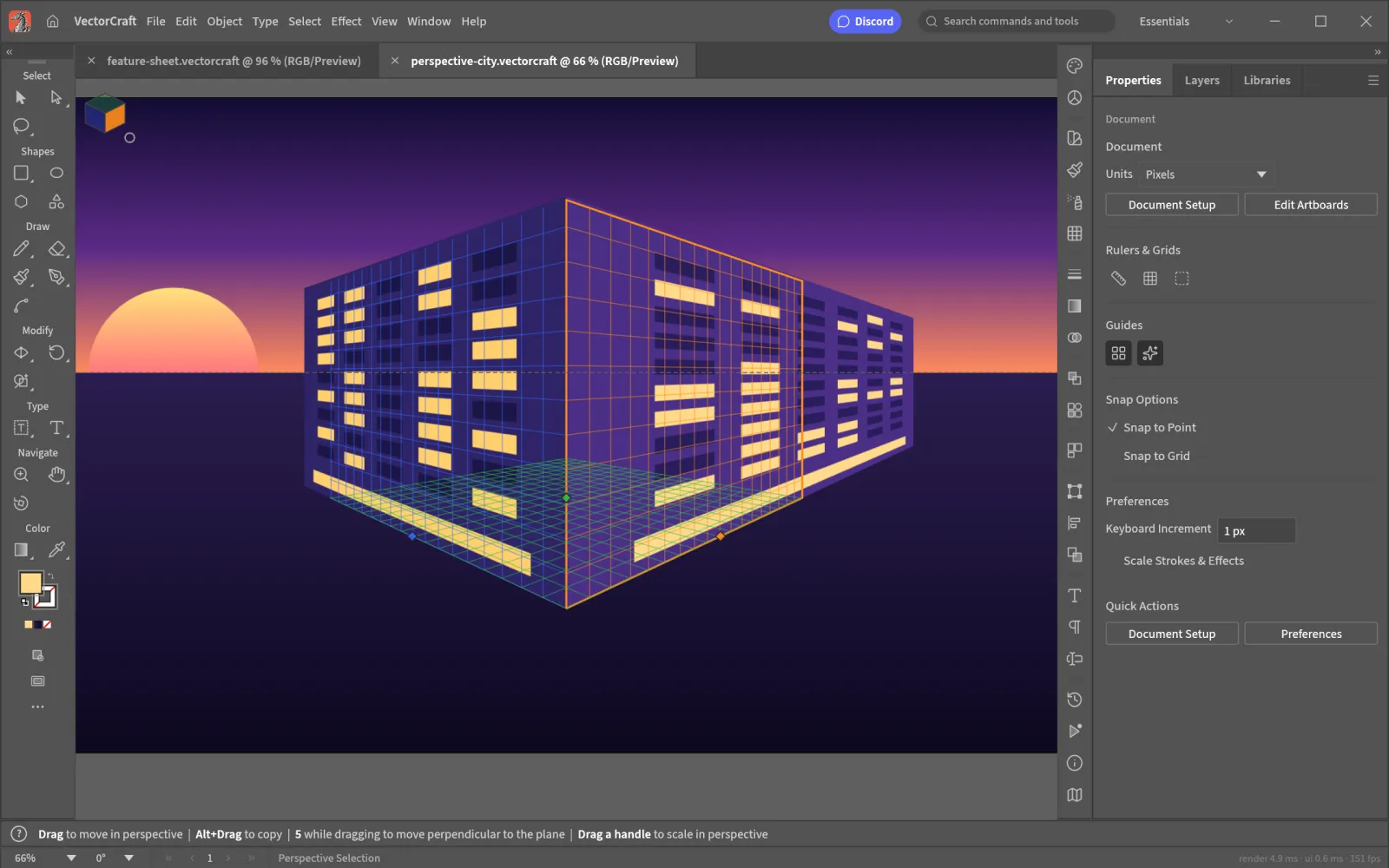 Two-point perspective
Perspective
Draw straight onto a perspective grid
Set up a perspective grid and draw facades, signs and type directly on its planes with the Perspective Selection tool and the Plane Switching Widget.
- Move artwork between planes with the widget
- Type with styles, threading and right-to-left layout
- Many artboards in one document
 SVG, PDF, AI
Files and export
Open the files you already have
Open SVG, PDF, PDF-compatible AI, EPS, DXF and EMF files, and export SVG, PDF (including PDF/X for print), PNG, JPEG and WebP. Export for Screens writes every artboard at every size in one go.
- A documented native format (.vectorcraft, JSON)
- Print and Package for handing files to a printer
- Interface in English, Japanese, Chinese, Spanish, French, Italian and Russian
- Stars on GitHub
- 4.3k
- Desktop downloads
- 153k+
- To render 20,000 shapes
- 27 ms
- Interface while it draws
- 120 fps
Toolbox
The full VectorCraft toolbox
The tools and panels of a professional vector editor, ready from the first launch.
- 01
Drawing tools
The Pen, shapes, stars and polygons, with anchor tools that convert corners and smooth points.
- 02
Shape building
Pathfinder and Shape Builder on exact curves, plus clipping masks.
- 03
Paint and color
Swatches, gradients, Gradient Mesh, transparency and Appearance.
- 04
Real type
Type with styles, threaded text and Hebrew and Arabic layout.
- 05
Fast rendering
Multithreaded SIMD rendering off the interface thread, so big documents stay smooth.
- 06
Built for automation
Every menu, tool and dialog is a command that scripts and AI agents drive over MCP.
Compare
VectorCraft vs Illustrator
You get the core Illustrator workflow for free. Here is where the two match and where Illustrator still leads.
| Feature | VectorCraftFree | Adobe Illustrator |
|---|---|---|
| Price | Free forever | Monthly subscription |
| Source code | Open source, MIT or Apache-2.0 | Closed |
| Account required | No | Adobe ID |
| Runs on | Browser, Windows, macOS, Linux, FreeBSD | Windows, macOS and iPad, no Linux |
| Pen, Pathfinder, Shape Builder | Yes | Yes |
| SVG, PDF and AI files | Open and save | Native |
| 3D and Materials | Not yet | Yes |
| Variables and scripting | Commands over MCP; no Variables panel yet | Yes |
| Generative AI | No | Firefly |
| Maturity | Young; the team counts 69 to 75% of Illustrator’s features | Mature, since 1987 |
Get VectorCraft
Use VectorCraft online or on any desktop
One editor, wherever you draw. Every desktop build links to the official release on GitHub.
VectorCraft online
Open the full editor in Chrome, Edge, Safari or Firefox. Nothing to install, and your files stay on your computer.
Browser · no installWindows
Code-signed installers and portable ZIPs for 64-bit, ARM64 and 32-bit PCs.
MSI · portable ZIPmacOS
One universal app for Apple silicon and Intel Macs, signed and notarized by Apple.
Universal DMGLinux
AppImage, Flatpak, .deb, .rpm or a tarball, for x86_64 and ARM64.
AppImage · Flatpak · .deb
How to use VectorCraft
How to use VectorCraft online
- 01
Open the editor
Press Open VectorCraft online. The app loads once, then your browser keeps it ready for your next visit.
- 02
Open or start a file
Open an SVG, PDF or AI file, or start a new document with File › New and pick an artboard size.
- 03
Draw and shape
Draw with the Pen, combine shapes with Pathfinder and style them in Appearance. Every step can be undone.
- 04
Save or export
Save a .vectorcraft file to keep editing, or export SVG, PDF or PNG. The browser saves it like any download.
VectorCraft download for Windows, Mac and Linux
Every VectorCraft download below is the official 0.7.0 build from GitHub, with its size next to the link.
VectorCraft for Windows
| Your PC | Installer | Portable (no install) |
|---|---|---|
| 64-bit Intel or AMD (most PCs) | vectorcraft-0.7.0-windows-x64.msi · 61.5 MB | portable ZIP · 77.9 MB |
| ARM (Snapdragon, Surface Pro X) | vectorcraft-0.7.0-windows-arm64.msi · 56.8 MB | portable ZIP · 73.5 MB |
| 32-bit | vectorcraft-0.7.0-windows-x86.msi · 59.7 MB | portable ZIP · 74.6 MB |
How to install VectorCraft on Windows: run the MSI and follow the setup steps, then open VectorCraft from the Start menu. With the portable ZIP, unzip the folder anywhere and start VectorCraft from inside it.
VectorCraft for Mac
| Build | File |
|---|---|
| App, universal (Apple silicon and Intel) | vectorcraft-0.7.0-macos-universal.dmg · 85.3 MB |
| Command-line tool, universal | vectorcraft-cli-0.7.0-macos-universal.zip · 64.8 MB |
How to install VectorCraft on a Mac: open the DMG and drag VectorCraft into your Applications folder. The app is signed and notarized by Apple, so it opens with a normal double-click.
VectorCraft for Linux
| Format | x86_64 | ARM64 (aarch64) |
|---|---|---|
| AppImage (runs anywhere) | AppImage · 72.5 MB | AppImage · 69.0 MB |
| Flatpak (sandboxed) | .flatpak · 52.9 MB | .flatpak · 49.1 MB |
| Debian, Ubuntu, Mint | .deb · 78.1 MB | .deb · 75.1 MB |
| Fedora, RHEL, openSUSE | .rpm · 77.6 MB | .rpm · 74.5 MB |
| Tarball | .tar.gz · 76.9 MB | .tar.gz · 73.0 MB |
How to install VectorCraft on Linux:
# AppImage: make it executable and run it
chmod +x vectorcraft-0.7.0-linux-x86_64.AppImage
./vectorcraft-0.7.0-linux-x86_64.AppImage

# Debian or Ubuntu
sudo apt install ./vectorcraft-0.7.0-linux-x86_64.deb
FreeBSD 14 on x86_64 gets a tarball too: vectorcraft-0.7.0-freebsd-x86_64.tar.gz · 76.8 MB.
VectorCraft system requirements
| What VectorCraft needs | |
|---|---|
| Windows | 64-bit, ARM64 or 32-bit Windows; renders through DirectX 12 or Vulkan |
| macOS | Any Mac with Apple silicon or an Intel processor |
| Linux | x86_64 or ARM64, Wayland or X11, with a Vulkan driver |
| Browser | A current Chrome, Edge, Safari or Firefox; WebGPU is used when available, with WebGL2 as the fallback |
What's new in VectorCraft 0.7.0
Highlights from the official release notes:
- Floating panels: panels, panel groups and the Tools panel undock.
- The Pen tool edits the path you are drawing with Cmd and reshapes segments with Alt.
- Live Corners on any path’s corners, including stars, polygons and pen paths.
- PDF and AI import keeps type strokes, wrapped lines and layer order.
- Image Trace makes traces with the Default preset, and the interface speaks Italian.
Check your VectorCraft download
Each release includes SHA256SUMS.txt. Compare it with the checksum of your file:
shasum -a 256 vectorcraft-0.7.0-macos-universal.dmg       # macOS
sha256sum vectorcraft-0.7.0-linux-x86_64.AppImage         # Linux
certutil -hashfile vectorcraft-0.7.0-windows-x64.msi SHA256  # Windows
Every earlier VectorCraft download is on the GitHub releases page.
Yes. VectorCraft is free and open source under MIT or Apache-2.0, with no account and no subscription.
Yes. Open VectorCraft online and the full editor runs in your browser through WebAssembly. Your files are read on your computer and never uploaded; exports save as browser downloads.
Yes, when the AI file was saved with PDF compatibility, which is Illustrator’s default. VectorCraft reads its paths, type and layers, and also opens SVG, PDF, EPS, DXF, EMF and WMF.
Not yet. Its own team counts 69 to 75% of Illustrator’s features. Everyday vector illustration is close to usable; 3D and Materials, the raster Effect Gallery and Variables are still missing.
No. This VectorCraft is the open-source vector editor from the ArtCraft team. The PNG to SVG converter with the same name is an unrelated product. To turn a bitmap into paths in this VectorCraft, use Object › Image Trace.
Every download link on this page goes straight to the official GitHub release. The Windows installers are code-signed, the Mac app is notarized by Apple, and each release lists SHA-256 checksums.
Yes. VectorCraft runs natively on macOS (one universal app), Windows (x64, ARM64 and 32-bit), Linux (x86_64 and ARM64) and FreeBSD, and in the browser.
VectorCraft is built by the ArtCraft team as one of the Crafting Apps, next to PhotoCraft for images, DesignCraft for page layout and FilmCraft for video; see all the Crafting Apps. The code is on GitHub.
No. PhotoCraft Editor is an independent site that hosts the official VectorCraft web build and links to the official downloads. The project lives at getartcraft.com.
Start drawing with VectorCraft
The full vector editor, free in your browser. Open an SVG or start a new artboard.
Colophon
The screenshots are from the VectorCraft repository (MIT or Apache-2.0). Every artwork in them was made in VectorCraft.
PhotoCraft Editor is an independent site. It is not affiliated with ArtCraft or Adobe. Adobe and Illustrator are trademarks of Adobe Inc.