LightCraft: The free, open-source Lightroom alternative
A photo library and raw developer with non-destructive edits, masks, color grading and presets, laid out the way Lightroom users expect. Open LightCraft in your browser in seconds, or install it on any desktop.
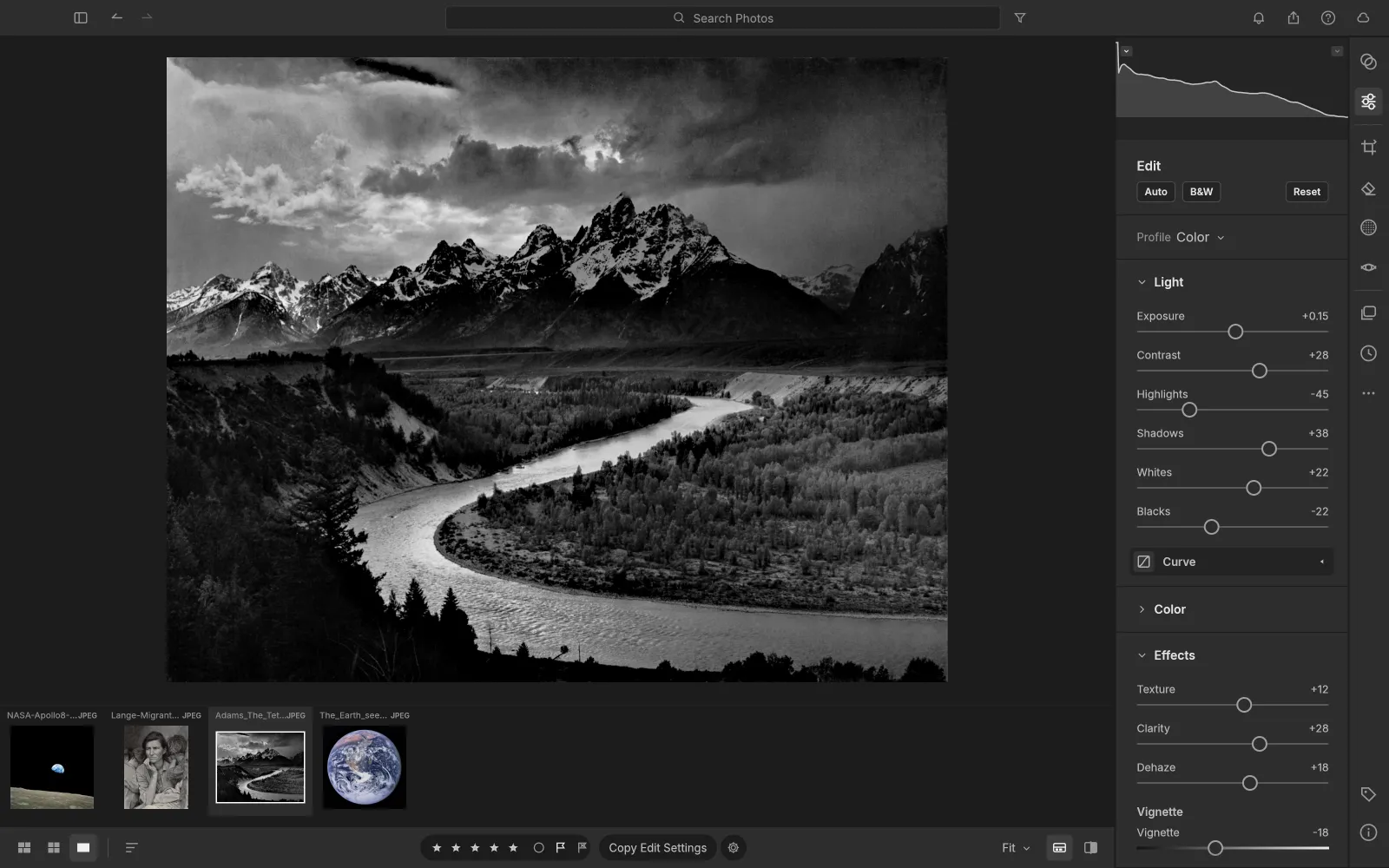
Opens your photos
What is LightCraft
What is LightCraft?
LightCraft is an open-source photo editor that rebuilds the Adobe Lightroom workflow from scratch in Rust: a library with albums, ratings and flags, and a raw developer with Light, Color, Effects, Tone Curve, Masking and Color Grading. Every edit is non-destructive, so your originals are never touched.
It is free, with no account, no cloud and no subscription. Its raw decoders and color science are its own code, and the same engine compiles to WebAssembly, so the LightCraft editor on this site is the full app running in your browser. Your photos never leave your computer.
- 1.
Lightroom’s workflow
Library, develop panels and shortcuts where you expect them.
- 2.
Its own raw decoders
Canon, Nikon, Sony, Fujifilm X-Trans, Panasonic and DNG.
- 3.
Local-first
No account, no cloud and no telemetry.
- 4.
Open source
Free forever under MIT or Apache-2.0.
LightCraft features
Cull, develop and grade the way you do in Lightroom
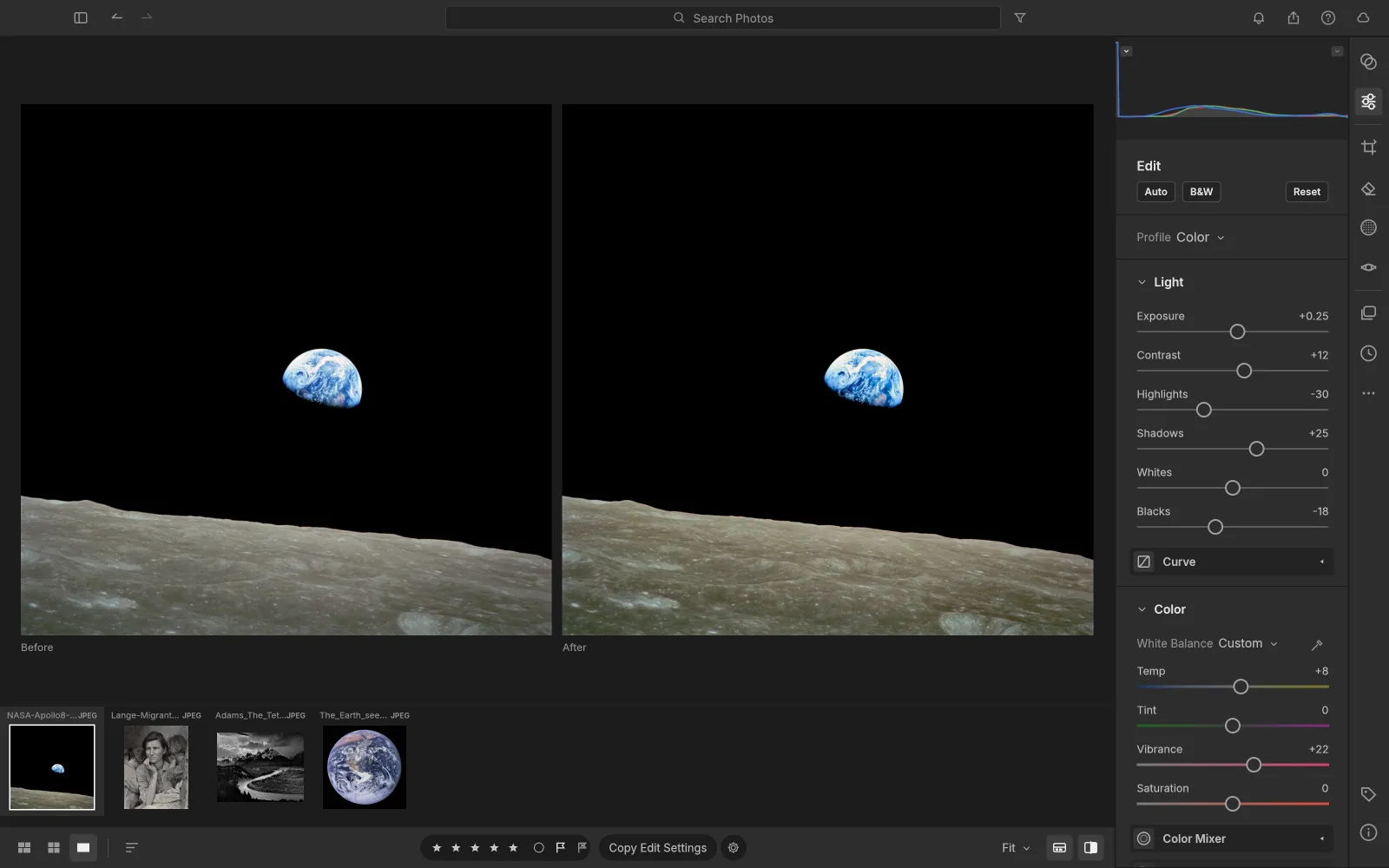
LightCraft covers the work photographers open Lightroom for: sorting a shoot, developing raws, local edits and export.
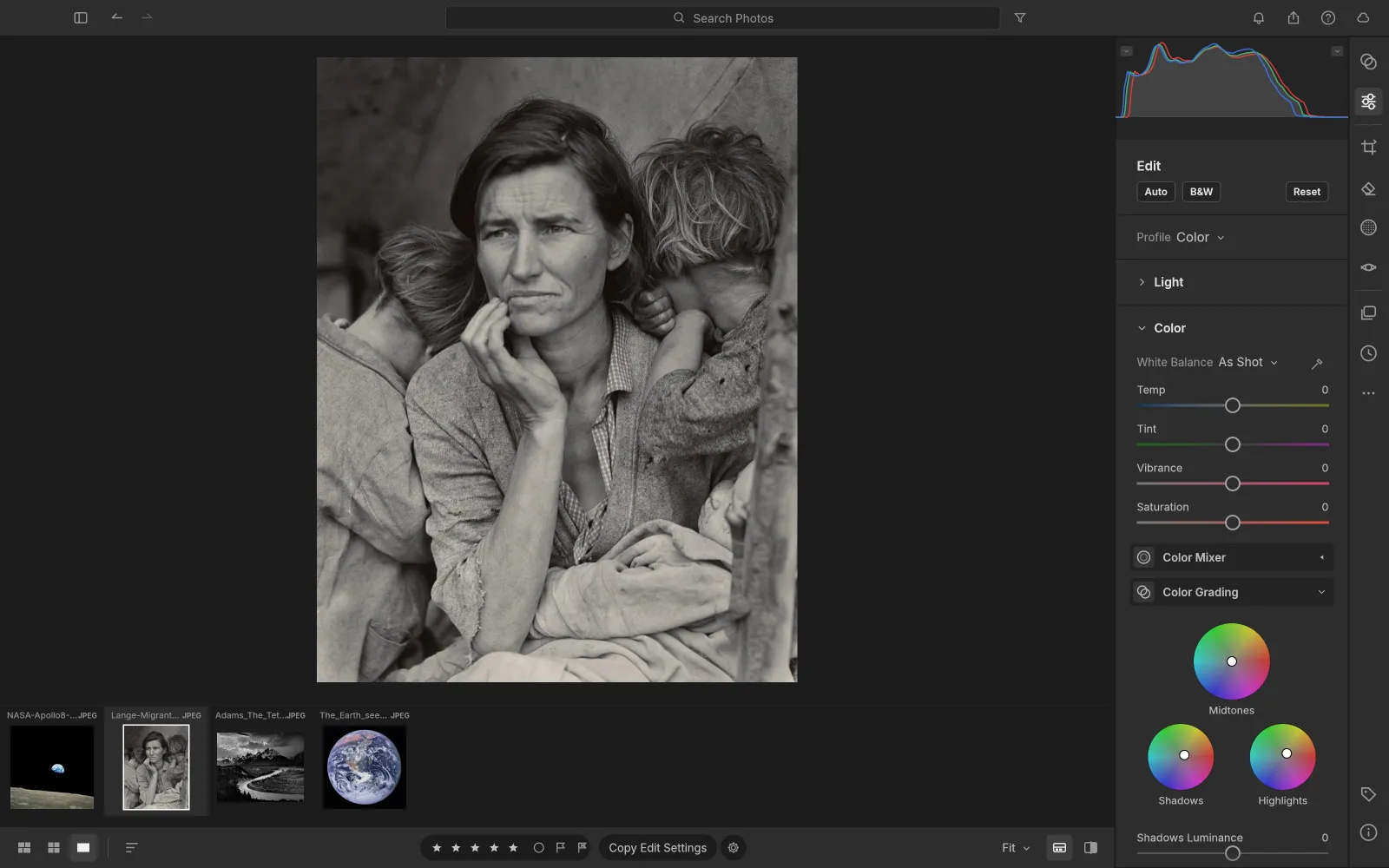 32-bit float
Color
Color grading the cinematic way
Split-tone shadows, midtones and highlights with drag-anywhere wheels, mix eight hue bands, and set white balance in Kelvin with an eyedropper. Color is computed in OkLCh, so it stays clean.
- Vibrance that protects skin tones
- An 8-band Color Mixer and a B&W Mix
- A scene-referred, wide-gamut 32-bit float pipeline
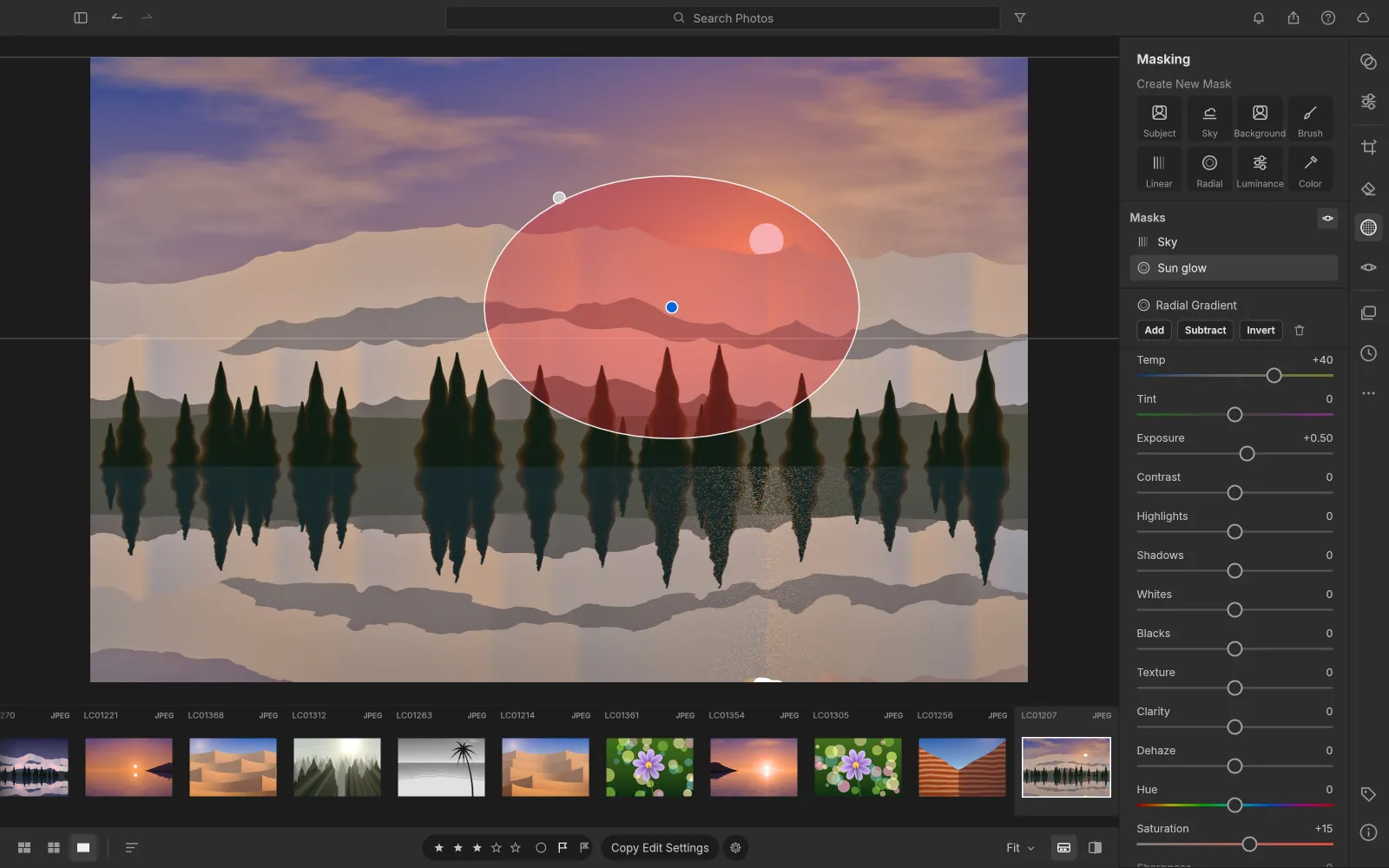 15 local adjustments
Masking
Masks that go where you point
Paint with a brush, drop linear and radial gradients, or select by luminance, color, sky, subject or background. Combine masks and give each one 15 local adjustments.
- Add, subtract and intersect mask components
- Exposure, temperature, clarity and dehaze per mask
- Remove, heal and clone spots
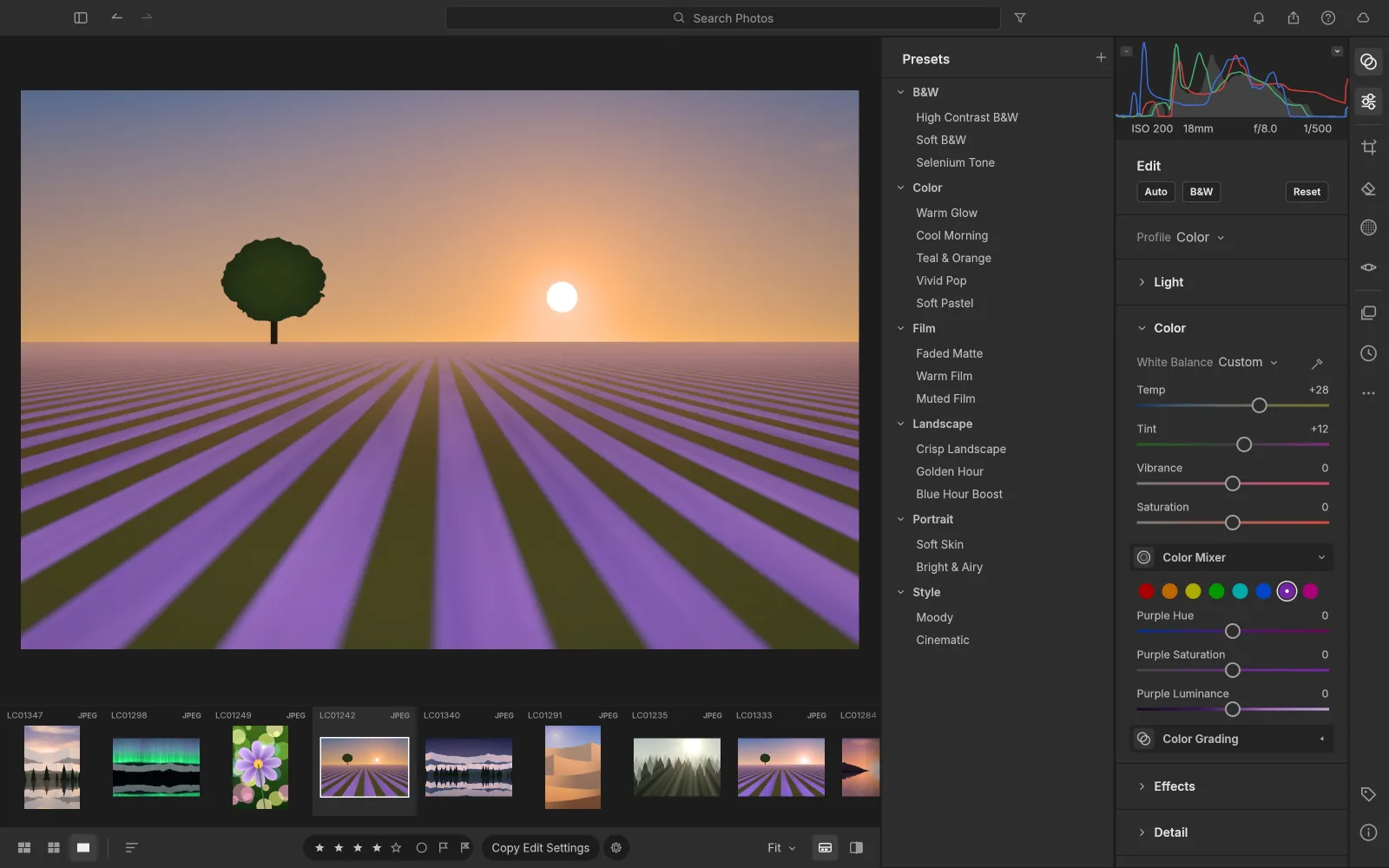 Amount 0 to 200%
Presets and profiles
Eighteen presets, and your own
Golden Hour, Teal & Orange, Faded Matte, Selenium Tone and more ship in the box, each with an Amount slider from 0 to 200%. Save your own, then copy, paste or sync edits across a whole selection.
- Profiles: Color, Neutral, Vivid, Landscape, Portrait, Monochrome
- Reads XMP presets and XMP sidecars
- Versions and full history for every photo
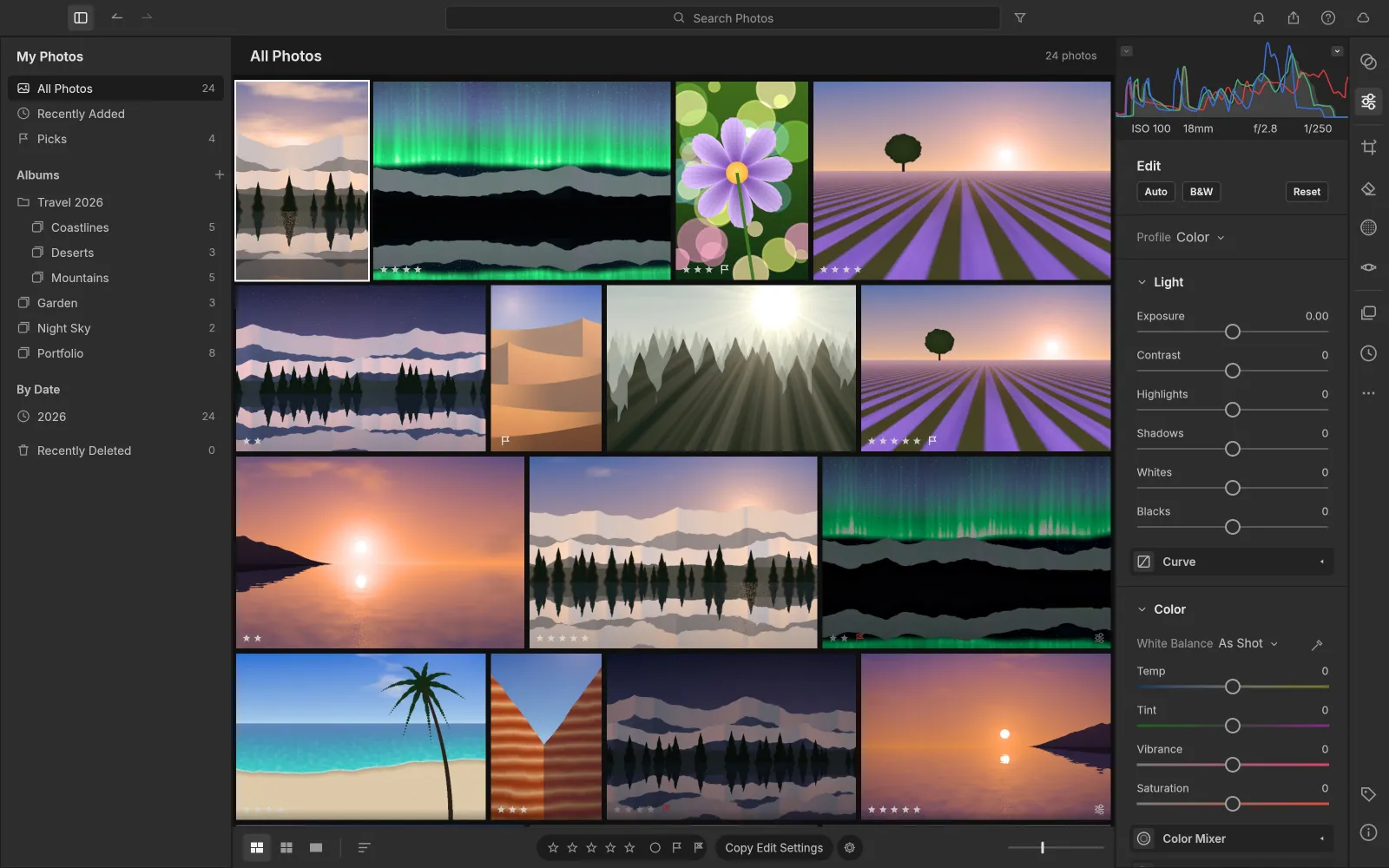 Instant culling
Library
A library that stays out of your way
All Photos, Picks, By Date, albums nested in folders and smart albums. Rate, flag and color-label with the keys you know, and search by field, such as rating:>3 iso:>800.
- Compare and Survey views for culling
- Stacks, virtual copies and duplicate detection
- Grids that stay smooth with forty thousand photos
- Stars on GitHub
- 6.5k
- Desktop downloads
- 137k+
- Built-in presets
- 18
- Adjustments per mask
- 15
Toolbox
The full LightCraft toolbox
The modules and panels of a professional photo editor, ready from the first launch.
- 01
Light and effects
Exposure, contrast, highlights, shadows, whites and blacks, plus Texture, Clarity, Dehaze, Vignette and film Grain.
- 02
Tone Curve
A parametric region curve plus RGB, red, green and blue point curves that never invert tones.
- 03
Crop and geometry
Aspect ratios, straightening, Upright and manual transforms, with lens and chromatic aberration corrections.
- 04
Photo Merge
HDR with auto-align and deghosting, panoramas with boundary warp, and HDR panoramas saved as DNG.
- 05
Export
JPEG, PNG, TIFF, WebP, AVIF and DNG, with sizing, a file-size limit, output sharpening and watermarks.
- 06
Built for automation
Every slider and menu is a command that scripts and AI agents drive over MCP.
Compare
LightCraft vs Lightroom
You get the core Lightroom workflow for free. Here is where the two match and where Lightroom still leads.
| Feature | LightCraftFree | Adobe Lightroom |
|---|---|---|
| Price | Free forever | Monthly subscription |
| Source code | Open source, MIT or Apache-2.0 | Closed |
| Account and cloud | None; photos stay local | Adobe ID; cloud sync |
| Runs on | Browser, Windows, macOS, Linux, FreeBSD | Windows, macOS, mobile and web, no Linux |
| Raw editing, masks, color grading | Yes | Yes |
| HDR and panorama merge | Yes | Yes |
| AI masks and Denoise | Classical subject and sky selection | AI masks, Denoise, Generative Remove |
| Camera color profiles | DNG and some Sony and Fujifilm models | Every supported camera |
| Maturity | Young; the team rates it 60 to 70% of a daily Lightroom replacement | Mature, since 2007 |
Get LightCraft
Use LightCraft online or on any desktop
One photo editor, wherever you work. Every desktop build links to the official release on GitHub.
LightCraft online
Open the full app in Chrome or Edge. Nothing to install, and your photos stay on your computer.
Browser · no installWindows
Code-signed installers and portable ZIPs for 64-bit, ARM64 and 32-bit PCs.
MSI · portable ZIPmacOS
One universal app for Apple silicon and Intel Macs, signed and notarized by Apple.
Universal DMGLinux
AppImage, Flatpak, .deb, .rpm or a tarball, for x86_64 and ARM64.
AppImage · Flatpak · .deb
How to use LightCraft
How to use LightCraft online
- 01
Open the app
Press Open LightCraft online. The app loads once, then your browser keeps it ready for your next visit.
- 02
Import your photos
Add raws and JPEGs to the library. They are kept in your browser’s own storage and never uploaded.
- 03
Develop
Pick a preset or work the Light, Color and Effects panels, then refine with masks. Every edit is non-destructive.
- 04
Export and back up
Export JPEG, PNG or TIFF as a download, and use Back Up Library now and then to keep a copy of your edits.
LightCraft download for Windows, Mac and Linux
Every LightCraft download below is the official 0.4.0 build from GitHub, with its size next to the link.
LightCraft for Windows
| Your PC | Installer | Portable (no install) |
|---|---|---|
| 64-bit Intel or AMD (most PCs) | lightcraft-0.4.0-windows-x64.msi · 51.9 MB | portable ZIP · 64.3 MB |
| ARM (Snapdragon, Surface Pro X) | lightcraft-0.4.0-windows-arm64.msi · 49.0 MB | portable ZIP · 61.3 MB |
| 32-bit | lightcraft-0.4.0-windows-x86.msi · 50.8 MB | portable ZIP · 61.8 MB |
How to install LightCraft on Windows: run the MSI and follow the setup steps, then open LightCraft from the Start menu. With the portable ZIP, unzip the folder anywhere and start LightCraft from inside it.
LightCraft for Mac
| Build | File |
|---|---|
| App, universal (Apple silicon and Intel) | lightcraft-0.4.0-macos-universal.dmg · 65.6 MB |
| Command-line tool, universal | lightcraft-cli-0.4.0-macos-universal.zip · 62.7 MB |
How to install LightCraft on a Mac: open the DMG and drag LightCraft into your Applications folder. The app is signed and notarized by Apple, so it opens with a normal double-click.
LightCraft for Linux
| Format | x86_64 | ARM64 (aarch64) |
|---|---|---|
| AppImage (runs anywhere) | AppImage · 61.0 MB | AppImage · 58.1 MB |
| Flatpak (sandboxed) | .flatpak · 46.6 MB | .flatpak · 43.5 MB |
| Debian, Ubuntu, Mint | .deb · 65.4 MB | .deb · 62.8 MB |
| Fedora, RHEL, openSUSE | .rpm · 65.0 MB | .rpm · 62.4 MB |
| Tarball | .tar.gz · 64.5 MB | .tar.gz · 61.3 MB |
How to install LightCraft on Linux:
# AppImage: make it executable and run it
chmod +x lightcraft-0.4.0-linux-x86_64.AppImage
./lightcraft-0.4.0-linux-x86_64.AppImage

# Debian or Ubuntu
sudo apt install ./lightcraft-0.4.0-linux-x86_64.deb
FreeBSD 14 on x86_64 gets a tarball too: lightcraft-0.4.0-freebsd-x86_64.tar.gz · 64.3 MB.
LightCraft system requirements
| What LightCraft needs | |
|---|---|
| Windows | 64-bit, ARM64 or 32-bit Windows; the develop pipeline runs on DirectX 12 |
| macOS | Any Mac with Apple silicon or an Intel processor; renders through Metal |
| Linux | x86_64 or ARM64 with a Vulkan driver |
| Browser | A current Chrome or Edge; the browser version renders on the CPU in background workers |
What's new in LightCraft 0.4.0
Highlights from the official release notes:
- Windows on ARM64 gets its own installer and portable ZIP.
- DNG files use their own camera-profile look, and older Sony ARWs read white balance and black level.
- Faces from XMP show in the loupe and in a new People view.
- Restore from Recently Deleted, collapsible sidebar sections and a Random sort.
- The interface speaks Simplified and Traditional Chinese.
Check your LightCraft download
Each release includes SHA256SUMS.txt. Compare it with the checksum of your file:
shasum -a 256 lightcraft-0.4.0-macos-universal.dmg       # macOS
sha256sum lightcraft-0.4.0-linux-x86_64.AppImage         # Linux
certutil -hashfile lightcraft-0.4.0-windows-x64.msi SHA256  # Windows
Every earlier LightCraft download is on the GitHub releases page.
Yes. LightCraft is free and open source under MIT or Apache-2.0, with no account, no cloud and no subscription.
Yes. Open LightCraft online and the full app runs in your browser through WebAssembly. Your photos are read on your computer and never uploaded; exports save as browser downloads.
In your browser’s own storage for this site (the Origin Private File System, or IndexedDB). Clearing site data or a private window removes it, so use Back Up Library to keep a copy, or install the desktop app for a library on disk.
DNG, Canon CR2 and CR3, Sony ARW, Nikon NEF, Fujifilm RAF including X-Trans, Panasonic RW2, Leica RWL, Pentax PEF and uncompressed Olympus ORF, with its own decoders. JPEG, PNG, TIFF, WebP and JPEG XL open too.
Not the Lightroom catalog itself. LightCraft reads XMP sidecars, including the develop settings Lightroom writes into them, and imports XMP presets.
Not yet. Its own team counts 79% of Lightroom’s features and rates it 60 to 70% of a daily replacement. AI masks and AI Denoise, measured camera color profiles, HDR editing and video are still missing.
Every download link on this page goes straight to the official GitHub release. The Windows installers are code-signed, the Mac app is notarized by Apple, and each release lists SHA-256 checksums.
No. This LightCraft is the open-source photo editor from the ArtCraft team. Lightcraft Technology, the virtual-production company, is unrelated.
No. PhotoCraft Editor is an independent site that hosts the official LightCraft web build and links to the official downloads. The project lives at getartcraft.com. Its sibling apps include PhotoCraft, FilmCraft and VectorCraft; see all the Crafting Apps.
Start developing with LightCraft
The full photo editor, free in your browser. Add your photos and start editing.
Colophon
The screenshots are from the LightCraft repository (MIT or Apache-2.0). The showcase photos are in the public domain: The Tetons and the Snake River by Ansel Adams (U.S. National Archives), Migrant Mother by Dorothea Lange (Library of Congress) and Earthrise by NASA. The other photos come from LightCraft’s generated demo library.
PhotoCraft Editor is an independent site. It is not affiliated with ArtCraft, Adobe or Lightcraft Technology. Adobe and Lightroom are trademarks of Adobe Inc.